Client Album Analytics: What Photographers Can Learn From Downloads and Views
Learn how photographers can use client gallery views, downloads, selection delays and sharing activity to improve follow-ups and delivery.

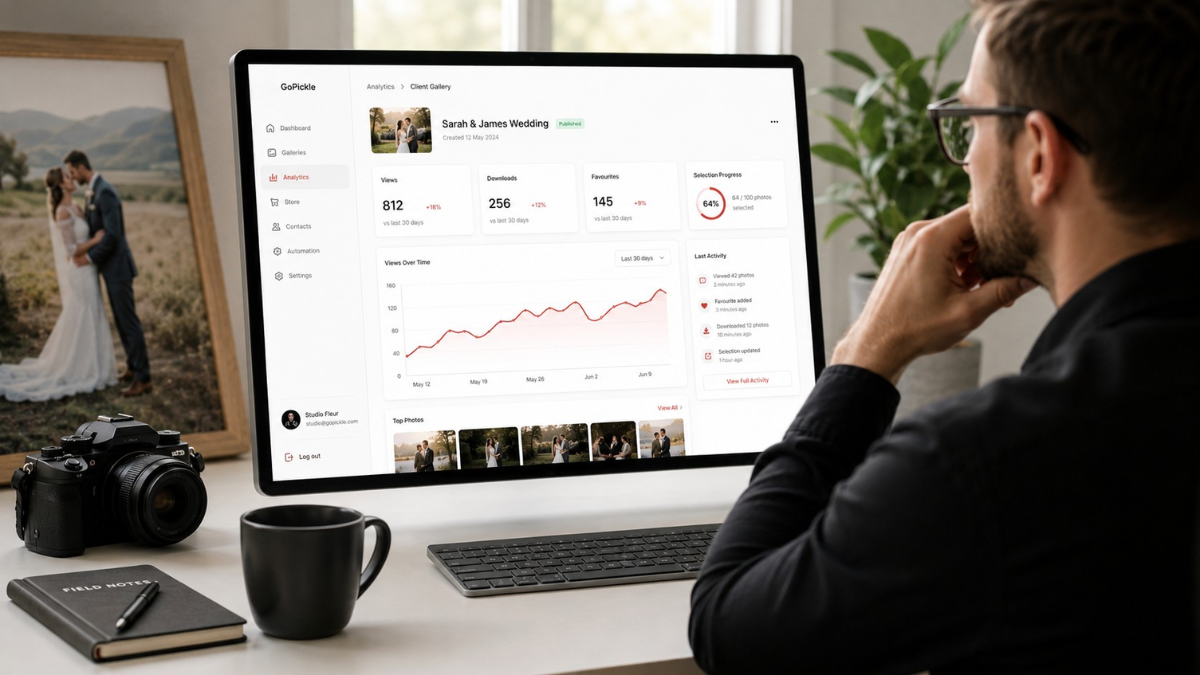
A photographer shares a wedding gallery and waits.
The client may have opened it, forwarded it to the family, downloaded the complete collection or started selecting album photographs. Without gallery activity information, the studio cannot tell.
The usual follow-up becomes:
Did you get time to check the photos?
That question is harmless, but it gives the photographer no context. A client who has not opened the gallery needs a different message from someone who viewed it several times but has not completed the album shortlist.
Client album analytics help photographers understand what happened after delivery. Views, downloads, favourites and selection progress do not tell the complete story, but they make follow-ups more timely and relevant.
A Gallery View Confirms Access, Not Satisfaction
A gallery view usually tells the studio that somebody opened the link.
That is useful because it helps separate two situations:
- The client has not accessed the gallery.
- The client accessed it but has not taken the next action.
Do not interpret one view as proof that the client reviewed the complete album. They may have opened the link briefly, checked it from another device or shared it with a family member.
Use views as a delivery checkpoint.
When the gallery has not been opened after a reasonable period, check whether:
- The link reached the correct person.
- The access PIN was clear.
- The message was missed.
- The client had difficulty opening the gallery.
- Another family member is managing the selection.
A useful follow-up is:
Hi Riya, I wanted to confirm that you received the wedding gallery link and could open it successfully. Please let me know if you need the access details again.
This is more helpful than immediately asking the client to finish the album selection.
Repeat Views May Show Interest or Shared Access
Several gallery views can mean different things.
The couple may be returning to review photographs. Parents may be opening the same link. The gallery may have been forwarded to relatives. A client may also be comparing favourites before completing the final shortlist.
Repeated activity can be a positive signal, but do not assume every view belongs to a different person unless the gallery system identifies individual users.
For the photographer, the practical takeaway is that the gallery is being used.
This may be the right time to:
- Remind the client how favourites work.
- Explain the album-selection limit.
- Share the selection deadline.
- Offer help narrowing a large shortlist.
- Introduce relevant print or album options.
A professional photo-delivery experience should make photographs easy to browse, share, download and select without requiring repeated technical instructions.
Downloads Show That Delivery Has Progressed
A download is a stronger action than a view.
It suggests that the client or an authorised gallery user wanted to save one or more photographs. Depending on the gallery settings, this may involve individual images, favourites or the complete collection.
Download activity can help the studio answer:
- Has the main client started saving the files?
- Was the complete gallery downloaded?
- Are clients downloading only selected photographs?
- Is final delivery still waiting for action?
- Is the gallery being used mainly for viewing or storage?
Photographers should still avoid treating a download notification as proof that the client created a safe backup.
A client may download the photographs to one phone and assume the job is complete. The studio can send a short reminder:
Your gallery download is available. Please save the full-resolution collection to a computer or secure backup location rather than relying only on the gallery link.
GoPickle’s mobile workflow includes updates when an album is downloaded, helping the studio act on delivery activity without checking every project manually.
Selection Delay Shows Where the Workflow Is Stuck
Many wedding albums are delayed after the photographs are delivered.
The couple may have opened the gallery and downloaded images but still not completed the shortlist. This is not a delivery failure. It is a separate workflow stage that needs its own deadline and instructions.
Track:
- Date the gallery was shared
- Date the client first opened it
- Number of favourites or selected images
- Recommended selection limit
- Selection deadline
- Days since the last selection activity
- Whether the shortlist is locked
For example:
Gallery shared: 2 August
First opened: 2 August
Current selection: 86 of 120 photographs
Deadline: 16 August
Last activity: 10 August
The photographer now has enough context for a useful reminder:
Your album shortlist is due on Friday. You have selected 86 of the recommended 120 photographs. Please complete the remaining selection in the same gallery so we can begin designing the album.
GoPickle’s wedding-photographer workflow connects professional galleries with photo selection and approval stages rather than treating delivery as the end of the project.
Sharing Behaviour Can Reveal Client Reach
Wedding and event galleries are often shared beyond the main client.
Couples send them to parents, relatives, friends and event participants. A corporate contact may forward the gallery to marketing, management or an agency.
This sharing behaviour can tell the photographer that the gallery is becoming part of the wider client experience.
The studio should ask:
- Is the gallery suitable for family or stakeholder sharing?
- Does the photographer’s branding remain visible?
- Are access permissions appropriate?
- Should every viewer be allowed to download?
- Does the primary client understand how sharing works?
A generic folder link may transfer files, but a professional client gallery keeps viewing, favourites and delivery inside a photography-focused experience. The GoPickle comparison between Drive and professional galleries explains the difference between basic file sharing and organised client delivery.
Use Analytics to Choose the Right Follow-Up
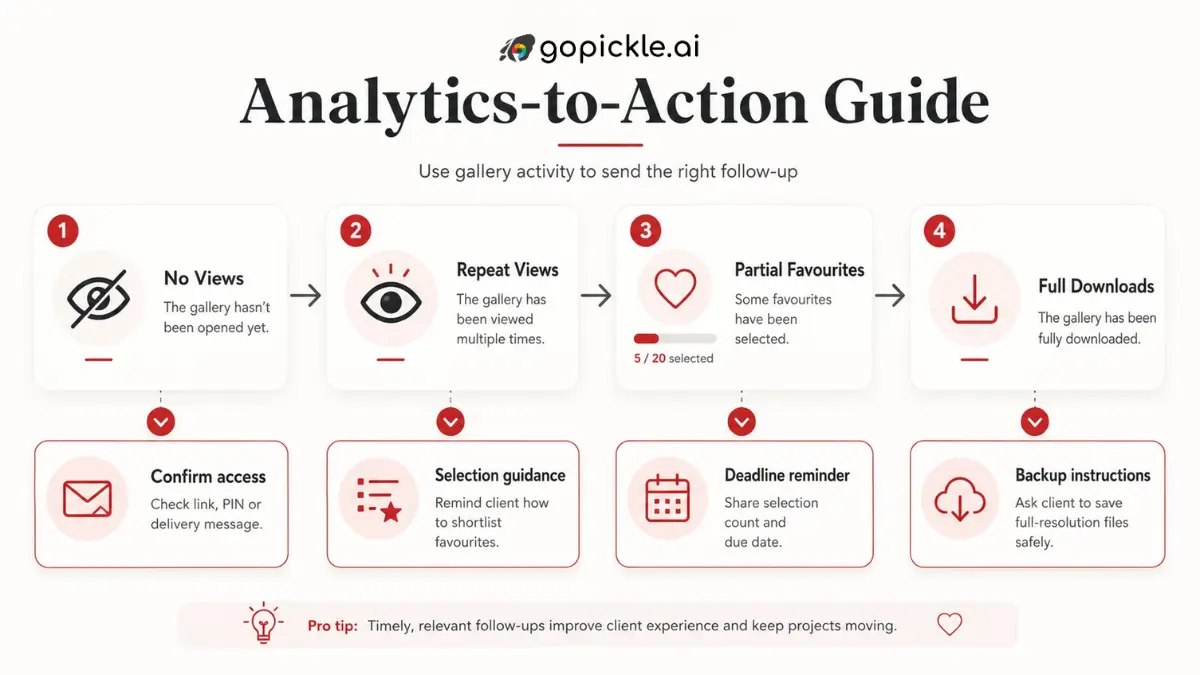
Client gallery analytics are most valuable when they change what the studio does next.
Use a simple decision table:
| Gallery activity | What it may mean | Useful photographer action |
|---|---|---|
| No views | Link missed or access problem | Confirm receipt and access |
| Viewed, no downloads | Client is browsing or undecided | Explain download options |
| Repeat views | Continued interest or family sharing | Remind about favourites or album selection |
| Partial selection | Client started but has not finished | Share progress and deadline |
| Oversized selection | Client wants more than the package includes | Offer reduction or extra album spreads |
| Full download | Main delivery may be complete | Remind about backup and remaining album steps |
| No recent activity | Client workflow has paused | Send a specific next-action reminder |
Avoid contacting clients after every small activity. That can feel intrusive.
Instead, use analytics to identify meaningful gaps: unopened galleries, incomplete selections, missed deadlines, unclear downloads or pending approvals.
A Practical Wedding Studio Example
A studio delivers 1,200 edited wedding photographs through an online Client Gallery.
The couple opens the gallery the same evening and returns several times over the next week. They download some favourites and select 74 photographs for an album that allows 120.
Without gallery information, the photographer might ask:
Have you checked the photos?
With activity context, the studio can send:
We can see that your album shortlist has started and currently contains 74 photographs. Please select up to 120 by Sunday. Try to include ceremony, couple, family and reception moments so the album tells the complete story.
The message acknowledges progress, explains the remaining task and avoids asking the couple to repeat information the studio already has.
Two days later, the couple selects 170 photographs.
The photographer can now offer two clear options:
- Reduce the shortlist to the included limit.
- Add album spreads for the additional photographs.
The analytics did not make the decision. They showed the studio when a decision was needed.
What GoPickle Client Galleries Help Studios Track
GoPickle Client Galleries are designed to keep final photo delivery, protected access, downloads, favourites and album-selection activity connected to the client workflow.
After a wedding, the studio can move from gallery sharing into download tracking, client selection, album work, payment follow-up and final project closure. GoPickle’s post-wedding workflow guidance specifically connects gallery access, downloads, selections and follow-ups instead of leaving these stages across WhatsApp and manual notes.
This is useful because the photographer does not need to treat every delivered gallery as a finished project.
The studio can see whether the next responsibility belongs to:
- The photographer
- The editor
- The album designer
- The client
- The accounts team
Analytics Need Context
A high number of views is not automatically a successful delivery.
A low number of downloads is not automatically a problem.
A family may enjoy viewing the gallery online and ask only the couple to download the full collection. A corporate client may restrict downloads to one administrator. A portrait client may need only five selected images.
Interpret the activity against the booking:
- What did the client purchase?
- Who should have access?
- Are downloads included?
- Is album selection required?
- Has the deadline passed?
- Is another payment pending?
- What is the next agreed deliverable?
Client album analytics should support judgement, not replace it.
Turn Gallery Activity Into Better Service
Photographers do not need more notifications for the sake of having more data.
They need enough visibility to know when delivery has moved forward and when it has stopped.
Views help confirm access. Downloads show saving activity. Favourites reveal selection progress. Delays identify where a client may need instructions. Sharing behaviour shows whether the gallery experience is reaching more people.
Used carefully, these signals help the studio follow up with a clear purpose instead of sending another generic “Any update?” message.
GoPickle.ai connects Client Galleries with the wider photography workflow, helping studios keep delivery, album selection, payments and follow-ups visible after the shoot.