Collect Guest Details at the Event, Share Edited Photos Later With GoPickle.ai
Let guests register through a QR code at the venue, edit photos at your pace, then notify everyone when their AI gallery is ready.

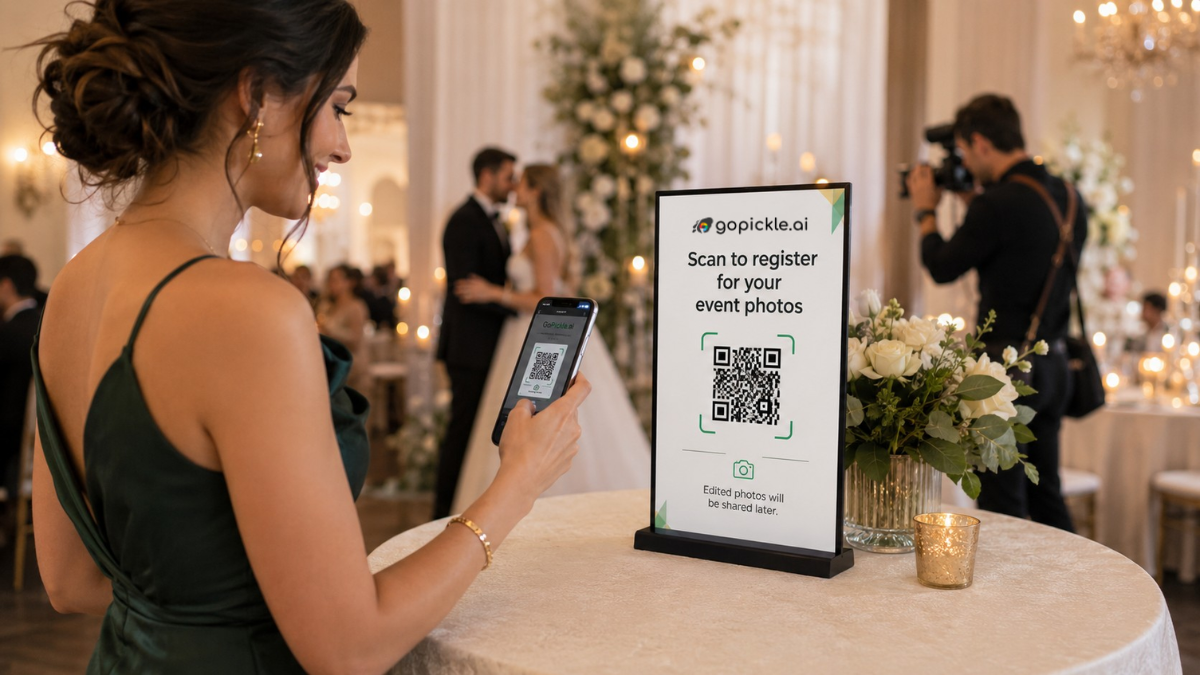
Guests are usually most interested in event photographs while they are still at the venue. The wedding has just happened, everyone is dressed for the occasion, and people are already asking when they can see their pictures.
That does not mean the photographer must share unedited photographs straight from the camera.
With a GoPickle AI Guest Gallery, the studio can create the event album in advance, place a QR code at the venue and let guests register for photo access. The photographer can then complete the normal selection and editing process before uploading the finished images.
Once the photographs are ready, registered guests can be notified together through WhatsApp and email. They return to the gallery, upload a selfie and use AI matching to find the photographs in which they appear.
Registration Can Happen Before Photo Delivery
The photographer first creates an AI Guest Gallery for the wedding, reception, conference or other event.
GoPickle provides a gallery link and QR code that guests can open from their phones. A guest scans the code, enters the required details and registers for access. The gallery can therefore begin collecting interested guests even when no photographs have been uploaded yet.
This separates two activities that photographers often feel pressured to complete at the same time:
- Guest registration happens during the event.
- Edited photo delivery happens when the studio is ready.
GoPickle’s public AI Guest Gallery workflow supports gallery access through a link or QR code, mobile browser use and selfie-based photo discovery without requiring guests to install an application.
You Do Not Have to Share Straight-From-Camera Images
Some photographers are comfortable uploading selected images during an event. Others do not want guests to see photographs before colour correction, cropping, exposure adjustments and basic retouching are complete.
Both workflows are valid.
A photographer’s style is not limited to how the photograph is captured. Selection and editing are part of the final work. Sharing unfinished images too early may create inconsistent colour, duplicate frames, test shots or photographs the studio would normally reject.
The QR-registration workflow removes that pressure. The studio can invite guests into the gallery during the event without making unedited content available.
After the shoot, the photographer can:
- Back up the event photographs.
- Remove test shots, duplicates and weak frames.
- Complete colour correction and editing.
- Export the approved photographs.
- Upload them to the same GoPickle event album.
- Notify registered guests that their photographs are ready.
The guest link remains connected to the event while the photographer keeps control over what is finally published.
Notify Registered Guests in One Step
Without a registration system, the studio may have to depend on the couple to forward the gallery link. The photographer may also receive separate WhatsApp messages from guests asking whether the photographs have been uploaded.
GoPickle keeps the registered guest list connected to the event album. When the edited photographs are ready, the studio can send a notification to registered guests through WhatsApp and email in one action.
This is more organised than copying phone numbers, preparing separate broadcast lists or sending the same update manually across multiple conversations.
The notification will be simple:
Your event photographs are ready. Open the gallery, upload a selfie and find the photographs in which you appear.
Guests do not need a detailed explanation of the technology. They need to know that the photos are available and what to do next.
Guests Use a Selfie to Find Their Photographs
After receiving the notification, each guest opens the same event gallery and uploads a selfie.
GoPickle’s AI searches the uploaded event photographs for matching faces and presents the relevant results in a personalised gallery. The guest can then view and download their photographs without scrolling through the complete event collection.
This is useful for large weddings and events where the final gallery may contain thousands of images. A guest is usually interested in their own portraits, family groups and candid moments—not every photograph taken during the day.
The personalised discovery process also reduces repeated “Can you find my photos?” requests to the photographer.
A Practical Wedding Studio Example
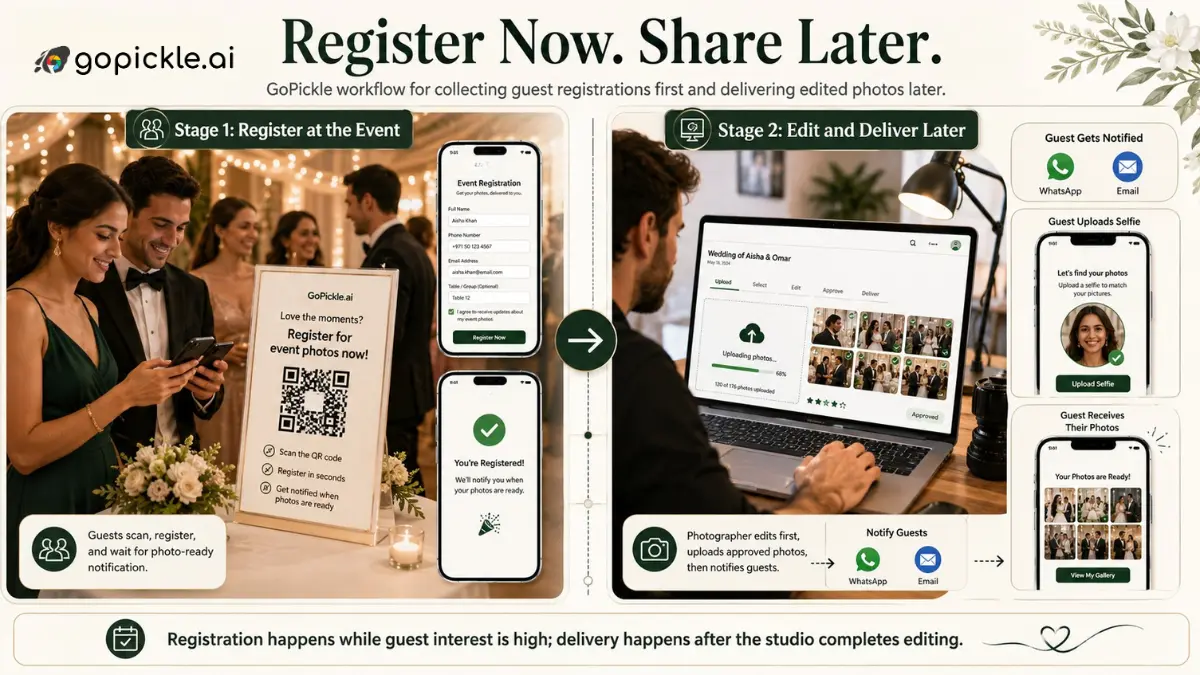
Consider a studio covering a wedding with 600 guests.
Before the wedding, the photographer creates the GoPickle AI Guest Gallery and prints the QR code on a small display card. The card is placed near the reception entrance and another copy is kept at the photo booth.
During the event, guests scan the code and register. The photographer does not upload live images because the studio prefers to complete its normal editing process first.
Over the next few days, the team selects the strongest photographs, applies its colour style and uploads the edited files to the same gallery.
The studio then sends one WhatsApp and email notification to everyone who registered. Guests reopen the gallery, upload their selfies and find their matched photographs.
The photographer preserves the studio’s editing quality while avoiding hundreds of individual delivery conversations.
Protect Quality Without Losing Guest Interest
Photographers should not have to choose between engaging guests at the event and protecting the quality of their finished work.
GoPickle allows the studio to collect guest registrations while interest is high, complete editing at its own pace and notify everyone when the approved photographs are ready. Guests then use the gallery link and a selfie to discover their images.
The result is a cleaner event photo-sharing workflow: registration at the venue, editing after the shoot, one organised notification and personalised delivery through the same album.
Create a GoPickle.ai AI Guest Gallery before your next event so guests can register early without forcing your studio to publish unfinished photographs.