Google Drive vs Professional Client Galleries for Photographers
Compare Google Drive and professional client galleries for photographers across branding, downloads, access control, follow-ups, and client experience.

Short Answer
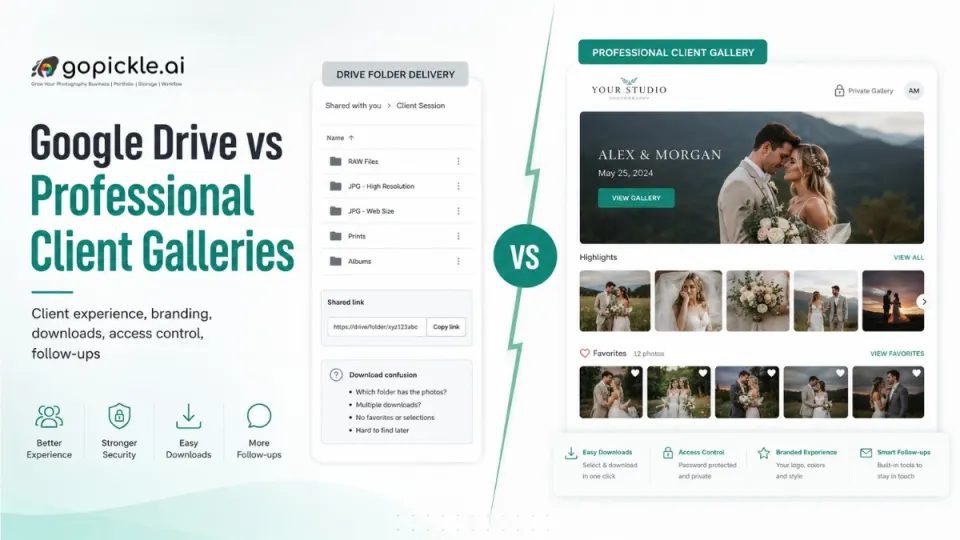
Google Drive can work for basic file sharing, but it is not built as a professional photo delivery experience for photographers.
A professional client gallery gives clients a cleaner way to view, select, share, and download photos. It also gives the studio better control over branding, access, downloads, and follow-ups.
For casual delivery, Drive may be enough. For wedding, event, portrait, baby, and studio clients, a proper client gallery creates a more polished experience.
Why This Matters for Photographers
Many photographers start with Google Drive because it is simple.
Upload photos. Create a folder. Share the link. Done.
But as the studio grows, this basic method starts creating problems.
Clients may ask:
“Which folder has the final photos?”
“Where do I select album photos?”
“Are these high-resolution images?”
"Why are the images square-fitted?"
"Can I scroll through full sized images?"
These questions are not always the client’s fault. They often happen because the delivery system is not designed for photography clients.
From a studio operations point of view, photo delivery is not just file transfer. It is part of the client experience.
The way you deliver photos affects how professional your studio feels after the shoot.
Google Drive Is Good for Storage, Not Experience
Google Drive is useful for storing and sharing files.
But photography delivery needs more than storage.
A client does not want to feel like they are opening a random file dump. They want a clean, simple gallery where memories are easy to browse, select, download, and share.
Google Drive is folder-first.
A professional client photo gallery is experience-first.
That difference matters.
With Drive, the client sees folders, file names, and download options. With a gallery, the client sees a curated visual experience that feels closer to the value of the shoot.
For wedding photographers, this is especially important because families may revisit, share, and download the gallery multiple times.
Client Experience: Folder Link vs Gallery View
Client experience is where the biggest difference appears.
Google Drive can feel technical. Some clients are comfortable with it. Others may get confused, especially when there are multiple folders, subfolders, compressed files, or permissions.
A professional gallery feels easier because it is designed around photos.
A good gallery should allow clients to:
- Browse photos visually
- Open images easily on mobile
- Share the gallery with family
- Select favourites
- Download selected or full sets
- Understand what has been delivered
- Return to the gallery later
This creates a smoother photo delivery workflow. The client should not need repeated instructions to find their own photos.
Branding: Generic Link vs Studio Presentation
When you send a Google Drive link, the client mostly sees Google’s interface.
Your studio’s brand becomes secondary.
This may be fine for internal file sharing, but not always for client delivery.
A professional gallery can carry your studio name, album title, cover image, event details, and a more premium presentation.
For example, a wedding gallery can open with the couple’s names, event title, cover photo, and organised sections.
That feels different from a folder named “Final Edited Photos.”
Photography is a visual business. Your delivery should also feel visual.
A professional online gallery for photographers helps reinforce your brand even after the shoot is over.
Your Business branding on your online gallery helps friends of your clients to instantly reach out potentially increasing your lead and revenue.
Downloads: Basic Access vs Clear Download Control
Downloads are another common pain point.
With Google Drive, clients may download files, folders, or compressed folders depending on device, browser, and account settings. Some clients may struggle to download large folders from mobile.
A client gallery can make download options clearer.
For example:
- Download single photo
- Download selected photos
- Download full album
- Download different resolutions, if available
- Allow or restrict downloads
- Keep download access controlled
This matters when clients want to share photos with family, print images, or store high-resolution files.
Good photo download management reduces repeated messages like “Please send the photos again” or “The folder is not downloading.”
Access Control: Open Folder vs Client-Specific Delivery
Access control is important for private events.
Weddings, baby shoots, family functions, and corporate shoots may include personal or sensitive images.
Google Drive can restrict access, but clients may still get confused between open links, restricted links, account-based access, and permission requests.
A professional photo gallery access control system can be simpler for photography use.
Photographers can manage access using gallery links, passwords, PINs, or download permissions depending on the workflow.
The aim is not to make access complicated. The aim is to make it safe and clear.
Clients should feel that their photos are being handled professionally.
When Google Drive Is Enough
Google Drive is not bad.
It can work well for:
- Internal team file sharing
- Backup copies
- Vendor transfers
- Small casual shoots
- Raw file sharing when needed
- Temporary delivery for simple requirements
The issue is not Google Drive itself.
The issue is using a storage tool as the main client experience for professional delivery.
For paying photography clients, especially premium or wedding clients, the delivery experience should match the quality of the work.
When a Professional Client Gallery Is Better
A professional gallery is better when:
- The client needs a clean viewing experience
- The gallery may be shared with family
- The studio wants stronger branding
- Downloads need to be managed clearly
- The client has to select album photos
- The event has many images
- The studio handles multiple clients
- Follow-ups need to be tracked
- Privacy and access control matter
For photographers, this is not just about looking modern.
It reduces confusion, repeated messages, missed selections, unclear delivery status and increase brand reach, leads and revenue.
Where GoPickle Helps
GoPickle helps photographers deliver client albums and galleries in a more organised way.
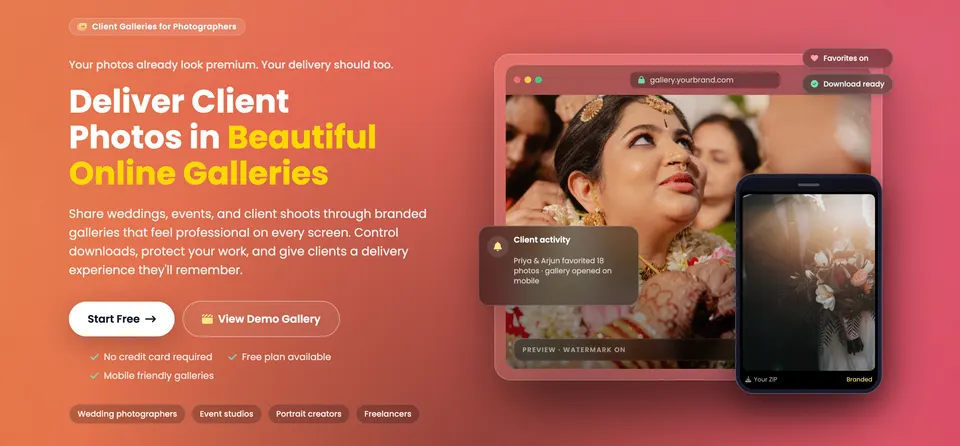
Instead of depending only on Google Drive links, WhatsApp messages, and manual follow-ups, photographers can manage client galleries, access, downloads, bookings, invoices, quotations, and studio workflows in one place.
For example, after a wedding shoot, a studio can share a gallery, support client viewing and downloads, manage album selection, track booking and invoice context, and keep the client journey connected.
This gives photographers a cleaner way to manage delivery and gives clients a more professional experience.
Final Takeaway
Google Drive is a good storage and file-sharing tool.
But professional photography delivery needs more than a folder link.
Clients expect photos to be easy to view, easy to download, easy to share, and clearly organised. They also expect privacy, access clarity, and a delivery experience that feels professional.
For photographers, the choice is not only about where files are stored. It is about how the client experiences the final result.
A professional client gallery helps your studio present work better, reduce confusion, manage downloads, control access, and follow up more clearly.
If your studio wants to move from plain file sharing to a cleaner client photo gallery experience, GoPickle can help manage albums, downloads, bookings, invoices, quotations, and client workflows in one place.