GoPickle Demo for Professional Photographers
Book a personal GoPickle demo for your photography studio. See how GoPickle fits your workflow from enquiries and bookings to payments and photo delivery.

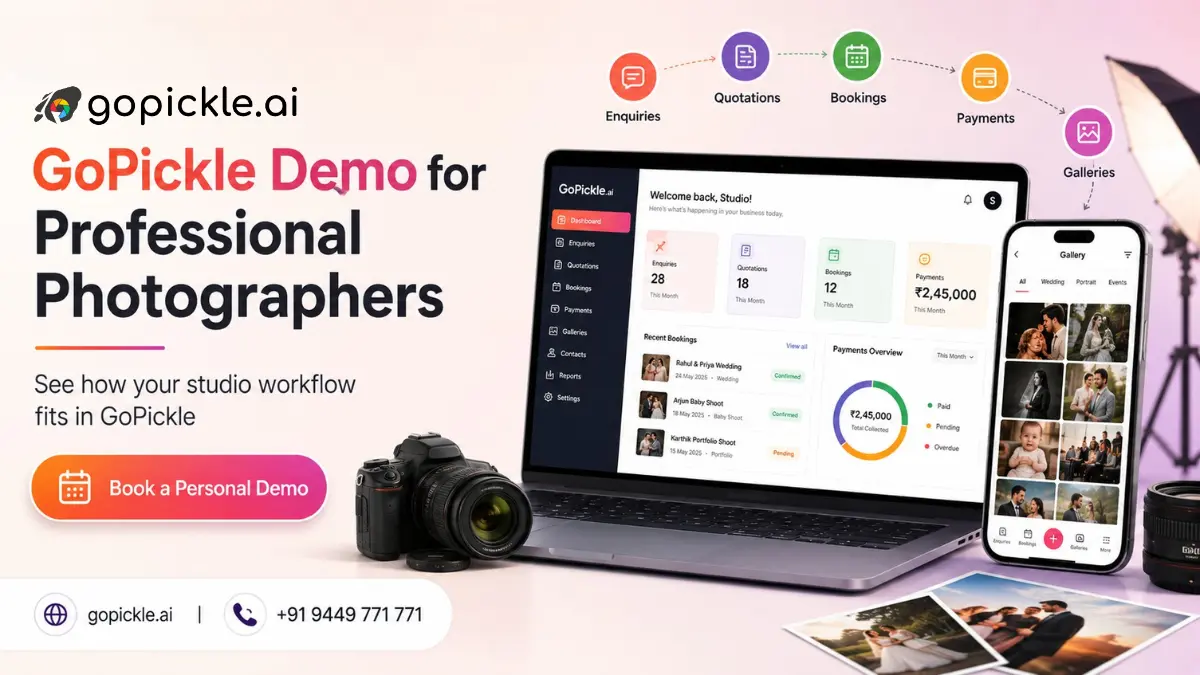
Your time is valuable.
That is why a GoPickle demo is not designed to be a long presentation where we show every feature on the platform.
We first understand how your photography business works, what you are currently using and what you want to improve. Then we focus the demo on the parts of GoPickle that are relevant to you.
If you spend 30 minutes with us, our goal is simple: by the end of the conversation, you should have a clear idea whether GoPickle fits your studio or not.
Ready to simplify your photography workflow?
Use GoPickle to manage bookings, invoices, galleries, and delivery from one connected workspace.
Why Take a GoPickle Demo?
You can learn a lot from a website, screenshots and feature pages. But photography studios work differently. One photographer may only need a better way to track enquiries. Another may be managing several weddings, photographers, quotations and payments every week. Another may mainly be interested in Client Galleries or AI Guest Galleries.
A personal demo gives you the opportunity to see GoPickle against your own workflow.
Instead of asking:
“What features does GoPickle have?”
You can ask:
“This is how we currently run our studio. Show me how GoPickle would handle it.”
That is a much more useful way to evaluate software.
What Is GoPickle?
We built GoPickle specifically for professional photographers and photography studios.
It helps connect the business workflow around a photography assignment:
Enquiry → Follow-up → Quotation → Booking → Crew → Payments → Shoot → Photo Delivery
GoPickle includes tools for:
- Lead Management
- Quotations
- Booking Management
- Invoicing and Payments
- Crew Management
- Client Galleries
- AI Guest Galleries
The value is not simply having these features.
It is having the information connected as a client moves from the first enquiry towards a completed photography project.
We Start With How Your Studio Works Today
A useful demo starts with a short conversation about your current process.
For example, you might tell us:
“Our enquiries come through WhatsApp and Instagram. We send quotations as PDFs, maintain bookings in Google Calendar, track payments in Excel and coordinate photographers through WhatsApp.”
We can then show how that same workflow could work inside GoPickle.
If your main problem is missed follow-ups, we spend more time on Lead Management.
If bookings and team coordination are becoming difficult, we focus there.
If you already have your business operations sorted and only want better photo delivery, we can show Client Galleries or AI Guest Galleries.
Why We Believe the Demo Is Worth Your Time
Changing business software is a meaningful decision.
The real cost is not only the subscription price. You also need to consider the time required to learn a new system, move your workflow and get your team to actually use it.
A short personal demo can help you answer those questions before you make that commitment.
During the demo, you can check:
- Does this fit the way my studio works?
- Is it straightforward enough to use every day?
- Can my team understand it easily?
- Can it reduce the number of separate tools we currently manage?
- Does it handle the type and size of photography projects we work on?
- Is the price reasonable for what we will actually use?
If the answer is no, it is better to know before you change anything. If the answer is yes, you will also have a much clearer idea of how to start using GoPickle.
Use a Real Example During the Demo
The best way to test GoPickle is with a realistic photography job.
You can simply tell us:
“We are a five-person wedding studio. We usually handle three or four functions per wedding, assign different crew members, collect payments in stages and deliver photographs online.”
We can use that example throughout the product tour.
Or bring one of the real problems you want to solve:
“We sometimes miss enquiry follow-ups.”
“Our booking and payment information is spread across different places.”
“It is becoming difficult to coordinate our photographers.”
“We want a better way to deliver photographs to clients.”
“We want guests at weddings to find their own photos.”
You do not need to prepare anything complicated. Give us the problem. We will show you how GoPickle approaches it.
Is GoPickle Easy to Learn?
We have built GoPickle around terminology photographers already use every day:
Enquiries. Quotations. Bookings. Events. Crew. Payments. Galleries.
The intention is to keep the learning curve straightforward rather than forcing photographers to adapt to a generic business system.
But do not take our word for it.
Use the demo to judge this yourself.
While we show you the product, ask:
“Could I do this myself after seeing it once?”
That is one of the most useful tests of any photography software.
Ask Us the Difficult Questions
We want the demo to help you make a decision, so ask us about real situations.
If you photograph multi-day weddings, ask us to show one.
If clients pay you in several instalments, ask how that works.
If you manage ten photographers, explain how your team operates.
If you already use another CRM, gallery platform or accounting tool, tell us what you like and what you want to improve.
You should understand both where GoPickle fits and where it may not fit before making a decision.
GoPickle Is Not Necessary for Every Photographer
If your current process is simple and works perfectly with a calendar and spreadsheet, you may not need a complete studio-management platform yet.
GoPickle is more relevant when managing the business begins to involve several disconnected tools, repeated manual work or multiple team members.
It is particularly useful for photographers who want to connect business management and photo delivery in one workflow.
You can explore our individual feature pages, read GoPickle Reviews, and compare the available Pricing Plans before deciding.
Book a Personal GoPickle Demo
We believe GoPickle is a genuinely useful product for professional photographers.
But the best way for us to prove that is not by giving you a longer feature list. Show us how your studio works. We will show you where GoPickle can fit, answer your questions and focus the conversation on what matters to your business. Your time matters, and we intend to make the demo worth it.
What we need from you
Just tell us:
- what type of photography you do;
- how large your team is;
- what you currently use;
- what you want to improve.
We will take it from there.