How GoPickle.ai Helps Photographers Deliver Albums Faster
Learn how GoPickle.ai helps photographers deliver albums faster with organised uploads, client galleries, selections, downloads, and clearer communication.

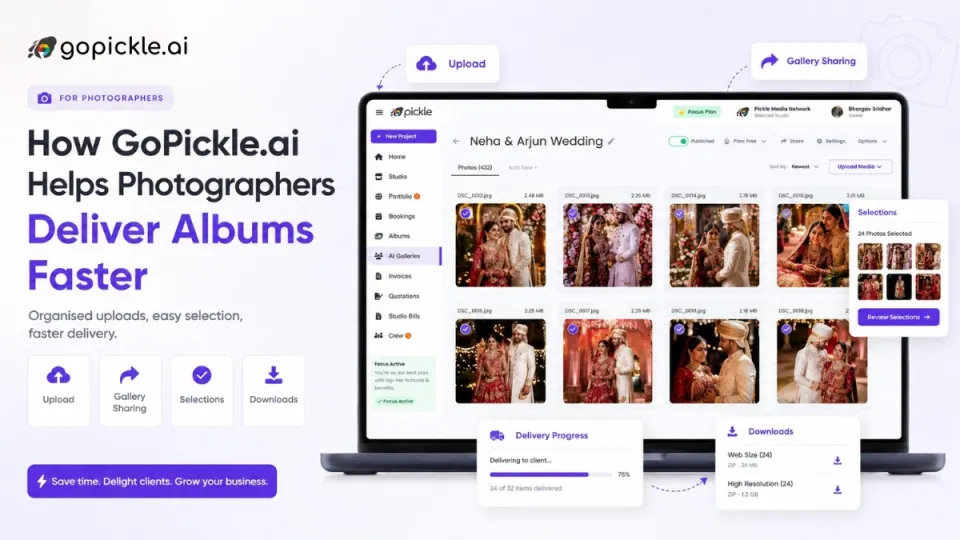
Photographers can deliver albums faster when the post-shoot process is structured.
The delay usually does not happen only because editing takes time. It happens because photos are scattered, selections are unclear, clients send screenshots, file names get repeated, and follow-ups are not tracked properly.
GoPickle.ai helps photographers organise uploads, share client galleries, collect photo selections, manage downloads, and communicate next steps clearly, so album work can move faster after the shoot.
Why Albums Get Delayed After the Shoot
For many studios, the shoot gets completed on time, but the album gets delayed later.
This is common in wedding photography because the post-shoot workload is heavy.
The studio needs to sort photos, upload images, share them with the client, wait for selection, collect corrections, coordinate with editors, prepare the album design, get approval, print, and deliver.
The problem becomes bigger when the workflow depends on WhatsApp, hard disks, Google Drive folders, screenshots, and memory.
In many studios, album delay starts with small gaps:
The client does not know where to select photos.
Family members send separate selections.
File names are repeated or incorrect.
Album photos and editing photos are mixed together.
The designer waits for final selection.
The photographer keeps checking old messages.
This is why album delivery for photographers needs a proper workflow, not only faster editing.
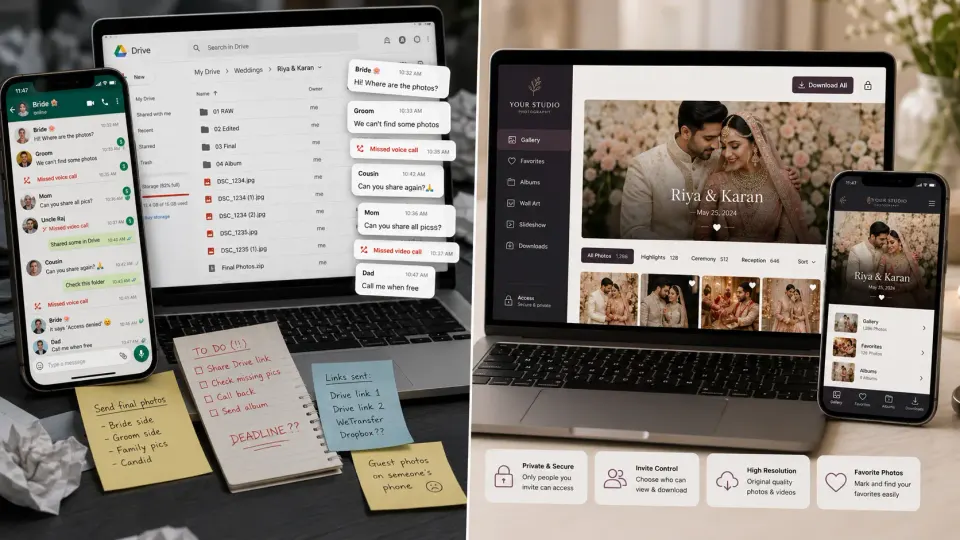
Upload and Organise First
The first step to deliver albums faster is organised upload.
Instead of keeping files in many folders with unclear names, the studio should upload photos into a client gallery and organise them by event, function, or moment.
For example, a wedding gallery can be arranged as:
Engagement, haldi, mehendi, wedding, reception, couple portraits, family photos, decor, and candid moments. This makes browsing easier for the client and selection easier for the studio.
When clients can find photos easily, they select faster. When selection is faster, album design starts earlier.
Client Gallery Makes Delivery Feel Clear
A professional client gallery for photographers does more than display photos. It gives the client a clear place to view, select, download, and return to the photos later. This is better than sending a folder link and asking the client to choose manually.
A branded gallery also improves presentation. The client sees the studio name, event title, cover image, organised images, download options, and selection instructions in one place.
For wedding album delivery, this is important because the gallery may be used by the couple, parents, siblings, and sometimes close friends.
A clean gallery reduces repeated questions like, “Where are the final photos?” or “Which folder should we select from?”
Photo Selection Should Not Depend on Screenshots
One of the biggest reasons albums get delayed is unclear photo selection.
Many clients still select photos by taking screenshots and sending them on WhatsApp. Some type file names. Some send partial lists. Some family members send their own favourites separately. This creates confusion.
A better photo selection for albums workflow allows the client to select photos while viewing the gallery.
With GoPickle.ai, clients can log in to the client gallery and tag photos based on purpose. Tags can help separate album photos, editing requests, frame selections, print choices, and family favourites.
The photographer receives the selections more clearly and can pass them to the album designer or editor without manually matching screenshots.
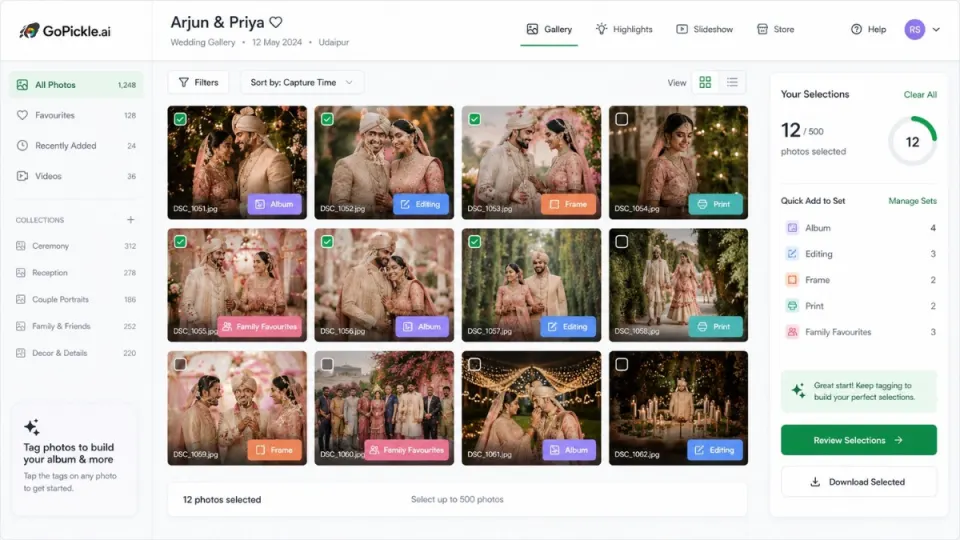
A Faster Album Delivery Workflow
A faster album workflow is not complicated. It needs clear steps.
Upload the photos.
Create the client gallery.
Set access permissions.
Share the gallery with instructions.
Let the client select or tag photos.
Review selected images.
Send them to editing or album design.
Share album proof.
Collect approval.
Complete final delivery.
Downloads and Access Also Matter
Album delivery is not only about selection.
Clients also want downloads, sharing options, and privacy.
Some clients want high-resolution downloads. Some want family access. Some want only the couple to select photos. Some want guests to view but not download. If these rules are not clear, the studio gets more follow-up calls.
GoPickle client galleries help photographers manage access, downloads, and client-side viewing more clearly. This supports a smoother photo delivery workflow and reduces confusion after the gallery is shared.
Better Client Communication Reduces Waiting
Album delays often happen because the client does not know the next step.
After sharing the gallery, the studio should clearly explain:
How to open the gallery.
How to select album photos.
Which tags to use.
Who can access the gallery.
When selection is expected.
What happens after selection.
When album proof will be shared.
Clear instructions reduce repeated calls and help the client act faster.
This is one of the most practical benefits of using a structured post-shoot workflow for photographers.
Where GoPickle Helps
GoPickle.ai helps photographers move album delivery from scattered file sharing to organised client workflow.
Studios can upload photos, share client galleries, manage access, enable downloads, collect selections, use tags, and track what is pending.
This helps wedding photographers and studios reduce manual matching, repeated follow-ups, delayed selections, and unclear handovers between photographer, editor, and album designer.
GoPickle also connects album delivery with the larger studio workflow, including bookings, client details, quotations, invoices, payments, and follow-ups.
So the album is not handled as a separate disconnected task. It becomes part of the full client journey.
Why do photography albums get delayed?
Albums often get delayed because photo selection is unclear, clients send screenshots, file names are repeated, family members send separate choices, and follow-ups are not tracked properly.
How can photographers deliver albums faster?
Photographers can deliver albums faster by using organised uploads, client galleries, clear selection tags, access control, download options, and simple client instructions.
How does GoPickle help with album delivery?
GoPickle helps photographers share client galleries, manage access, collect photo selections, track downloads, organise tags, and reduce manual follow-ups after the shoot.
Why is photo selection important for faster album delivery?
Album design cannot start properly until selected photos are clear. A structured selection workflow helps clients choose faster and helps studios avoid manual file matching.
Conclusion
Faster album delivery is not only about faster editing.
It is about reducing confusion after the shoot.
When photos are uploaded clearly, shared through a professional gallery, selected with tags, downloaded with proper access, and followed up with clear instructions, album work moves faster.
GoPickle.ai helps photographers manage this workflow in one place, so studios can reduce delays, avoid WhatsApp confusion, and deliver albums with a smoother client experience.