How GoPickle Helps Photographers Manage Leads, Bookings, Albums and Payments in One Place
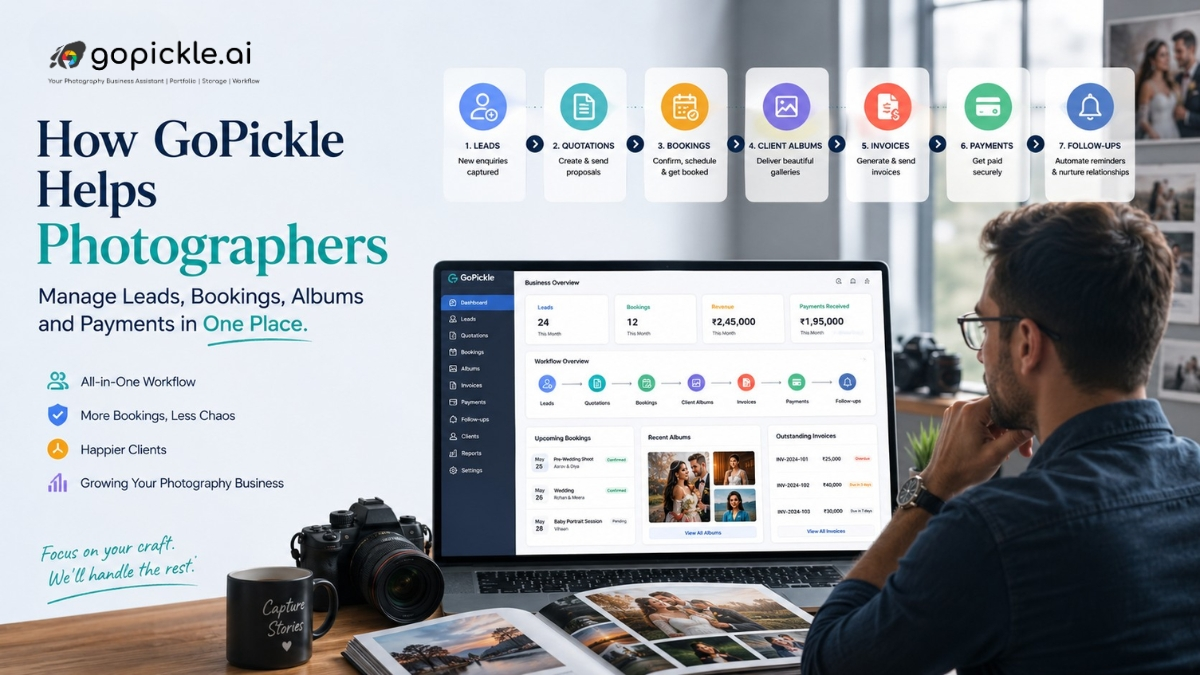
GoPickle helps photographers manage leads, bookings, albums, payments, quotations, invoices, and studio follow-ups in one place.

Short Answer
GoPickle helps photographers manage the practical studio workflow in one place.
Instead of handling leads in WhatsApp, bookings in a notebook, invoices in spreadsheets, albums through links, and payments through memory, photographers can keep the client journey connected.
The goal is simple: fewer missed enquiries, clearer bookings, smoother album delivery, better payment tracking, and less daily confusion.
The Real Problem in Many Photography Studios
Most photography studios do not struggle because they lack talent.
They struggle because the business side is scattered.
A lead may come from Instagram.
The client details may stay in WhatsApp.
The quote may be sent as a PDF.
The booking date may be written in a diary.
The invoice may be made separately.
The album may be shared through another link.
The payment follow-up may depend on memory.
This works when the studio is handling only a few clients.
It becomes difficult when there are multiple weddings, baby shoots, events, edits, album selections, invoices, and follow-ups running at the same time.
GoPickle is built around this practical problem: helping photographers manage studio work as one connected workflow.
From Enquiry to Lead
The first step in any photography business is the enquiry.
A client may enquire through Instagram, website, referral, call, advertisement, gallery page, or manual entry.
If that enquiry is not recorded properly, the studio can lose it.
GoPickle helps photographers organise lead details such as:
- Client name
- Contact details
- Lead source
- Event or shoot requirement
- Event date
- Location
- Notes
- Follow-up status
- Team ownership
This makes lead management for photographers easier because every enquiry has a clear next step.
The studio can see whether a package was shared, a call is needed, a quotation is pending, or a reminder should be sent.
From Lead to Quotation
Once the client requirement is clear, the studio usually needs to send a quote.
This is where many photographers lose control.
The quote may be discussed over chat, edited manually, sent as a file, and forgotten until the client replies.
With GoPickle, quotations can be part of the same workflow.
A studio can connect the quotation with the lead, requirement, package, deliverables, and follow-up.
This helps the photographer avoid repeated questions like:
“Which package did we send?”
“Did we include album?”
“Was video included?”
“Did the client ask for travel?”
“When should we follow up?”
A clear quotation process makes the studio look more professional and helps the client understand the offer better.
From Quotation to Booking
A booking is not just a confirmed date.
It includes timing, location, deliverables, team, payment terms, travel, and client expectations.
GoPickle helps photographers manage booking details in one place so the team does not depend only on WhatsApp messages or phone calls.
For a wedding or event booking, the studio can track:
- Event date
- Venue
- Function details
- Services booked
- Deliverables
- Booking status
- Payment status
- Team or crew assignment
- Client notes
This makes photography booking management cleaner and reduces last-minute confusion.
Albums and Client Galleries
After the shoot, the real work continues.
Photos need to be sorted, shared, selected, edited, delivered, and sometimes used for albums, frames, prints, or family sharing.
If this is handled through random links, hard disks, screenshots, and file names, the process becomes slow.
GoPickle supports client album sharing for photographers through organised galleries.
Clients can view images, access albums, and participate in selection based on the studio’s workflow and access settings.
This helps reduce confusion around:
- Which photos were shared
- Which images were selected
- What is pending for album
- Who has access
- Whether downloads are available
- What needs follow-up
A better gallery experience also makes the studio look more professional to clients.
Invoices and Payments
Payment tracking is another area where photographers often face awkward follow-ups.
The client may have paid an advance.
The second payment may be due before the shoot.
The final balance may be pending before delivery.
An album add-on may be extra.
Taxes may need to be shown clearly.
When invoices and payments are tracked separately, it becomes hard to know what is paid and what is pending.
GoPickle helps photographers manage invoices and payment status along with bookings and client details.
This makes photographer invoice software more useful because it is not just about generating an invoice. It is about knowing which client, booking, package, payment slab, and balance amount the invoice belongs to.
Team and Daily Workflow
A photography studio is rarely run by one person alone.
There may be photographers, videographers, editors, album designers, assistants, studio managers, and finance team members involved.
GoPickle helps studios keep work more visible across the team.
This can include lead ownership, booking responsibility, crew planning, album work, payment follow-ups, and client delivery tasks.
The benefit is not only software.
The benefit is fewer assumptions.
Everyone can understand what stage the client is in and what needs to happen next.
Where GoPickle Helps Most
GoPickle is most useful when a studio wants to stop managing everything separately.
It brings together:
- Leads
- Client details
- Follow-ups
- Quotations
- Bookings
- Crew
- Invoices
- Payments
- Client albums
- Galleries
- Photo selection
- Delivery workflow
This helps photographers move from scattered work to a structured studio process.
Quick Workflow
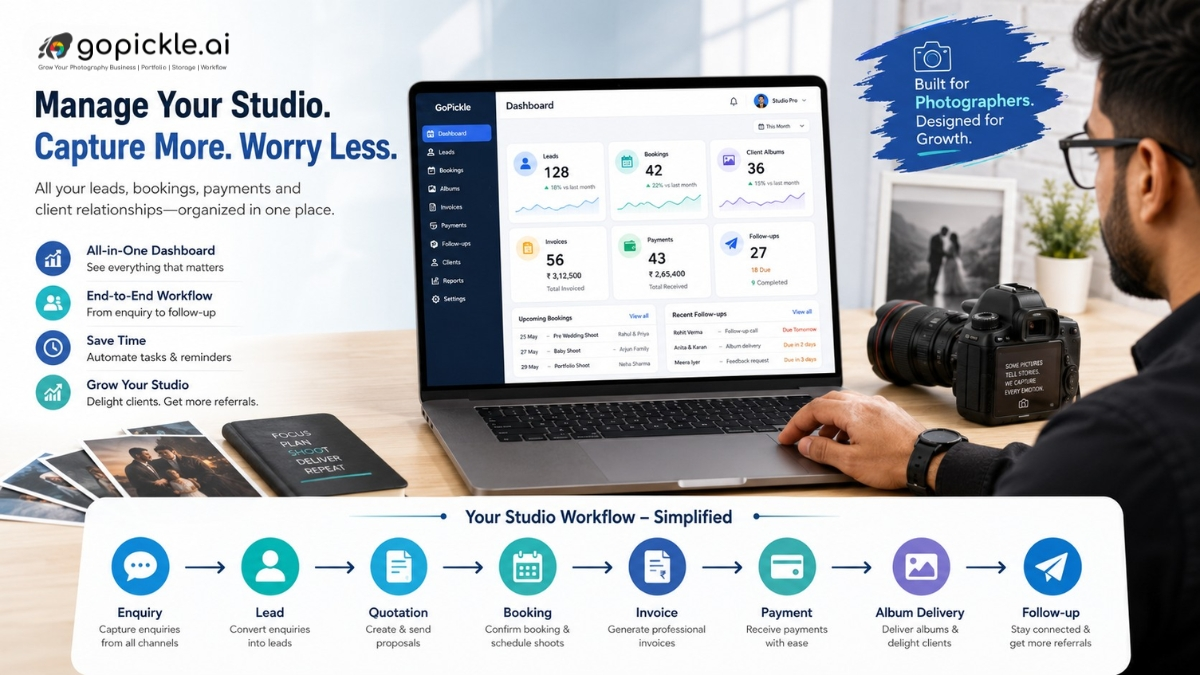
A simple GoPickle workflow can look like this:
- Client enquiry comes in
- Lead is created with requirement
- Package or quotation is shared
- Follow-up is scheduled
- Client confirms booking
- Invoice and payment status are tracked
- Crew is assigned
- Shoot is completed
- Client gallery is shared
- Photo selection and album work are managed
- Final delivery and follow-up are completed
This is how studio work becomes easier to track.
What is GoPickle used for?
GoPickle is used by photographers to manage studio workflows such as leads, bookings, quotations, invoices, payments, client albums, galleries, team members, and follow-ups.
Can GoPickle help with photography lead management?
Yes. GoPickle helps photographers track enquiries, lead sources, client requirements, follow-up stages, quotations, bookings, and lost reasons in one place.
Does GoPickle help photographers manage albums?
Yes. GoPickle helps photographers share client albums and galleries, manage access, support client viewing, and keep photo delivery more organised.
How does GoPickle help with payments?
GoPickle helps photographers keep invoices, advance payments, balance amounts, and payment follow-ups connected with client bookings.
GoPickle.ai: Photography CRM, Booking & Client Gallery Software
Photography studios do not need more scattered tools.
They need a cleaner workflow.
GoPickle helps photographers manage leads, bookings, quotations, invoices, payments, client albums, galleries, crew, and follow-ups in one place.
It does not replace the photographer’s creativity. It supports the business side, so the studio can respond better, deliver more clearly, track payments properly, and reduce daily confusion.
If your studio is still depending on WhatsApp, spreadsheets, folders, and memory for important client work, GoPickle can help create a more organised way to manage the full photography business workflow.