How to Make Photo Selection Easier for Clients After an Event
Learn how photographers can make photo selection easier after events with client galleries, access control, tagging, and organised selection workflows.

Short Answer
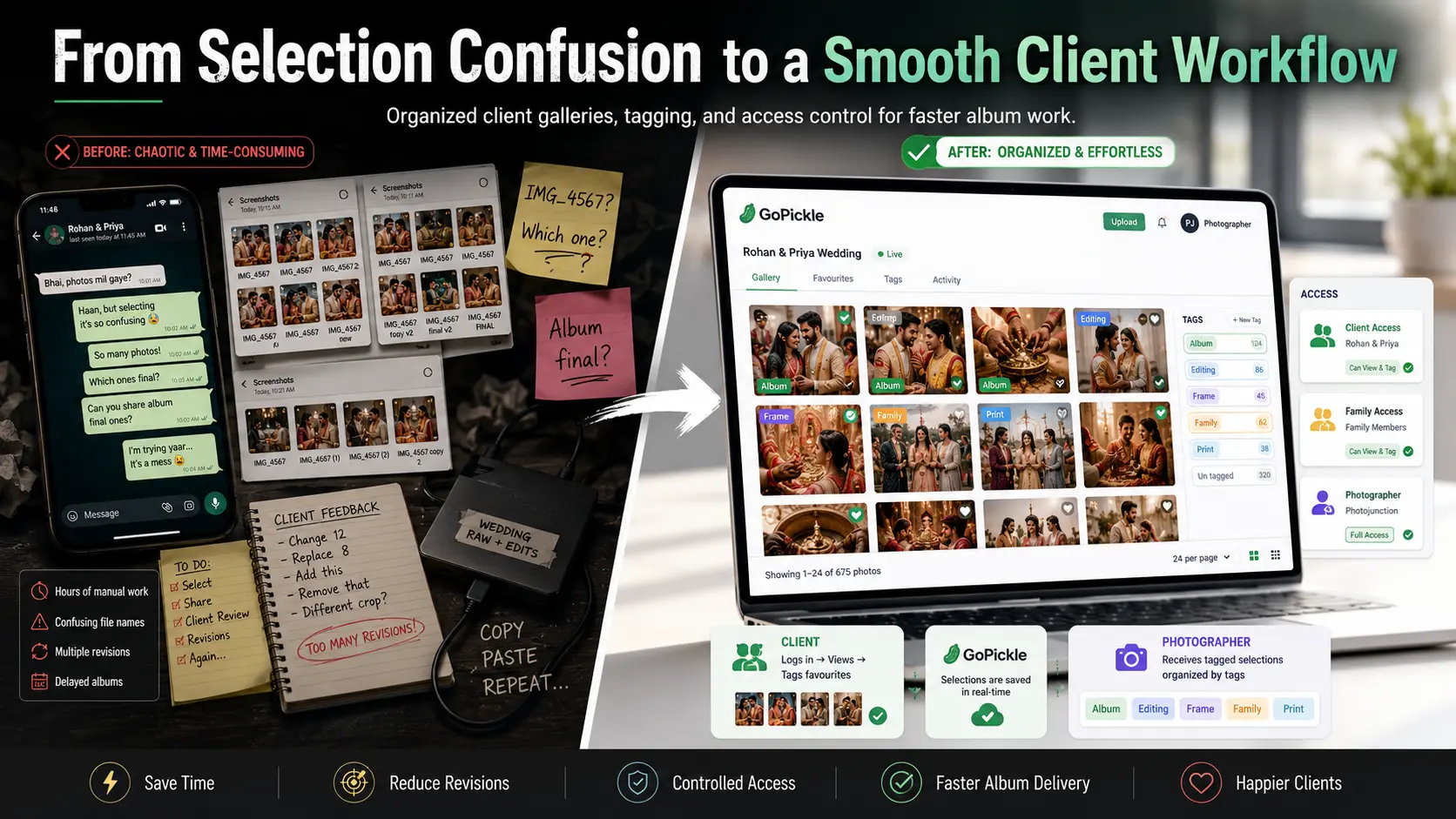
Photo selection becomes easier when clients can view images in a proper gallery, log in securely, tag the photos they want, and share selections with the photographer without sending screenshots or confusing file names.
A professional photo selection tool helps photographers avoid WhatsApp chaos, repeated revisions, delayed albums, and unclear client instructions.
For studios, this means faster work. For clients, it means a smoother experience.
Why Photo Selection Becomes Messy
After an event, clients are excited to see the photos.
But selection often becomes difficult.
In many studios, the process still looks like this:
- Client receives photos through a hard disk or folder link
- Client takes WhatsApp screenshots
- File names are repeated or typed incorrectly
- Family members select different photos separately
- Photographer receives multiple versions of the same selection
- Album designer is unsure which images are final
- Editing corrections come later
- Album delivery gets delayed
This is not because the client is careless.
It happens because the selection process is not built for clients.
Clients need an easy way to view, choose, tag, and submit photos. Photographers need a clear way to understand what each selected photo is for.
WhatsApp Screenshots Create Confusion
WhatsApp is useful for communication, but it is not a photo selection system.
When clients send screenshots, the photographer has to manually identify the image, match it with the original file, check whether it is for album, editing, frame, print, or social media, and then explain it again to the editor or designer.
This wastes time.
It also creates mistakes.
A client may send the same screenshot twice. A file name may be cropped. A screenshot may show only part of the image. A family member may send a different selection later.
By the time the photographer starts album work, the selection may already be unclear.
Repeated File Names Slow Everything Down
File names are another common problem.
Clients may send messages like:
“Select IMG_4567, IMG_4568, DSC_1234, and the one where bride is smiling.”
This becomes difficult when there are similar images, duplicate exports, edited and unedited versions, or multiple folders.
For event and wedding photo selection, this is a major issue because there may be hundreds or thousands of images.
A professional photo selection workflow should not depend on clients copying file names correctly.
The client should be able to select while viewing.
Multiple People Need Controlled Access
In weddings and family events, one person rarely makes all selections alone.
Bride, groom, parents, siblings, and close friends may all want to select photos.
If everyone sends selections separately on WhatsApp, the studio receives scattered instructions.
A better system allows friends and family to access the gallery based on permission. They can view the images and add tags where allowed.
This keeps the process controlled.
The photographer can see who selected what, what the photo is meant for, and how to handle it.
Tags Make Selection More Useful
A simple “favourite” is not always enough.
Clients may want to mark photos for different purposes.
For example:
- Album
- Editing
- Frame
- Reel
- Family favourite
- Bride selection
- Groom selection
- Parent selection
This is where photo tagging for clients becomes useful.
Instead of sending long messages, clients can add tags while viewing the gallery.
The photographer then receives organised selections and can handle them properly.
Album photos can go to the designer. Editing requests can go to the editor. Frame selections can move separately. Final delivery becomes easier to manage.
Why This Speeds Up Album Work
Delayed albums are often caused by unclear selections.
The photographer waits for the client. The client sends partial screenshots. Family members change choices. The designer asks for final files. The photographer rechecks old messages.
This can delay the album for weeks.
A professional album selection workflow reduces this delay because selection happens inside the gallery itself.
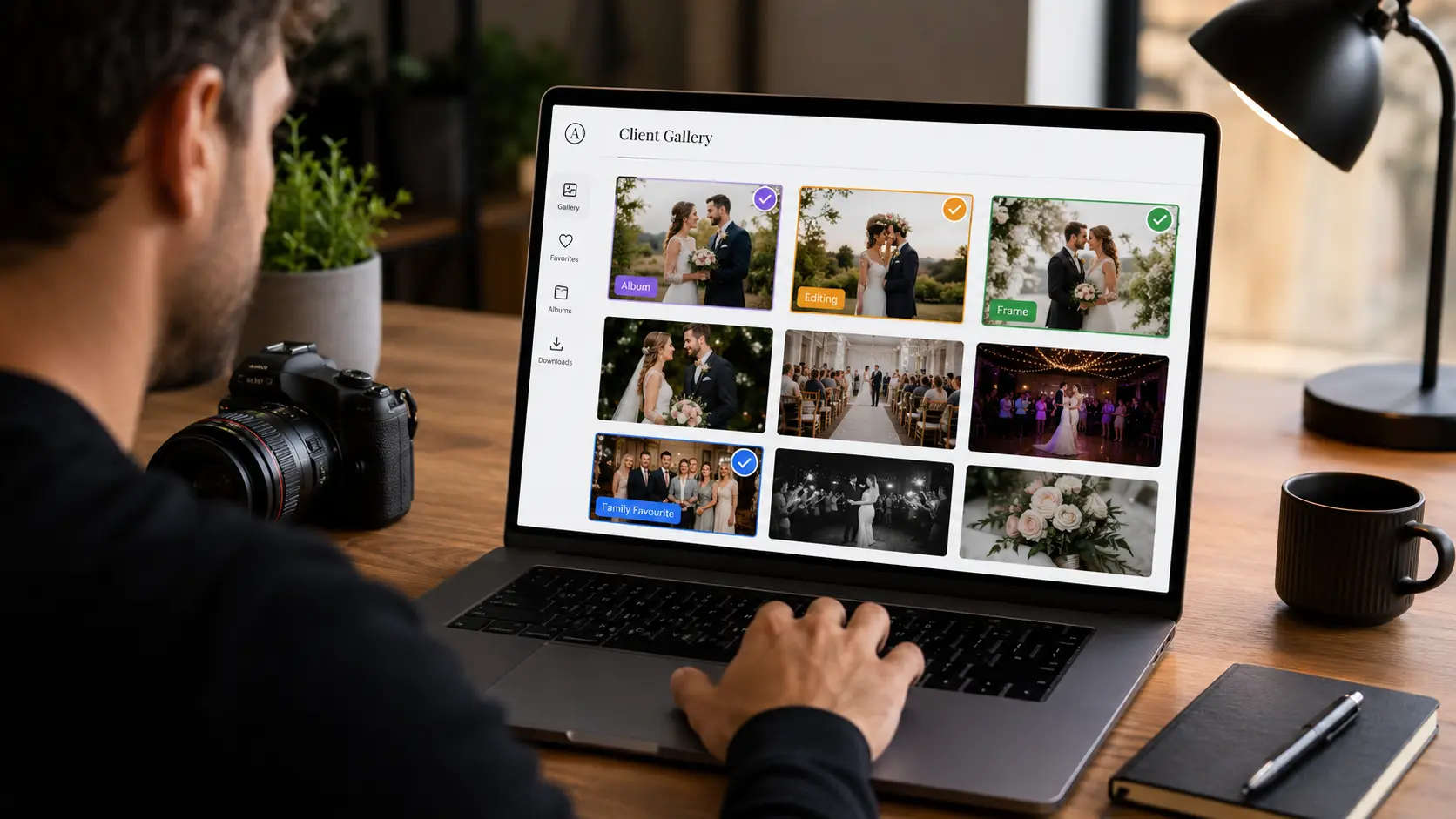
The client sees the photo, marks it, tags it, and submits it.
The studio can then move faster from selection to editing, design, approval, printing, and delivery.
Where GoPickle Helps
GoPickle.ai offers photo selection with access control through client galleries.
Photographers can share images through a client gallery. The client can log in, view photos, and add tags while selecting. Friends and family can also participate based on the access given by the photographer or client.
The photographer receives the selected and tagged photos clearly.
This helps the studio manage different needs such as:
- Album selection
- Editing selection
- Frame selection
- Print selection
- Family favourites
- Client-specific tags
- Follow-up after selection
- Final delivery workflow
Instead of depending on WhatsApp screenshots, repeated file names, hard disk copy-paste, and manual checking, GoPickle gives photographers a cleaner way to manage selection after an event.
The benefit is simple: fewer mistakes, faster albums, smoother communication, and a more professional client experience.
Benefits of a Professional Photo Selection Tool
A good photo selection tool helps both sides.
For clients, it makes selection easier because they can choose while viewing the images.
For photographers, it reduces manual work because selections arrive organised.
For studio teams, it improves clarity because editors, album designers, and managers can understand what needs to happen next.
Main benefits include:
- Less WhatsApp confusion
- Fewer repeated file-name mistakes
- Clear album selection
- Better editing instructions
- Faster designer handover
- Controlled access for family members
- Cleaner client experience
- Reduced follow-ups
- Faster final delivery
Quick Checklist
Before asking clients to select photos, check:
- Are photos shared through a clean gallery?
- Can the client view images easily on mobile?
- Is access controlled?
- Can family members participate where needed?
- Can clients tag photos by purpose?
- Can the studio see selected images clearly?
- Are album, editing, and frame selections separated?
- Is there a clear follow-up process after selection?
Final Takeaway
Photo selection should not feel like a manual file-matching exercise.
If clients are sending screenshots, repeating file names, changing selections through WhatsApp, and delaying album approval, the studio needs a better system.
A professional photo selection workflow helps clients choose photos easily and helps photographers move faster.
With GoPickle.ai, photographers can share client galleries, control access, let clients add tags while viewing, and manage selections for albums, editing, frames, and delivery in a cleaner way.
The result is less confusion, faster work, and a smoother experience after every event.