How to Sell an AI Guest Gallery Add-On to Wedding Clients
Learn how to sell an AI Guest Gallery as a wedding photography add-on, price it clearly, explain face search to couples, and include it naturally in your quotation.

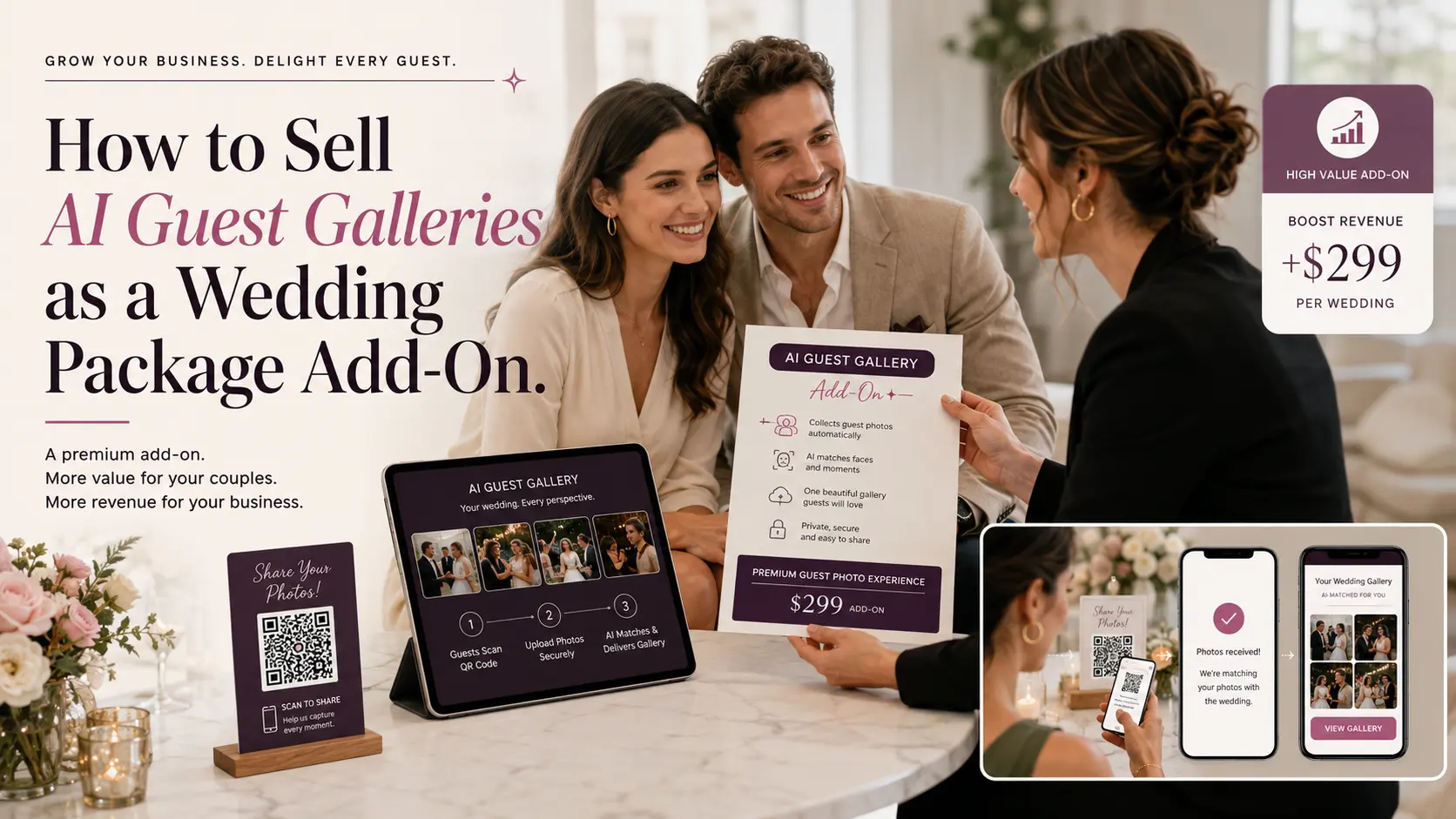
An AI Guest Gallery add-on is easiest to sell when you stop presenting it as an AI feature and start presenting it as a better experience for the couple and their guests.
The client does not need a technical explanation of face recognition. They need to understand the outcome: guests scan a QR code, register, and can later find the professional wedding photographs they appear in without scrolling through thousands of images or repeatedly asking the couple for photos.
That makes an AI Guest Gallery different from another photographer, another album or an extra hour of coverage. It is an experience add-on that extends the value of the photographs you are already creating.
GoPickle's AI Guest Gallery currently supports QR/link access, selfie-based photo matching, personalised guest galleries, live delivery or edited-photo delivery later, and event plans based on guest and photo volumes.
The opportunity for photographers is not simply to recover the software cost. It is to package that experience in a way that is useful to the client, profitable for the studio and easy to explain inside a wedding quotation.
Do Not Sell “Face Recognition.” Sell the Guest Experience
Imagine telling a couple:
“We can add AI face recognition for ₹X.”
The immediate response is likely to be:
“Why do we need that?”
Now change the explanation:
“We can also create a private guest photo experience for your wedding. Your guests scan a QR code, register once, and when we upload the wedding photographs they can find the photos they appear in without searching the entire gallery.”
The underlying technology is the same, but the value is much easier to understand.
This distinction matters because AI photo-sharing platforms are increasingly marketed around personalised guest discovery, QR access, selfie search and fast event photo delivery rather than face recognition as an isolated technology.
For the photographer, the rule is simple:
Do not lead with what the software does. Lead with what changes for the wedding.
Why This Works Well as a Wedding Photography Add-On
Wedding packages already contain optional upgrades.
Depending on the studio, these may include albums, drone coverage, additional photographers, pre-wedding shoots, reels, photo booths or faster delivery. Current wedding-photography pricing pages similarly present albums, drones and additional services as optional additions to the main photography package.
An AI Guest Gallery fits naturally into the same structure because the base photography package still works without it.
The couple can receive a normal curated Client Gallery for their final wedding photographs. GoPickle's Client Galleries are designed for that client-facing delivery experience, including organised galleries, downloads and other final-delivery controls.
The AI Guest Gallery solves a different problem: How do hundreds of guests find their own photographs?
That distinction makes the add-on easier to justify.
Standard delivery
Couple receives the final wedding gallery.
AI Guest Gallery add-on
Couple receives the final gallery plus a separate guest photo-discovery experience for family and attendees.
One is not replacing the other.
Step 1: Identify the Weddings Where the Add-On Has Real Value
Do not offer AI Guest Galleries aggressively on every shoot.
A 30-person registration ceremony may not need one. The entire gallery may be easy enough for the family to browse normally.
The value becomes much clearer when the wedding has:
- several hundred guests
- multiple functions
- large photography teams
- thousands of photographs
- strong guest interest in candid images
- live or near-live photo sharing
- destination guests
- a couple that cares about the guest experience
GoPickle's event plans reflect this variation by offering different guest and photo capacities rather than requiring the same plan for every event. Its current plans range from a free trial tier through Small, Standard and Large event configurations, with upgrades available when the event grows.
So the first sales question should not be:
Can we add AI Guest Gallery?
It should be: Is this wedding large enough that guest photo discovery solves a noticeable problem?
Step 2: Introduce It While Discussing the Wedding Experience
The best time to introduce the add-on is usually while discussing deliverables, not after the quotation total has already been negotiated.
For example:
“You will receive the complete edited wedding gallery as usual. Since you are expecting around 400 guests, we can also set up an AI Guest Gallery for the wedding. Guests scan a QR code and can find the professional photos they appear in without searching the full gallery.”
That gives the feature context.
You are not adding another random line item to the bill. You are showing the couple how photo delivery can work for their guests.
For weddings where social sharing matters, you can also explain the live option. GoPickle allows photographers to upload selected photographs during the event for immediate guest discovery, or let guests register at the venue and upload the edited photographs later.
That second workflow is particularly useful when the studio wants to preserve its normal editing standards.
Step 3: Give the Add-On a Client-Friendly Name
“Face Recognition Package” sounds technical.
Better names explain the experience.
Consider:
Guest Photo Experience
AI Guest Gallery
Personal Guest Gallery
Wedding Guest Photo Access
Guest Photo Discovery
Live Wedding Guest Gallery
You can still explain that it uses selfie-based AI matching, but the package name should describe what the couple is buying.
For most GoPickle quotations, I would use: AI Guest Gallery - Personalised Photo Access for Your Guests
That is clear without trying too hard to sound futuristic.
Step 4: Explain Exactly What Is Included
Avoid selling the add-on with one sentence. The client should understand how it works.
A quotation description could say:
AI Guest Gallery
Give wedding guests an easier way to find their professional photographs. Guests access the gallery through a QR code or private link, register and use a selfie to discover matching photographs from the event. Photos can be made available during the celebration or after our edited photographs are ready.
Then list what the studio is actually providing:
- AI Guest Gallery setup
- event QR code / share link
- guest registration
- selfie-based photo discovery
- personalised matching gallery
- download and sharing access
- guest notifications where included
- live or post-event photo availability
- defined guest and photo capacity
GoPickle currently provides browser-based access without requiring guests to download an app. Registered guests can find matching photographs through selfie-based matching and access them from their phones.
That is much easier for a couple to evaluate than the words “AI gallery - ₹8,000.”
Step 5: Price the Add-On Around the Event, Not Just the Software Cost
Your selling price does not necessarily have to equal your software cost.
The studio is also providing:
- setup
- QR preparation
- guest communication
- gallery configuration
- photograph uploads
- monitoring
- support
- branding
- delivery management
At the same time, the price needs to remain proportionate to the wedding package.
GoPickle's current public event pricing is based on event capacity. At the time of this article, the Small Event plan is ₹2,499 for up to 1,000 images and 100 guests; Standard is ₹5,999 for up to 5,000 images and 300 guests; and Large is ₹14,999 for up to 15,000+ images and 1,000+ guests. Plans can be upgraded by paying the difference.
Prime subscribers currently receive 10% off and Focus subscribers 20% off AI Guest Gallery plans. GoPickle also supports buying multiple albums at discounted rates; each album has its own validity and can be activated when the studio is ready to use it.
That gives studios room to create their own client-facing price rather than quoting the underlying platform fee directly.
Example
Suppose your usable event cost is ₹5,999.
You might offer:
AI Guest Gallery Experience - ₹9,500
The difference is not simply “margin on software.” It also covers setup, delivery administration and the service your studio is providing.
The correct markup depends on your market, package value and how much work your studio performs. There is no universal percentage that every photographer should use.
Three Ways to Package AI Guest Galleries
Option 1: Simple Add-On
Best when your existing packages are already established.
Wedding Photography Package — ₹2,25,000
Optional:
AI Guest Gallery — ₹9,500
Guests receive personalised access to professional photographs through QR-based selfie search.
This is the easiest model to explain.
Option 2: Include It Only in the Premium Package
This works when you want to use the experience to differentiate your higher tier.
| Package | Essential | Signature | Premium |
|---|---|---|---|
| Photography coverage | ✓ | ✓ | ✓ |
| Cinematography | ✓ | ✓ | ✓ |
| Client Gallery | ✓ | ✓ | ✓ |
| Premium album | — | ✓ | ✓ |
| Drone coverage | — | Optional | ✓ |
| AI Guest Gallery | — | Optional | Included |
The premium package now feels different in experience, not merely larger in deliverables.
Option 3: Sell a Guest Experience Bundle
For larger weddings, combine related services.
Wedding Guest Experience - ₹18,000
Includes:
- AI Guest Gallery
- personalised guest photo discovery
- event QR display
- guest notification workflow
- selected live-photo uploads
- branded guest gallery access
This can work particularly well when your team is actively managing live delivery rather than simply uploading the final gallery later.
Sample Quotation Wording
GoPickle's quotation platform supports packages, add-ons and event-specific scope inside the client proposal, alongside portfolio, pricing and approval.
A client-facing quotation could therefore contain:
AI Guest Gallery
Personalised professional photographs for your wedding guests
Instead of asking guests to search through the complete wedding gallery, we create a separate AI-powered guest experience.
Guests scan the wedding QR code, register and use a selfie to find the professional photographs they appear in.
Includes:
- private wedding guest gallery
- QR code and share link
- selfie-based photo matching
- personalised guest photo results
- mobile access without app installation
- download and sharing
- guest notifications when photographs become available
- up to 300 registered guests
- up to 5,000 event photographs
Add-on price: ₹9,500
Guest limits and photo capacity can be increased if required.
That gives the client enough information to make a decision without needing a technical demonstration of the matching system.
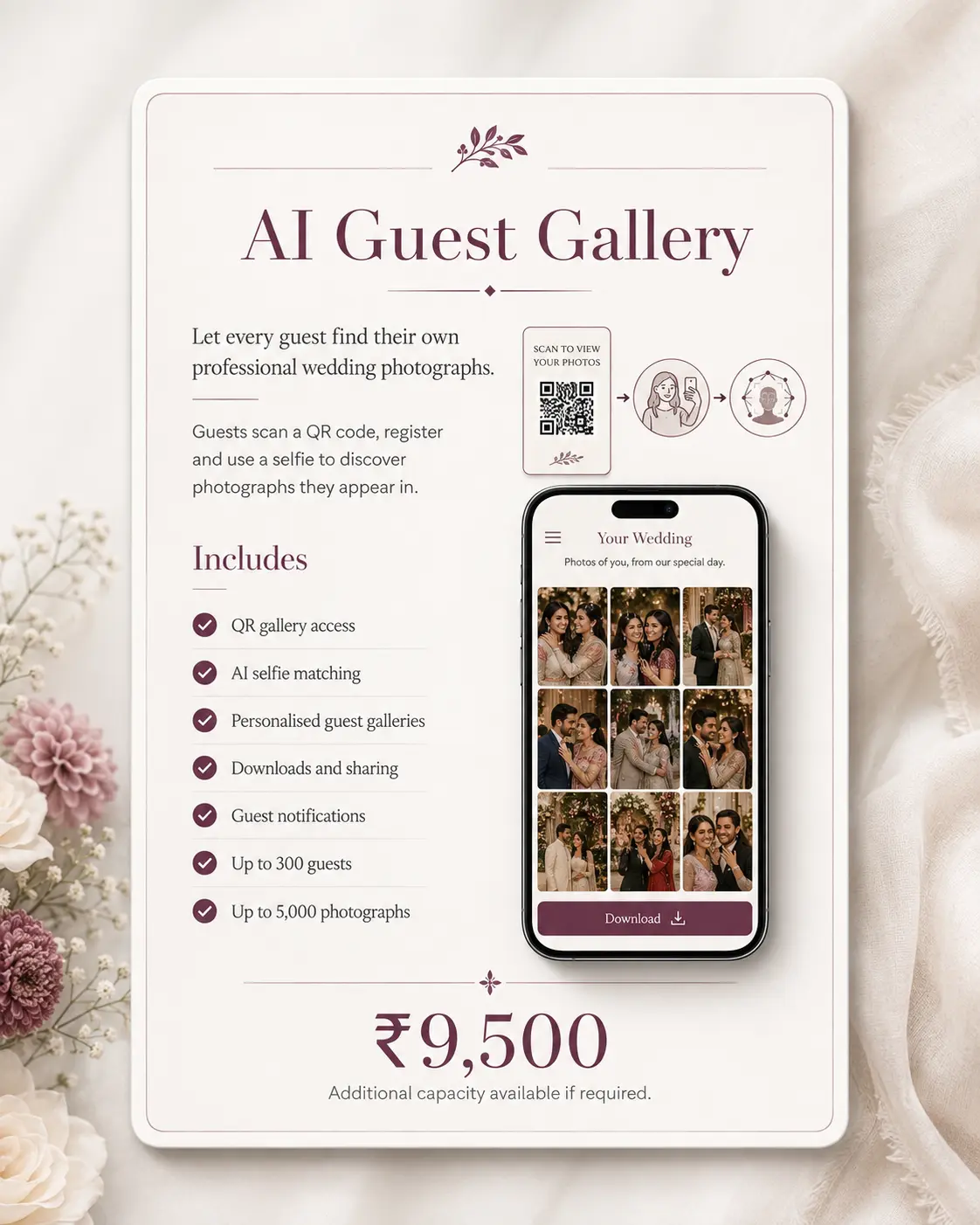
Show the Add-On Visually in the Quotation
This is especially important for photographers.
Do not make the client imagine the experience from six lines of text.
Show a small three-frame sequence:
1. Scan the wedding QR
2. Upload a selfie
3. See your matching photographs
GoPickle's photography quotation product is specifically designed to combine visual portfolio content, package scope, add-ons and pricing in one proposal rather than separating the photographer's work from the commercial offer.
For an AI Guest Gallery, a screenshot of the actual mobile experience can explain the add-on much faster than another paragraph.
Read More about Quotation tool from GoPickle: photography quotation software
Should You Include It Free to Win the Booking?
Sometimes. But do it deliberately. If you are trying to close a valuable wedding and the AI Guest Gallery cost represents a small percentage of the booking value, including it can make the proposal feel stronger.
Instead of silently giving it away, show its value:
AI Guest Gallery - ₹9,500
Included with Signature Wedding Package
Now the client can see that they are receiving something additional.
If you simply hide the cost inside every package, it eventually stops functioning as an upgrade and becomes part of your normal delivery expectation.
Use It as a Demonstration, Not Just a Description
AI Guest Galleries are easier to understand after somebody experiences one.
During a consultation, show the couple:
QR → selfie → matching photographs
The demonstration should take less than a minute.
GoPickle's current guest flow runs directly in the mobile browser, and guests do not need to install an application.
Then relate the experience to their wedding:
“Imagine putting this QR near the reception entrance. Your guests can register there. When we upload their photographs, they get their own gallery instead of asking you to forward pictures after the wedding.”
That makes the add-on concrete.
Explain Live Delivery Carefully
“Instant photos” can create the wrong expectation if your normal workflow includes careful culling and editing.
GoPickle supports both models: selected photographs can be uploaded during the event, or guests can register first and receive access after edited JPEGs are uploaded later.
So describe the service accurately.
If you are not providing a dedicated live-editing workflow, say:
“Guests can register at the wedding. Once our edited photographs are uploaded, they will be able to discover their matching images.”
Do not promise a live album simply because the technology technically supports one.
Common Mistakes When Selling an AI Guest Gallery Add-On
Making AI the headline
Clients care about receiving photographs, not the algorithm behind it.
Explain the guest experience first.
Charging without explaining
A line such as “AI face search - ₹10,000” looks like another fee.
Show the actual workflow and what the couple gets.
Replacing the Client Gallery
An AI Guest Gallery is for guest discovery. A Client Gallery is still the better environment for curated final delivery to the couple. GoPickle explicitly treats the two as different parts of the photography delivery workflow.
Offering the same capacity to every wedding
A 100-person wedding and a 1,000-person event have different requirements. Choose and price the guest gallery according to the actual event.
Promising live delivery without operational capacity
Someone still has to select, edit and upload photographs.
Sell live delivery only when your team can execute it.
Treating every registered guest as a marketing lead
Photo discovery and promotional consent should remain separate. A guest using the gallery to find their photographs should not automatically be treated as requesting marketing communication.
A Simple Add-On Sales Checklist
Before adding AI Guest Gallery to a wedding quotation, check:
- Is the wedding large enough to benefit from guest photo discovery?
- Do I know the approximate guest count?
- Do I know the expected photo volume?
- Am I providing live delivery or edited delivery later?
- Have I selected the correct event capacity?
- Does my selling price include setup and management?
- Is the add-on described in client language?
- Have I shown the QR → selfie → photos workflow visually?
- Is the Client Gallery still positioned as the couple's final delivery?
- Is the guest consent experience clear?
- Can the plan be upgraded if participation is higher than expected?
Make the Add-On About the Wedding, Not About Software
The strongest reason to sell an AI Guest Gallery is not that the photographer now has access to face-recognition technology.
It is that the wedding contains hundreds of people who care about the photographs you are creating.
A normal gallery primarily serves the couple. An AI Guest Gallery allows the studio to create a useful second experience for everyone else: scan, register and find the moments they appear in.
That is a service a client can understand. It can also become a legitimate additional revenue line when the studio prices it around real event requirements, presents it clearly and delivers it well.
GoPickle allows photographers to purchase AI Guest Galleries per event, upgrade when more capacity is needed, or purchase multiple event albums at discounted rates and activate them as the studio needs them.
For studios regularly photographing weddings, that creates a practical way to buy event capacity at a better rate and then package guest photo discovery as a client-facing upgrade rather than simply absorbing another software expense.