The Difference Between Busy and Organised Photography Studios
Learn why busy photography studios still lose leads, delay deliveries and miss payments, and how an organised workflow fixes the gaps.

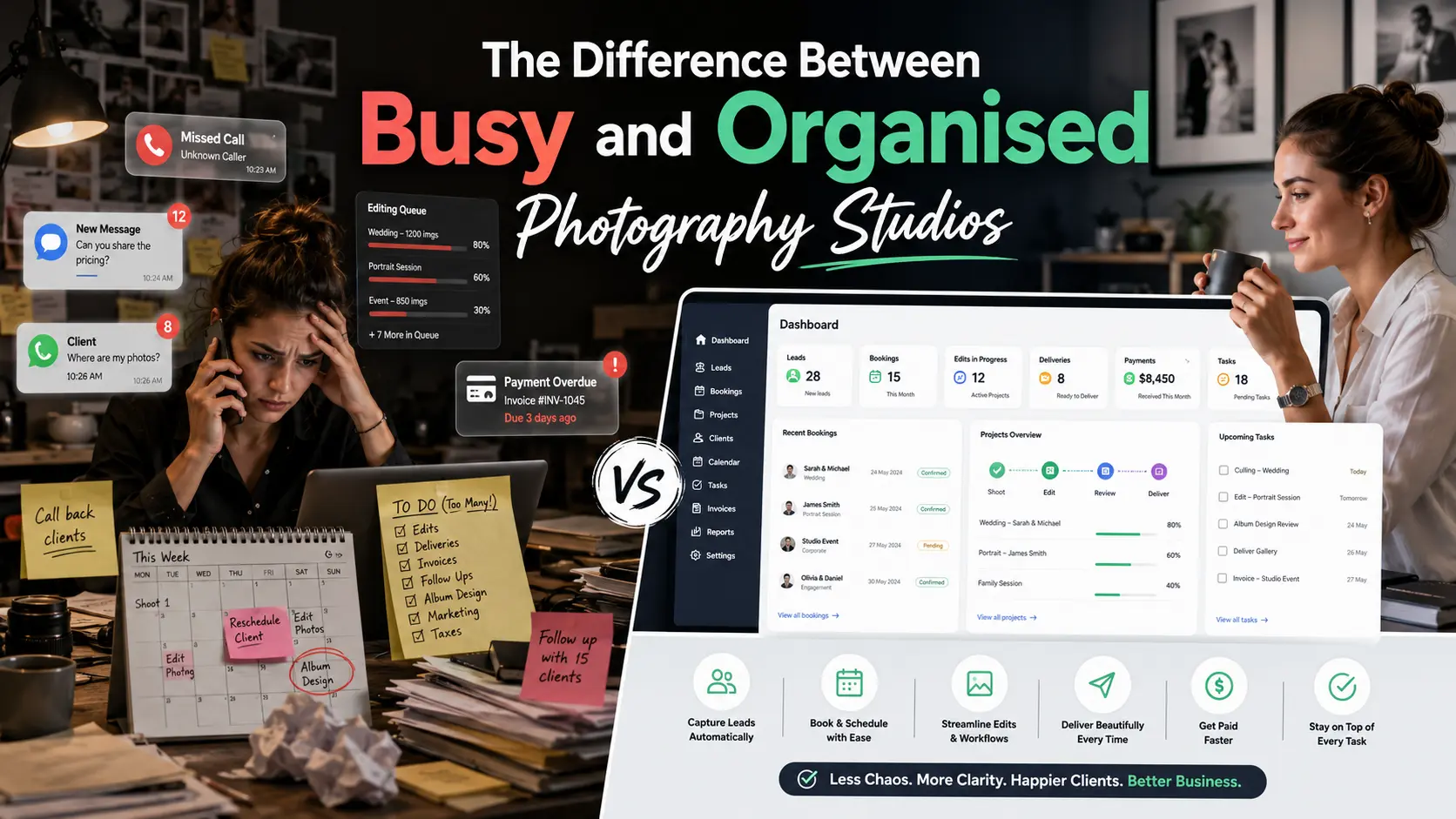
A busy photography studio may have new enquiries, shoots every weekend and several editing projects in progress.
That sounds successful. But activity alone does not mean the studio is organised.
A studio can be busy and still lose enquiries, miss payment follow-ups, forget client instructions and delay albums. The team may work continuously without knowing which task should be completed next.
An organised photography studio has something different: visibility.
It can see every lead, booking, payment, editing job, gallery and pending client action in one clear workflow.
Busy Studios React to Whatever Feels Urgent
In a busy but unorganised studio, the day is often controlled by incoming messages.
The owner responds to whichever WhatsApp message appears first. An editor calls for missing files. A client asks when the gallery will be ready. A crew member needs tomorrow’s venue details. Another enquiry is waiting for a quotation.
Everyone is working, but the work has no shared order.
Common symptoms include:
- Enquiries spread across Instagram, WhatsApp and phone calls
- No clear owner for follow-up
- Shoot dates stored in different calendars
- Payments tracked in a separate spreadsheet
- Editing status known only to the editor
- Album selections buried inside chats
- Client delivery managed through unrelated links
- Important tasks remembered only when someone asks
GoPickle’s photography workflow content describes this problem as scattered effort: photographers may be working hard, but leads, quotations, payments and delivery remain disconnected.
An Organised Studio Knows the Next Action
An organised studio does not need every job to be completed immediately.
It needs to know:
- Which leads require follow-up
- Which quotations are waiting for approval
- Which bookings need crew confirmation
- Which payments are due
- Which edits are in progress
- Which galleries are ready to share
- Which clients must complete album selection
- Who owns each pending action
This makes the workload easier to prioritise.
A practical daily routine can include checking leads, upcoming bookings, albums, payments and overdue actions every morning and evening. GoPickle’s studio-organisation guide recommends reviewing these areas consistently so small gaps do not grow into missed clients or delayed deliveries.
Many Enquiries Do Not Mean Strong Lead Management
A studio may receive twenty enquiries in a week and still confirm very few bookings.
The issue may not be lead volume. It may be that nobody recorded the event date, budget or next follow-up.
A busy studio says:
We received many enquiries this month.
An organised studio can say:
We received 40 enquiries, contacted 35, qualified 20, sent 14 quotations and confirmed six bookings.
The second studio can see where leads are being lost.
The GoPickle guide to preventing lost photography leads explains that clients notice response speed, clear packages and consistent follow-up. When enquiry details remain scattered across chats and memory, even strong photography can appear poorly managed.
Many Edits Do Not Mean a Delivery System Exists
A studio can have several editors working and still struggle to deliver on time.
Editing activity becomes hard to manage when there is no visible status for each booking.
The studio should know whether a project is:
Waiting for files → Culling → Editing → Internal review → Corrections → Gallery ready → Delivered
Without these stages, every client update requires calling the editor or searching old messages.
Post-shoot work also includes galleries, downloads, client selections, album design, invoices and follow-ups. GoPickle’s post-wedding workflow guide notes that the work continues after the shoot and needs a connected system for delivery, selections and payments.
Organised Studios Connect Departments
A client journey should not restart at every stage.
The enquiry should inform the quotation. The approved quotation should become the booking. The booking should guide the crew, invoice and editing team. The completed photographs should move into gallery delivery and album selection.
GoPickle’s workflow connects leads, quotations, bookings, invoices, crew and client galleries rather than treating them as unrelated tools.
This gives each team member the latest project context without asking the owner to explain everything repeatedly.
Clients Can See the Difference
Clients may not know how the studio is managed internally, but they notice the result.
They notice when:
- The photographer remembers their event details
- The quotation arrives on time
- Payment information is clear
- The crew knows the schedule
- Delivery expectations are explained
- The gallery is easy to open
- Album selection is simple
- Follow-ups feel timely rather than random
Professional photo delivery is part of the client experience. Clients expect photographs to be easy to view, select, share and download without repeatedly chasing the studio.
Move From Activity to Control
A busy studio measures how much work is happening.
An organised studio knows what is happening, who owns it, what is delayed and what should happen next.
GoPickle.ai helps photography studios manage leads, bookings, quotations, invoices, payments, teams and client galleries through one connected photography business workflow.
The goal is not to work less seriously. It is to stop spending serious effort on avoidable confusion.