How to Plan Photography Studio Workload During Peak Wedding Season
Learn how to manage photography studio workload during peak wedding season using bookings, crew capacity, editing hours, albums and buffer planning.

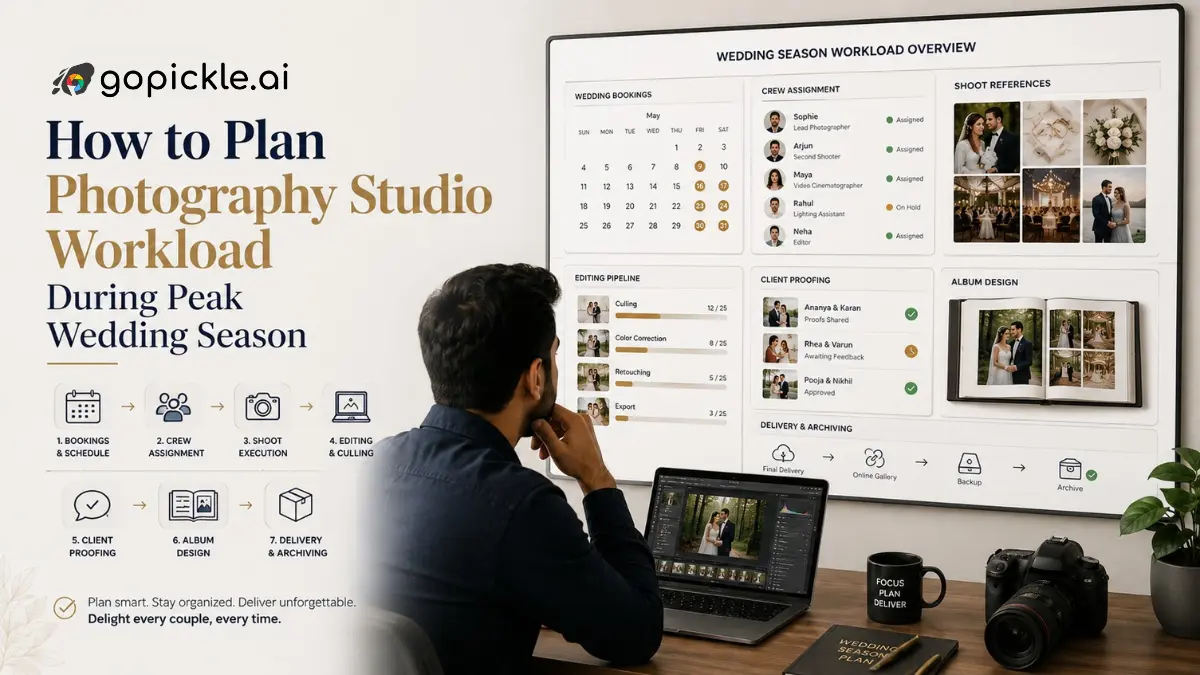
A calendar can tell you that your studio has four weddings next month. It cannot tell you whether your editors already have six weddings waiting, whether two photographers are needed at overlapping events, or whether three previous clients are still waiting for album revisions.
That is the real problem with photography studio workload management during wedding season.
Capacity should be measured across the entire job, from enquiry to final delivery, not simply by counting available shoot dates.
Start With Every Wedding Already in the System
Before accepting more work, create one view of all confirmed weddings for the next six to eight weeks.
For each booking, record:
- Event dates and locations
- Number of functions
- Required photographers, videographers and assistants
- Expected travel
- Deliverables
- Editing still pending
- Client selection or approval status
- Album work remaining
- Promised delivery date
A three-day destination wedding and a four-hour reception should not occupy the same line in your workload plan.
The objective is to understand how much work each booking creates after the shoot ends.
GoPickle's Booking Management for Photographers can keep dates, schedules, crew, payments and related booking information connected instead of maintaining separate calendars and spreadsheets.
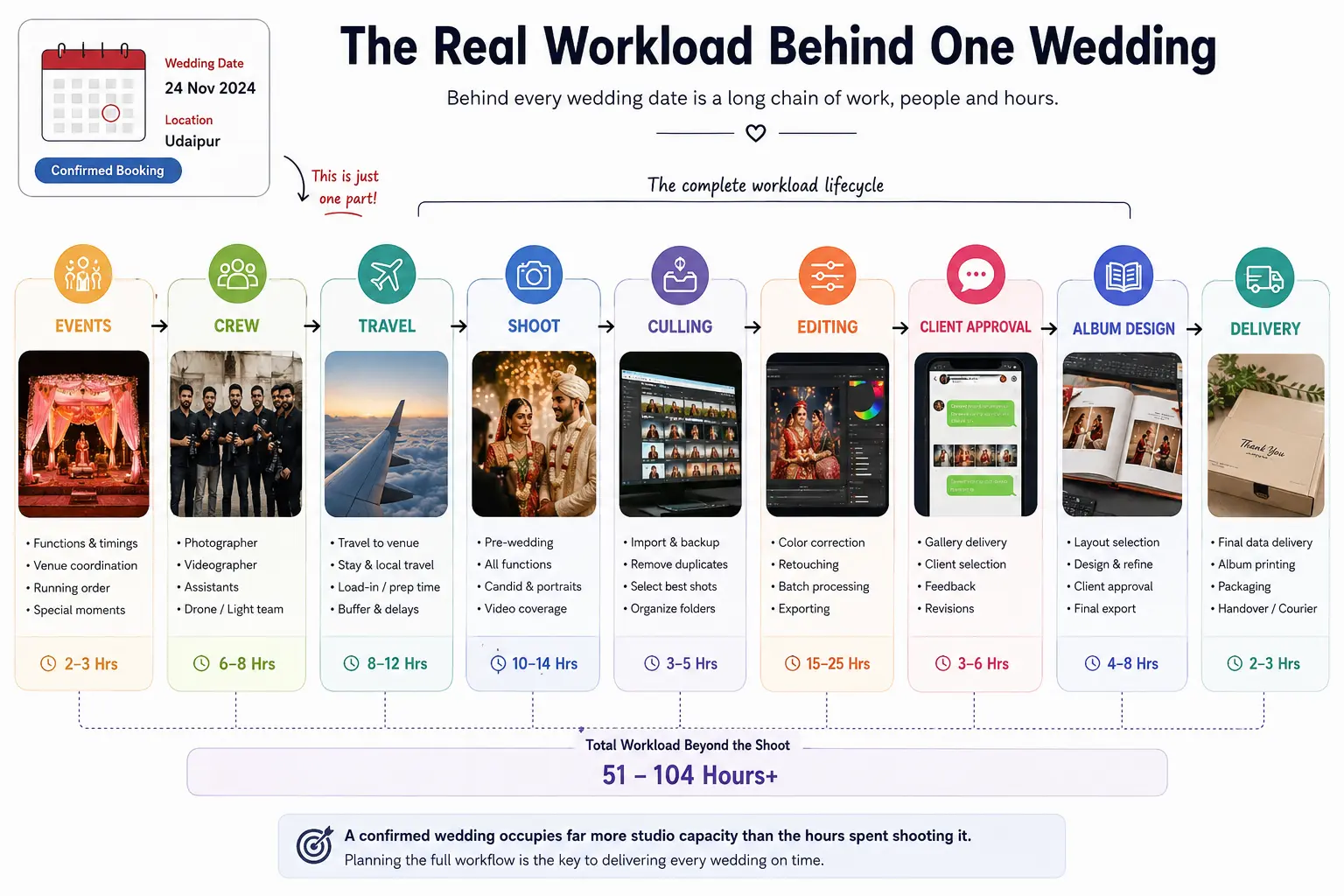
Do Not Treat Tentative Enquiries as Zero Workload
One of the easiest ways to overbook a studio is to look only at confirmed weddings.
Suppose 12 December is technically available, but you already have:
- one quotation under negotiation for that date;
- another strong enquiry waiting for a family decision;
- two crew members provisionally committed elsewhere.
The date is not really empty.
During peak season, add tentative enquiries to the capacity plan. You do not need to count every enquiry as a full booking. Instead, give serious opportunities a simple probability weight.
For example:
| Enquiry status | Capacity allowance |
|---|---|
| Early enquiry | 25% |
| Quotation shared | 50% |
| Negotiation / decision pending | 75% |
| Confirmed | 100% |
These percentages are only a starting model. Adjust them using your studio's own conversion history.
This creates a more realistic photographer workload planning view than waiting until an advance payment suddenly turns an apparently free weekend into an overloaded one.
Convert Post-Production Into Hours
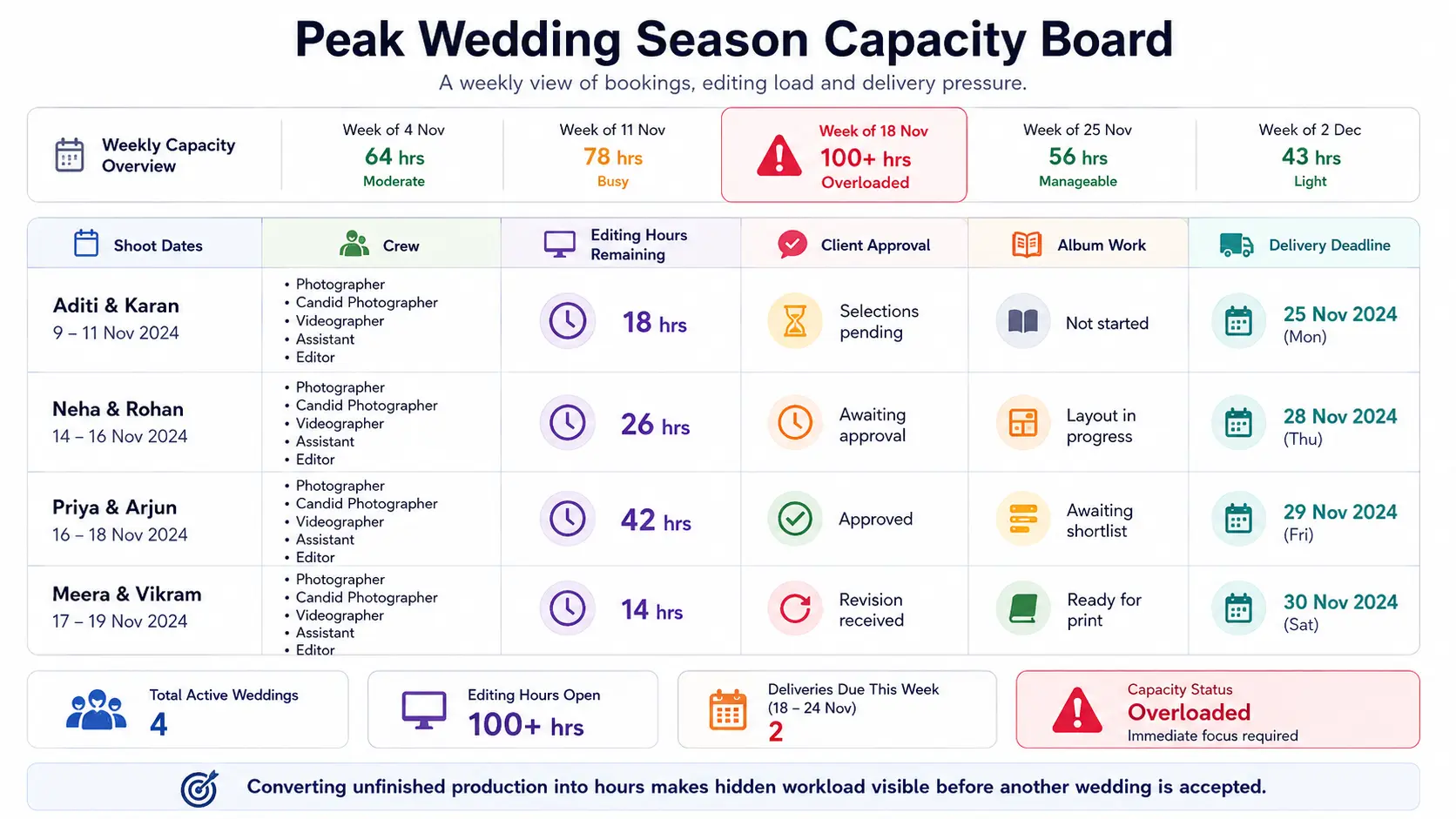
Post-production is where peak-season capacity often disappears. Instead of writing “editing pending”, estimate the remaining work.
For one wedding, your board might show:
Culling: 3 hours
Photo editing: 10 hours
Video editing: 14 hours
Retouching: 4 hours
Gallery preparation: 2 hours
Album design: 5 hours
That wedding represents another 38 hours of production even though the shoot itself is finished. Do this for every active project.
Now compare the total against the hours your editing team can genuinely produce during the week. Do not count every working hour as editing capacity. Meetings, file transfers, revisions, client calls, backups and administration also consume time.
Peak-season workflow advice often concentrates on faster editing and automation. Those can help, but they do not replace knowing how much unfinished production your studio has already committed to.
Track Client-Dependent Work Separately
Not every delayed project is sitting with your team.
A wedding may be waiting for:
- client photo selection;
- album shortlist approval;
- layout approval;
- revision feedback;
- final payment;
- address or delivery confirmation.
These jobs look inactive, but they can return without warning. If five couples approve their albums in the same week, your designer suddenly receives five active projects.
A practical wedding season photography workflow therefore needs three statuses:
Studio working → Waiting for client → Ready to resume
GoPickle Client Galleries support organised client viewing, favourites and shortlisting, which can help keep selection and approval activity attached to the delivery workflow rather than buried in screenshots and chats.
Plan Crew Capacity by Role, Not Headcount
“Eight people available” means very little if your Saturday requires three candid photographers and only one is free.
Review upcoming weddings by skill and assignment:
| Role | Required | Available | Gap |
|---|---|---|---|
| Traditional photo | 4 | 5 | 0 |
| Candid photo | 4 | 3 | 1 |
| Cinematography | 3 | 3 | 0 |
| Drone | 2 | 1 | 1 |
This exposes shortages early enough to arrange freelancers or adjust coverage.
GoPickle's Photography Crew Management is designed around event-level availability, overlapping assignments and roles across functions such as Haldi, Sangeet, wedding and reception.
Keep Buffer Capacity Deliberately Empty
A studio operating at 100% planned utilisation has almost no room for a late-running event, editor illness, extra revision, travel delay or unexpectedly large shoot.
Set aside a percentage of weekly capacity as buffer.
A studio might begin with 15–20% and adjust after reviewing its actual overruns. The correct number depends on your team, wedding type and delivery commitments.
The important part is that the buffer exists before something goes wrong.
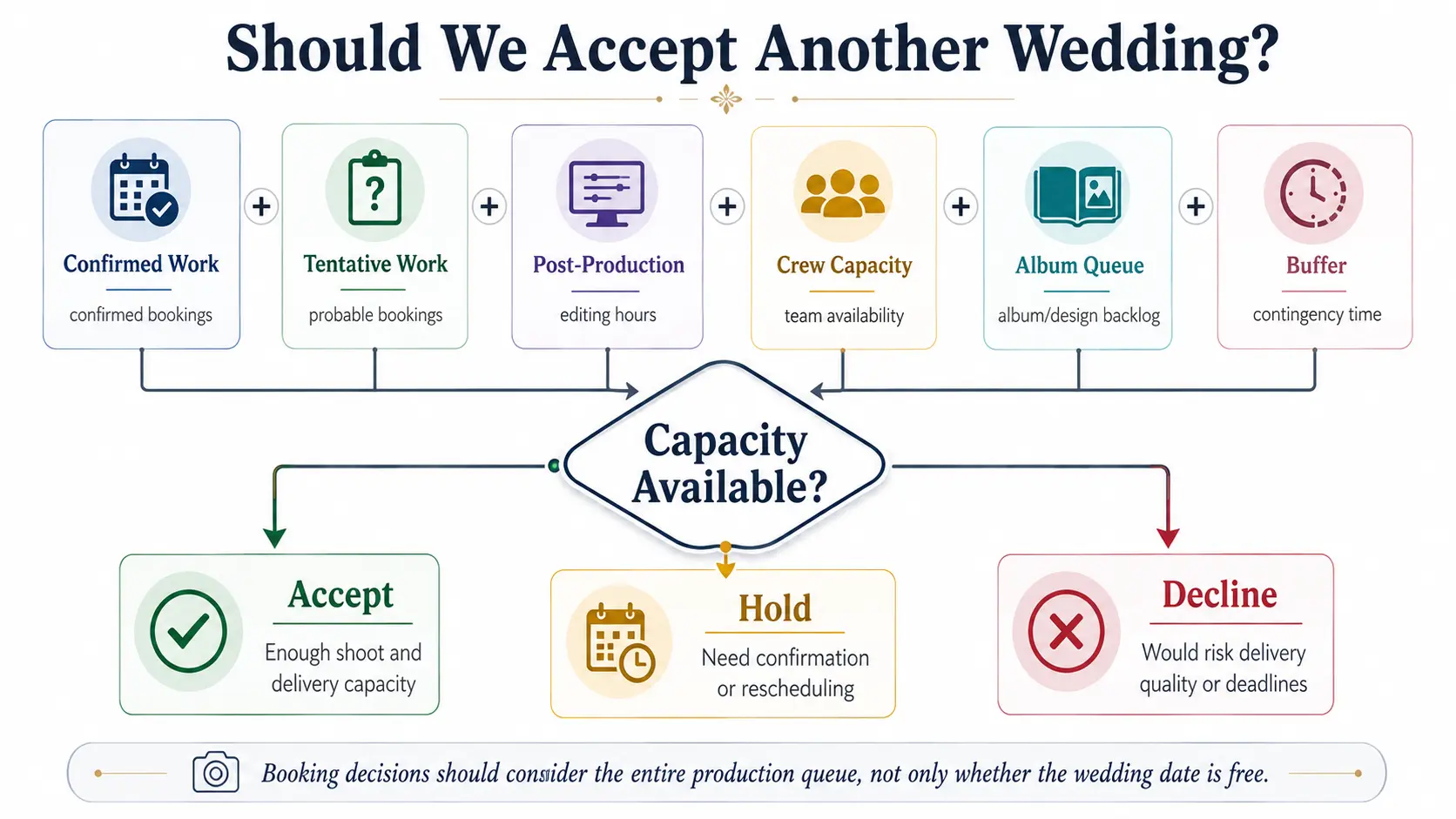
Use One Weekly Peak-Season Capacity Review
Every Monday, review seven numbers:
Confirmed weddings → weighted tentative bookings → crew gaps → post-production hours → overdue deliveries → albums awaiting action → remaining buffer
That 20-minute review gives the studio a much better answer to:
“Can we safely take another wedding?”
than checking whether the date is blank.
At GoPickle, this is how we think about studio capacity management: the booking is only the beginning. Weddings move through enquiries, quotations, bookings, payments, crew assignments, shoots, client selections and final delivery. Keeping those stages connected makes the actual workload easier to see.
If your studio is reaching the point where spreadsheets, WhatsApp groups and individual calendars no longer show the complete picture, explore the GoPickle wedding photography workflow.
The goal is not to book every available date.
It is to accept the work your studio can shoot and finish well.