Photography Studio SOP Template: Turn Repeatable Work Into a System Your Team Can Follow
Build a photography studio SOP for leads, bookings, shoots, file handling, delivery and payments using a practical trigger, owner, steps and completion framework.

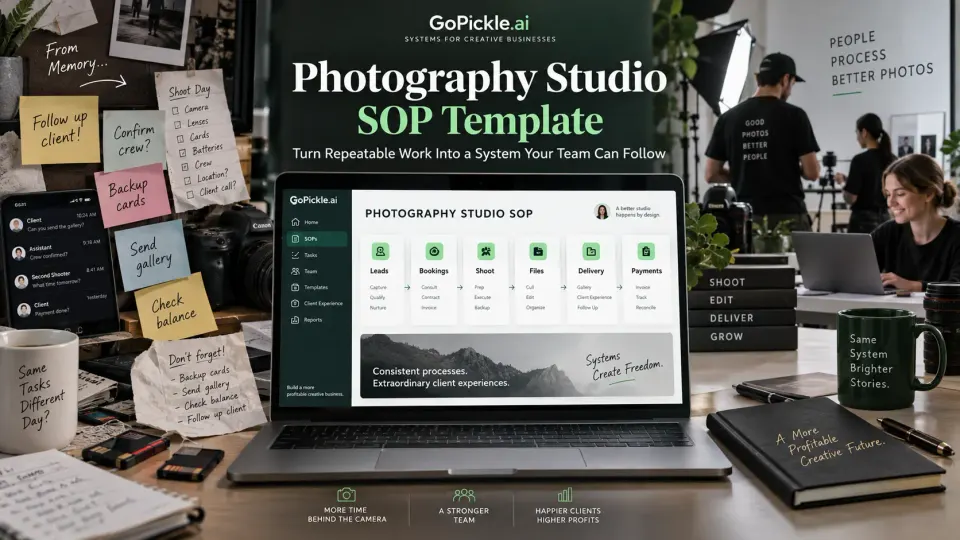
A photography studio usually develops procedures long before it writes them down. The owner knows that every serious enquiry needs a follow-up. The lead photographer knows which cards should be backed up before formatting. The studio manager knows when a booking is ready for crew assignment. The editor knows which folder structure the team expects. The accounts person knows that a delivered job should not disappear while a balance is still outstanding.
The problem is that much of this knowledge lives inside people rather than inside the business.
That works while the owner touches almost every job. It becomes fragile when bookings increase, freelancers join, employees specialise and several projects move through the studio at the same time. Suddenly a routine question such as “What happens after the client approves the quote?” can produce three different answers depending on who is asked.
A useful photography studio SOP fixes that problem without turning a creative business into bureaucracy. The best SOPs in a photography studio are usually short. They define when a process starts, who owns it, what must happen and what must be true before the work is considered complete.
This guide provides a practical photography SOP template for studios moving from owner-memory to repeatable operations. It is deliberately different from our guide to standardising studio processes without losing the personal touch, which focuses on keeping client communication human. Here, the focus is the operating system behind the client experience.
What belongs in a photography studio SOP?
An SOP should document work that needs to happen in a reasonably consistent way. It does not need to prescribe every creative decision.
You probably do not need an SOP describing exactly how a photographer should frame a first dance, pose every portrait or colour-grade every image. Those decisions depend on artistic judgement, client preference and the circumstances of the shoot. You may still have creative standards, reference galleries or editing guidelines, but forcing subjective work into rigid procedural steps usually produces a document nobody enjoys following.
The stronger candidates for photography studio procedures are recurring operational moments where inconsistency creates risk: capturing an enquiry, preparing a quotation, confirming a booking, assigning crew, checking equipment, handling memory cards, backing up files, handing work to an editor, publishing a gallery, collecting an outstanding payment or closing the booking.
A photography workflow SOP should be specific enough that another trained person can follow it without needing the owner to fill in missing assumptions. At the same time, it should remain short enough to use during real work.
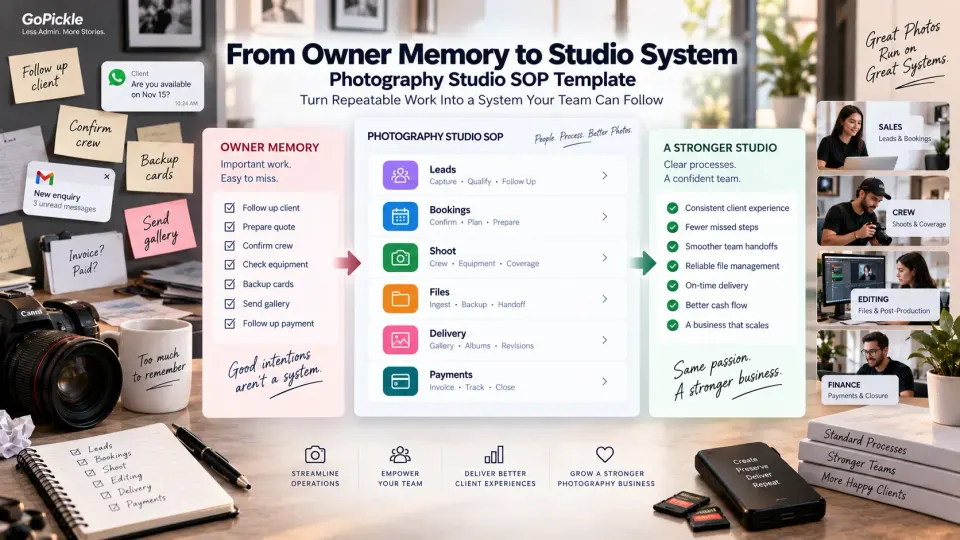
A practical photography SOP template can use this structure:
| SOP field | What it should answer |
|---|---|
| SOP name | What repeatable process is this? |
| Trigger | What event starts the procedure? |
| Owner | Who is responsible for moving it forward? |
| Inputs | What information, approval or files are required? |
| Steps | What must happen, and in what order? |
| Decision points | When does the workflow branch or require escalation? |
| Completion condition | What must be true before the procedure is finished? |
| Evidence | What record proves it happened? |
| Exceptions | What should happen when the normal path cannot be followed? |
| Version / owner | Which procedure is current and who maintains it? |
The completion condition is particularly important. “Send gallery” is an action. “Gallery published, access checked, client notified and delivery recorded” is a completion condition. SOPs become much more useful when the team knows what done actually means.
Start with high-risk repeated workflows, not everything your studio does
The fastest way to make SOP building painful is to decide that the entire photography business must be documented before anyone can use the system.
Start where repeated mistakes have consequences.
Look at the last few months of work and identify moments where the owner repeatedly had to intervene, someone had to ask for information that should already have been available, or a missed step created client, financial or production risk. Those are stronger SOP candidates than tasks that merely happen frequently.
A missing Instagram follow-up can cost a booking. An incomplete booking record can send crew to the wrong venue. A poor card-handoff process can put irreplaceable photographs at risk. An invoice forgotten after scope changes can reduce revenue. A gallery published without checking permissions can create a privacy problem.
Prioritise procedures where the combination of frequency, consequence and handoff complexity is highest.
This distinction matters for both a five-person wedding studio and a commercial photography business. Their creative work may be very different, but both rely on operational handoffs: sales into production, production into post-production, and post-production into delivery and finance.
Using photography business management software can make those handoffs more visible, but software should reinforce a defined process rather than substitute for one. A confusing process transferred into an application is still a confusing process.
Write every SOP around a trigger, owner, steps and completion condition
A long procedure can often be reduced to four operating questions:
What starts this? Who owns it? What happens next? What proves it is finished?
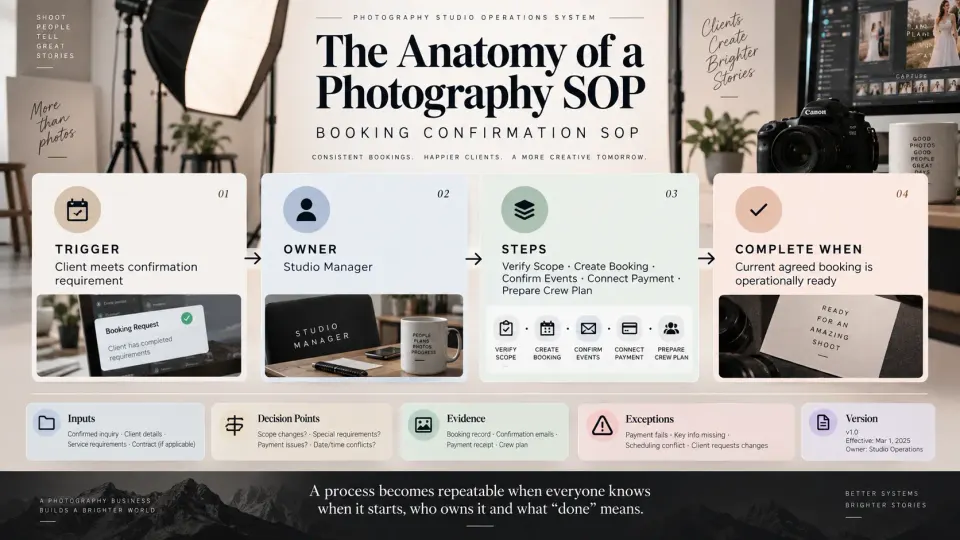
Consider a booking-confirmation SOP.
Trigger: Client completes the studio's defined confirmation requirement.
Owner: Studio manager or assigned booking owner.
Steps: Verify approved scope, create or update the booking, confirm events and venues, record services and deliverables, connect payment information, identify missing planning details and prepare the booking for crew allocation.
Complete when: The booking contains the current agreed operational scope and no required confirmation action remains unresolved.
That is much more usable than a two-page paragraph titled “Booking Process.”
The trigger prevents procedures from starting arbitrarily. The owner prevents “someone should do this” from becoming everybody's responsibility and therefore nobody's responsibility. The steps make the work repeatable. The completion condition creates a clear handoff into the next stage.
This structure also helps a studio connect separate SOPs instead of writing one enormous document:
Qualified enquiry → Quotation SOP → Booking confirmation SOP → Shoot readiness SOP → File handoff SOP → Delivery SOP → Booking closure SOP
GoPickle's Booking Management for photographers follows the same operational idea: confirmed work can carry events, venues, services, deliverables, crew, invoices, payments and delivery context rather than reducing a booking to a calendar date.
Use checklists where precision matters more than explanation
An SOP and a checklist solve different problems.
The SOP explains the procedure. The checklist protects critical steps while somebody performs it.
For example, your file-ingest SOP may explain the entire workflow: who accepts media, how sources are separated, where files are copied, what constitutes successful verification, how backups are created and when cards can be released. On a busy Monday after three weekend shoots, the operator may only need the execution checklist:
- Identify photographer and camera source.
- Copy files to the working location.
- Verify expected folders and file counts.
- Open sample files and check readability.
- Confirm the required backup copies.
- Record successful ingest.
- Release cards for reuse only after verification.
That list is useful because skipping one step can matter. A six-step essay about how your studio answers every new enquiry may be less valuable than a lead record that simply requires source, requirement, owner and next action before the task can be closed.
Use checklists for shoot-day readiness, equipment checks, card handoffs, backups, gallery quality control, album approval, payment reconciliation and other places where omission matters.
The goal is not to make staff tick boxes for the sake of activity. Every checkbox should protect a real operational requirement.
Version and update photography studio procedures
A photography SOP template becomes dangerous when the team keeps following an old version after the business has changed.
Perhaps the studio previously delivered through generic folders and now uses branded galleries. Maybe a new editor has changed the file-handoff process. Payment terms have been revised. A particular check was added because a costly mistake occurred. A booking workflow that worked for ten assignments a month may no longer be sufficient when the studio handles forty.
Give each important SOP an owner, current version and review date. When the process changes materially, update the procedure and make the new version easy for the team to find. The old version can be retained as history where that record is useful, but it should not remain alongside the current instructions with no indication of which one applies.
You do not need enterprise-style document control for every tiny photography-business process. A practical record such as Version 1.3 · Updated 12 September 2026 · Owner: Studio Operations · Change: added second backup verification is often enough to prevent ambiguity.
Review should also be event-driven, not only calendar-driven. Revisit an SOP when a tool changes, a service changes, responsibility moves to another role, a recurring exception appears or the team finds that the written procedure no longer matches what actually happens.
A procedure the staff routinely work around is giving you useful information: either the SOP is wrong, the team needs training, or the underlying process needs redesign.
Train freelancers and staff on the workflow they actually own
Publishing a folder called “Studio SOPs” does not mean a photographer, editor or coordinator knows how to use it.
Train people around their role.
A second photographer may need your assignment, client-boundary, equipment and file-handoff procedures. An editor needs ingest, editing-standard, export and delivery-handoff procedures. Someone handling leads needs qualification, follow-up and quotation rules but may have no reason to access financial reports or complete client history.
This role-based approach keeps training manageable and avoids giving freelancers unnecessary access to information outside their assignment.
For studios using regular freelancers, the permanent operating expectations should be established before the first live job. Our freelance photographer onboarding checklist covers rates, approved roles, technical standards, client-facing conduct and file handoffs. Once someone is approved to work with the studio, individual assignments can then carry only what changes from job to job.
GoPickle's Crew Management for photographers is designed around this operational layer: studios can organise availability, event assignments, roles, tasks, access and crew payment context around actual bookings. The SOP defines how your studio expects the work to run; the operating system helps the team execute that process repeatedly.
Training should finish with demonstrated understanding rather than “I sent you the document.” Ask the person to perform the workflow on a real or test job, then fix whichever parts require the owner to explain what the procedure supposedly meant.
Five SOPs a growing photography studio should document first
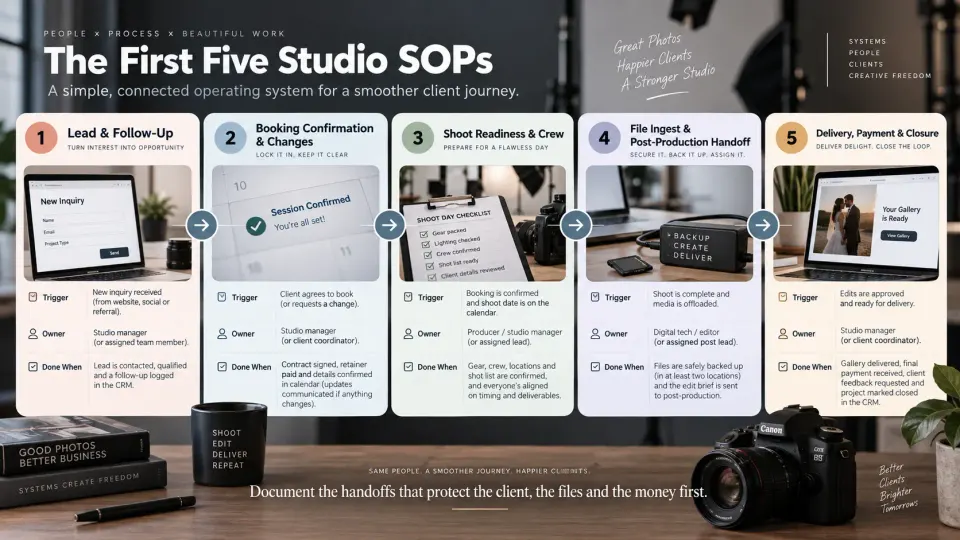
If your studio currently runs largely from memory, begin with five workflows that span the client journey rather than attempting to document every department.
1. New enquiry and follow-up SOP. Define what turns an Instagram DM, WhatsApp message, email, referral or website enquiry into a lead record; what minimum context must be captured; who owns the opportunity; and when a real next action must be scheduled. Completion should mean the enquiry has either moved forward with ownership and a next step or reached a clearly recorded outcome.
2. Booking confirmation and change SOP. Define what your studio requires before work becomes confirmed, what information moves from the approved quotation into the booking, and how later changes to dates, venues, services or deliverables are recorded. The completed record should represent the current client promise rather than forcing the team to reconstruct it from old messages.
3. Shoot-readiness and crew SOP. Define the final operational check before coverage: current event times and venues, scope, client contact boundaries, crew roles, reporting times, required equipment and unresolved issues. For a team studio, this should connect closely to crew assignments rather than existing as a generic “wedding checklist.”
4. File ingest, backup and post-production handoff SOP. Define who takes custody of cards or uploaded files, how sources are labelled, how successful copying is verified, what backup condition must exist before media can be reused, and how the job becomes ready for culling or editing. This is one of the workflows where a short but strict checklist is more valuable than pages of general guidance.
5. Delivery, payment and closure SOP. Define what must happen before a gallery or other deliverable is released, how the client is notified, what happens to pending albums or revisions, how outstanding payments are handled and when the booking may finally be closed. Delivery and closure are not necessarily the same operational moment: a client can have photographs while the studio still has an album, balance or other commitment outstanding.
Once those five are stable, expand only where the business needs more control: quotation preparation, equipment maintenance, album production, editing quality control, refunds, complaints, destination travel, corporate usage licensing or any other recurring process that creates meaningful risk.
The purpose of a photography studio SOP is not to remove judgement from the business. It is to stop the team spending judgement on things the studio has already solved.
When a lead arrives, the process should not depend on who remembers to follow up. When a booking is confirmed, the current scope should not exist only in the owner's head. When photographers return from a shoot, nobody should debate whether cards can already be formatted. When delivery is complete, the studio should know what remains before the job disappears from active work.
That is the shift from an owner-operated collection of habits to a studio operating system. The photography can remain personal, adaptable and creative. The repeatable work behind it becomes dependable enough that the business no longer needs the owner standing beside every step.