Google Drive is excellent for storage, backups, internal sharing and vendor transfers.
Google Drive alternative for photographers
GoPickle vs Google Drive for Professional Photo Delivery
Google Drive is useful storage. But when a paying client opens the final photos, the experience should feel branded, visual, easy to download, simple to share and connected to the studio workflow. That is where GoPickle Client Galleries are built to win.
Fair comparison · Google Drive strengths included · Built for photographers evaluating client gallery software
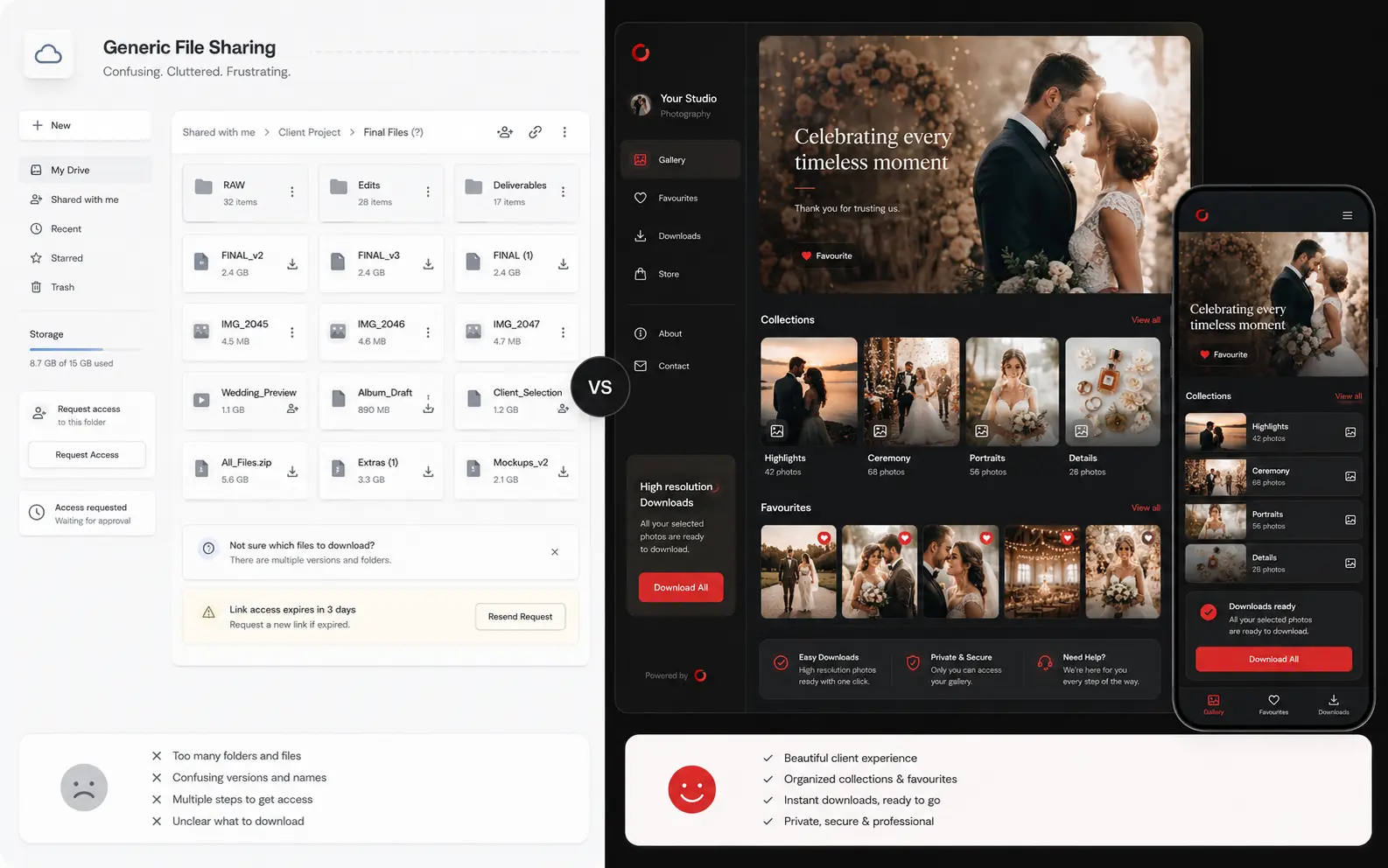
GoPickle Client Galleries are built for client-facing photo delivery, branded viewing, favourites, downloads and follow-ups.
If the client experience matters after the shoot, GoPickle is the stronger delivery workflow.
Honest Comparison
Storage Folder or Professional Client Gallery?
The question is not whether Google Drive is good. It is. The question is whether a storage folder should be the final client-facing delivery experience for weddings, events, portraits and premium studio work.
Google DriveBest as storage and file sharing
GoPickleBest as client-facing photo delivery
Primary purpose
Google Drive
Cloud storage and file sharing for many file types.
GoPickle Client Galleries
Photography delivery workflow built around albums, galleries and client experience.
Photographer takeaway
Use Drive to store files. Use GoPickle to present finished work professionally.
Client viewing experience
Google Drive
Folder-first browsing with filenames, previews and Drive controls.
GoPickle Client Galleries
Gallery-first browsing with cover, collections, mobile viewing and polished presentation.
Photographer takeaway
GoPickle feels closer to the value of the shoot.
Branding
Google Drive
The client mostly sees Google Drive’s interface.
GoPickle Client Galleries
Your studio name, gallery title, cover image and brand presentation stay visible.
Photographer takeaway
A shared GoPickle gallery can also become a referral touchpoint.
Downloads
Google Drive
Downloads depend on file, folder, device, browser and permission behaviour.
GoPickle Client Galleries
Photographers can make downloads clearer for clients and control how delivery is handled.
Photographer takeaway
Fewer “please resend” and “how do I download?” messages.
Album selection
Google Drive
Clients may send filenames, screenshots or separate messages.
GoPickle Client Galleries
Clients can shortlist and favourite photos inside the delivery flow.
Photographer takeaway
Selections stay attached to the right photographs.
Privacy and access
Google Drive
Strong sharing controls, but folder permissions can confuse non-technical clients.
GoPickle Client Galleries
Private gallery access and photographer-controlled delivery rules fit photo workflows.
Photographer takeaway
The access experience is simpler for wedding, family and event clients.
Studio workflow
Google Drive
Separate from leads, bookings, quotations, invoices and payments.
GoPickle Client Galleries
Client galleries can live alongside booking, quotation, invoice and payment context.
Photographer takeaway
Delivery becomes part of the studio record, not a loose link in chat.
Where Drive Still Makes Sense
Keep Google Drive Where It Belongs: Behind the Scenes
Drive can remain part of the studio stack. It is useful for files, folders and internal access. But the final link a client opens should feel like a photography experience, not a storage location.
Backup and storage
Keep edited files, raw archives, documents and internal folders organised behind the scenes.
Vendor transfers
Share files with editors, designers, album vendors or internal teams when presentation is not the goal.
Simple casual shoots
A quick folder link can be enough when the project is small, informal and does not need selection or branding.
Why Photographers Switch
GoPickle Makes the Delivery Feel as Premium as the Photos
For photographers, delivery is the final impression. GoPickle turns that moment into a branded gallery workflow clients can open, relive, select, download and share without confusion.
The gallery looks like your work
Clients open a branded online gallery instead of a folder dump. The delivery feels curated, visual and premium.
Favourites reduce confusion
Album selection, approvals and shortlist discussions stay inside the gallery experience.
Downloads are clearer
Give clients an easier way to save photos without explaining folders, ZIP files and repeated resend requests.
Every share can carry your brand
When families share the gallery, your studio identity travels with the photographs and can support referrals.
Private delivery feels intentional
Access, watermark previews and download choices feel designed for photography clients, not generic file access.
Delivery connects to the business
Keep the client journey connected from booking and invoice to final gallery and follow-up.
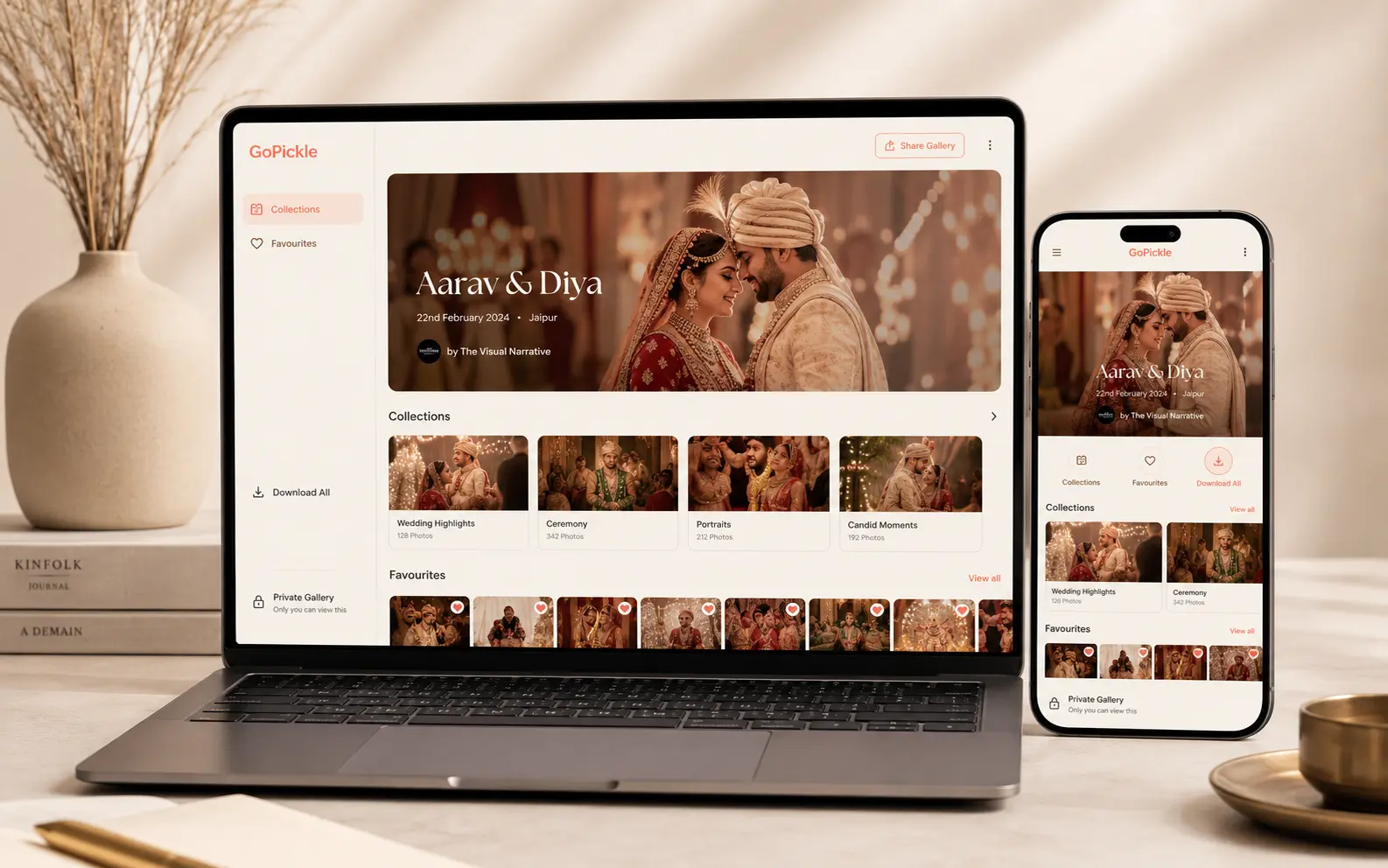
Gallery opened on mobileFavourites on · Download ready · Studio brand visible
Client Experience
Clients Should Not Need Instructions to Enjoy Their Photos
Drive delivery often creates practical questions: which folder is final, whether the file is high resolution, how to download on mobile, and where to send album selections. A gallery removes that friction and makes the handoff feel intentional.
Create a Client GallerySwitching Path
You Do Not Need to Abandon Drive Overnight
The simplest migration is to keep Drive as archive storage and start using GoPickle for the client-facing delivery link. Test it with one real project and compare the response.
- 1Choose one upcoming wedding, event or portrait client.
- 2Upload the final edited set into a branded GoPickle Client Gallery.
- 3Organise the gallery by ceremony, portraits, reception, highlights or delivery collections.
- 4Enable the download and favourite workflow that fits the project.
- 5Send one polished gallery link and use Drive only as the archive or backup layer.
Beyond the gallery
GoPickle Connects Delivery to the Rest of the Photography Business
Client galleries can sit beside enquiries, quotations, bookings, invoices, payments and follow-ups. That makes the final album part of the studio workflow, not a disconnected file link.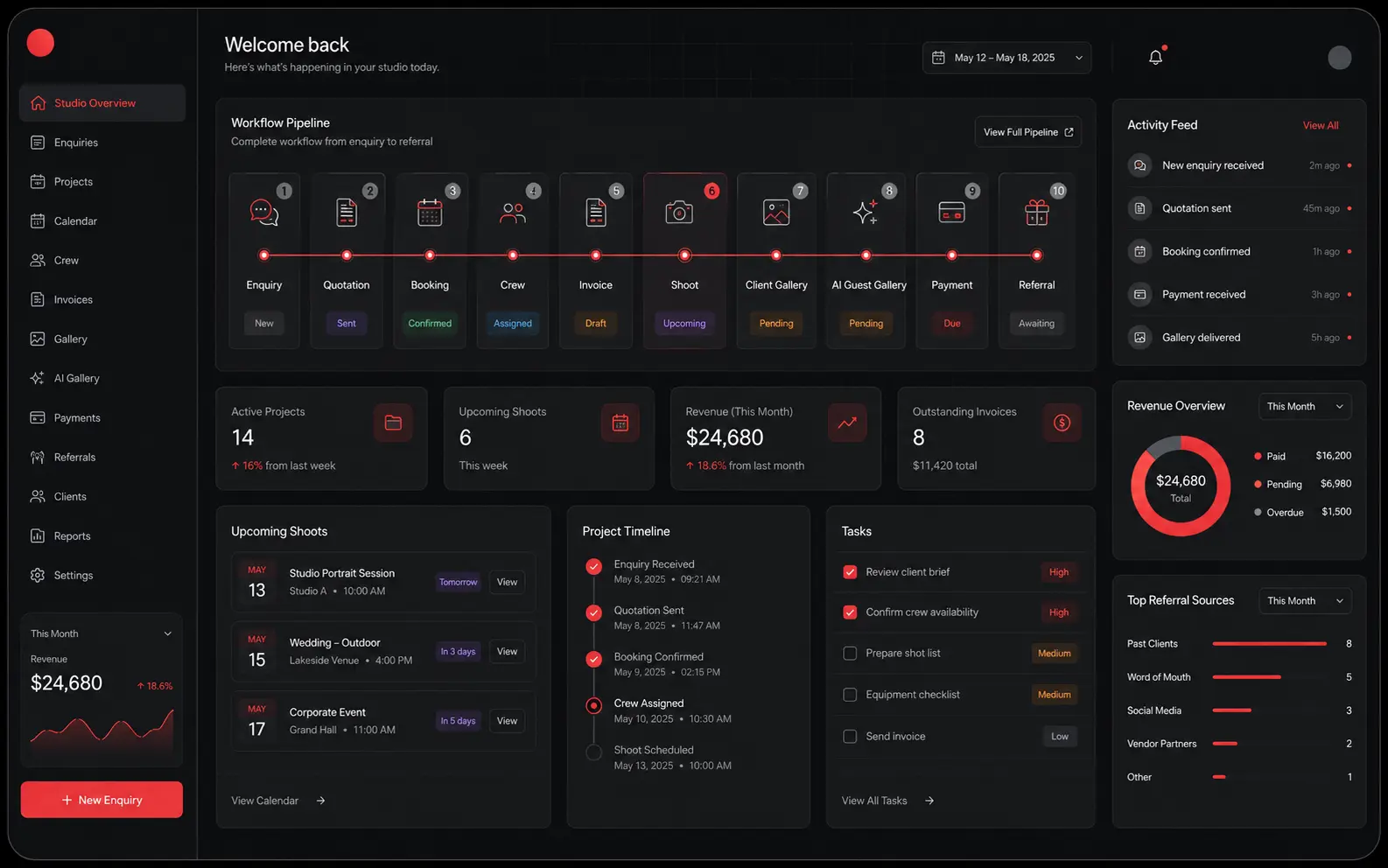
FAQ
Questions Before You Move From Drive
GoPickle is not trying to replace every storage use case. Google Drive is useful for backup, internal files and vendor transfers. GoPickle is stronger when the client needs to view, select, download and share final photographs professionally.
Ready to stop sending plain folder links?