Photography Mobile Workflow: What Studio Owners Should Be Able to Do From a Shoot-Day Phone
Learn what a photography business mobile app should handle on shoot day, from booking details and crew coordination to enquiries, payments and changes.

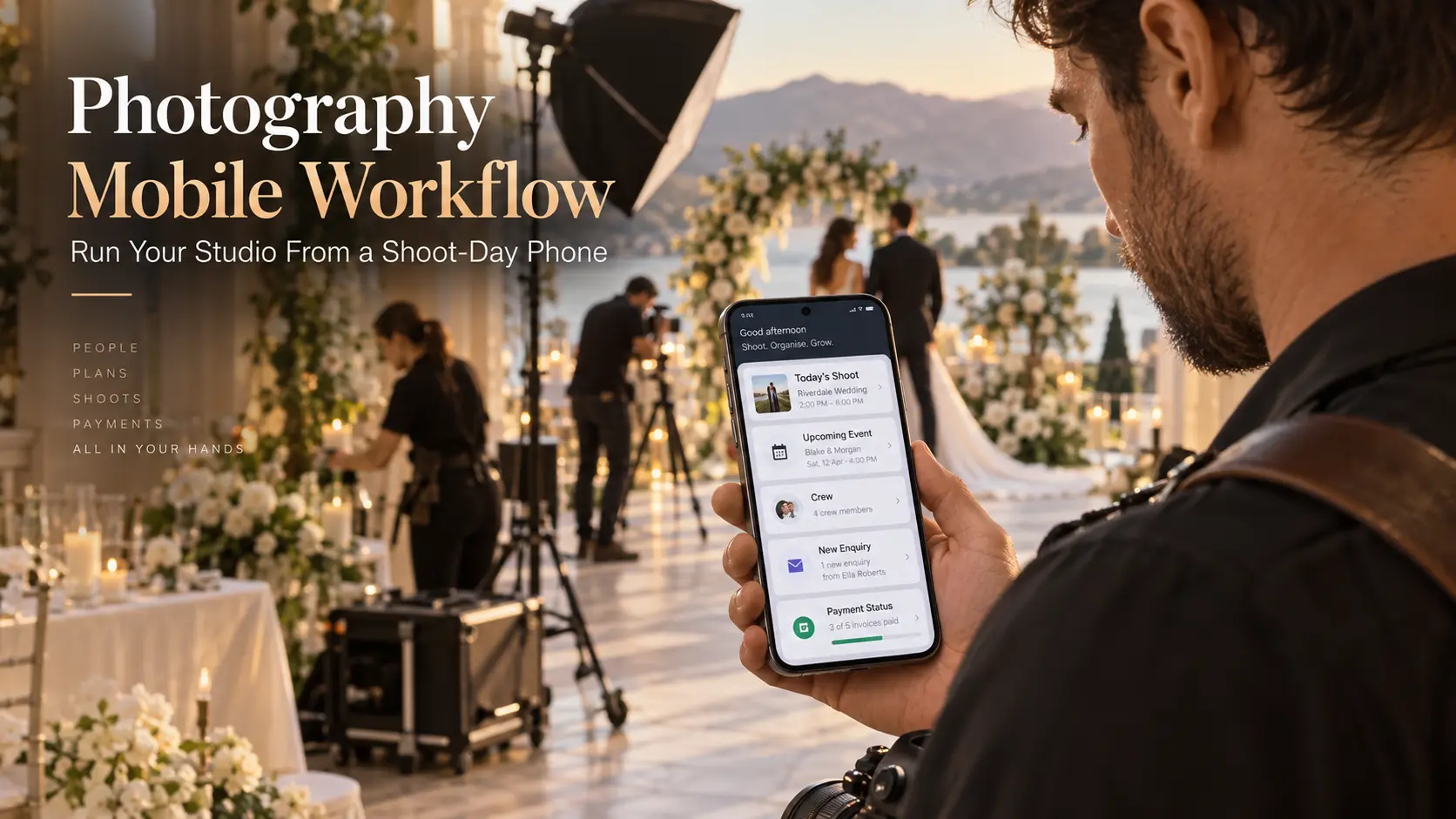
You're halfway through a photography assignment when the client changes the schedule. Your second photographer is travelling to the original venue, another client is asking about an upcoming booking, and a payment confirmation arrives while you're preparing for the next session.
None of these situations requires a laptop. Yet they can become surprisingly difficult to manage when client details, booking schedules, crew assignments and payment records live in different places.
A photography business mobile app should help you handle these situations without turning every break between photographs into an administrative session. The purpose is to keep essential information accessible, capture decisions accurately and make sure the right person knows what happens next.
At GoPickle.ai, we see mobile workflow as an extension of how professional photographers already run their businesses. The phone should help the studio owner make decisions during a working day, while the detailed planning and production work can remain on desktop.
This guide focuses specifically on shoot-day operations: the information to have ready before leaving, the actions worth completing on location, and the records that should never depend on memory.
Mobile Should Not Replicate Every Desktop Screen
A photographer's phone has a different job from a studio computer.
At the desk, you might build complex quotations, review monthly financial reports, organise packages or plan several weeks of crew assignments. On location, you need much shorter answers. Which event is next? Who is responsible? What changed? Is the client waiting for something?
Trying to fit the entire desktop experience onto a small screen often makes the most important information harder to find. A useful photographer business app should prioritise actions according to their urgency and the circumstances in which someone needs them.
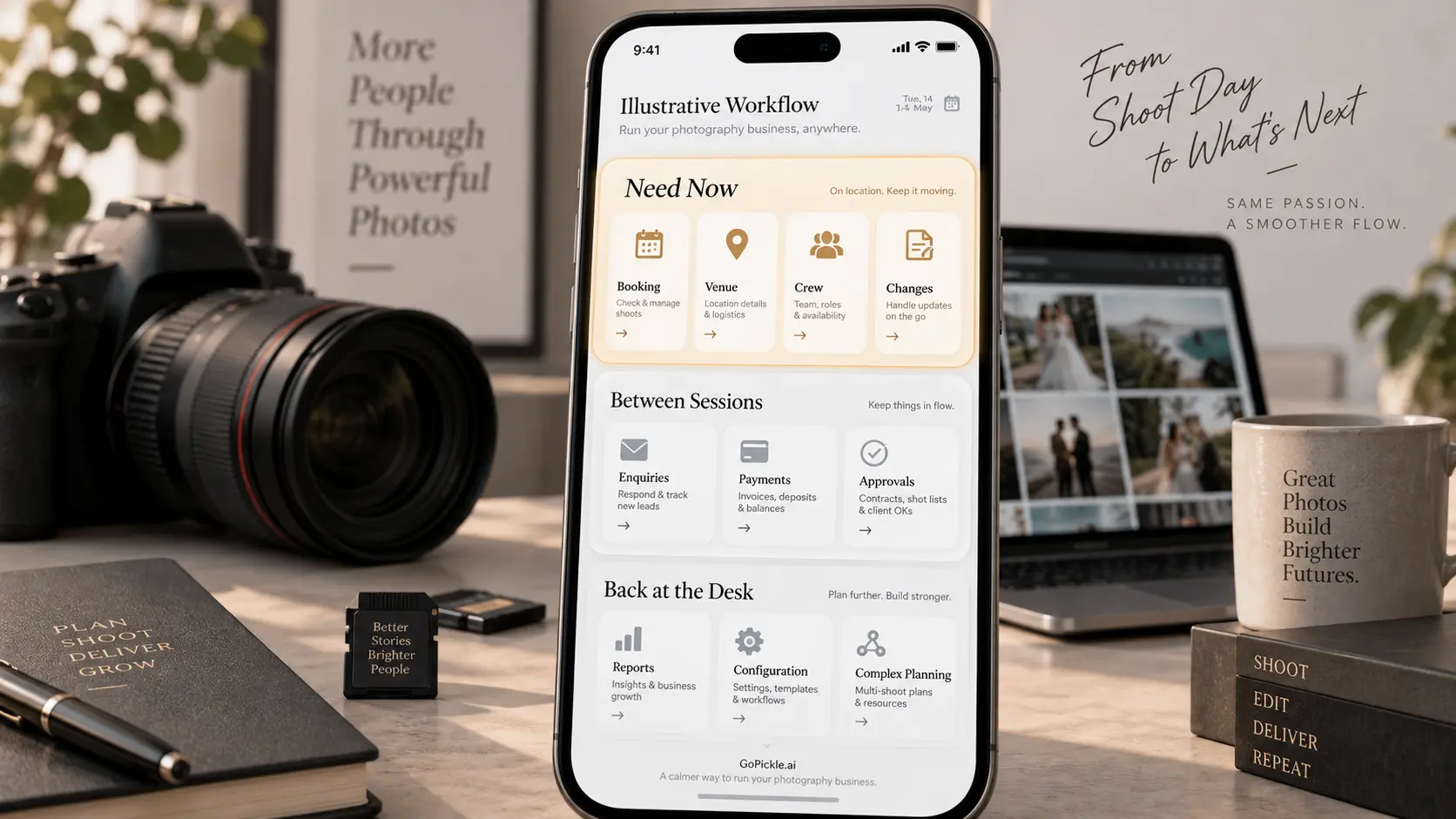
For shoot-day purposes, we recommend organising mobile actions into three groups:
- Need now: Today's bookings, venue details, client contacts, crew assignments and immediate changes.
- Need between sessions: New enquiries, follow-ups, quotation status, payment checks and pending approvals.
- Can wait until the desk: Complex financial reconciliation, detailed reporting, large package revisions and administrative configuration.
The distinction matters because photographers should not feel obligated to run their businesses throughout every shoot. If a team member can handle an enquiry or routine payment question, ownership should remain with that person rather than interrupting the photographer.
If you're evaluating the wider capabilities of a mobile CRM, our existing guide to what a photography business app should handle covers the full mobile feature set. Here, the priority is narrower: what must work reliably when the photography assignment is already underway.
Look Up Today's Bookings Without Searching Through Messages
Before leaving for a shoot, a photographer should be able to open the mobile app and understand the day's commitments without opening several conversations or documents.
Consider a studio covering a morning corporate portrait session and an evening event. The owner needs to know where each assignment takes place, when the crew should arrive, which services have been confirmed and whether there are any unresolved instructions.
A basic calendar entry will not provide enough information.
The mobile booking view should make the following details easy to find:
Client and booking name.
Confirmed shoot date and event timings.
Venue address and relevant location instructions.
Assigned photographers and other crew members.
Agreed services, coverage and important deliverables.
Booking status and outstanding operational tasks.
Relevant client instructions or approved changes.
For multi-day weddings, conferences and productions involving several locations, each function should remain identifiable within the wider booking. A photographer should never have to guess whether the displayed venue belongs to the ceremony, reception or another part of the assignment.
A useful test is to open tomorrow's booking from your phone and locate the next event's address, reporting time and assigned crew without relying on another application.
GoPickle's booking management software for photographers connects bookings with event details, services, crew and financial context. Its mobile workflow provides access to bookings and calendar information while photographers are away from their desks.
Keep Client, Venue and Crew Context Together
Knowing where to go is only part of being prepared. A shoot-day phone should also tell you whom to contact when something changes.
Imagine arriving at a commercial location where the security team has not received your crew list. You may need the client's onsite representative rather than the person who originally approved the quotation. At a wedding, the main client may be unavailable during the ceremony, making the planner or coordinator the appropriate contact.
A photography studio mobile app should therefore make the relevant contact and assignment information easy to retrieve from the booking.
A practical shoot-day record includes the primary client contact, designated onsite contact, venue instructions, assigned crew members and their responsibilities. If a team member has not confirmed an assignment, that uncertainty should be visible before the scheduled reporting time.
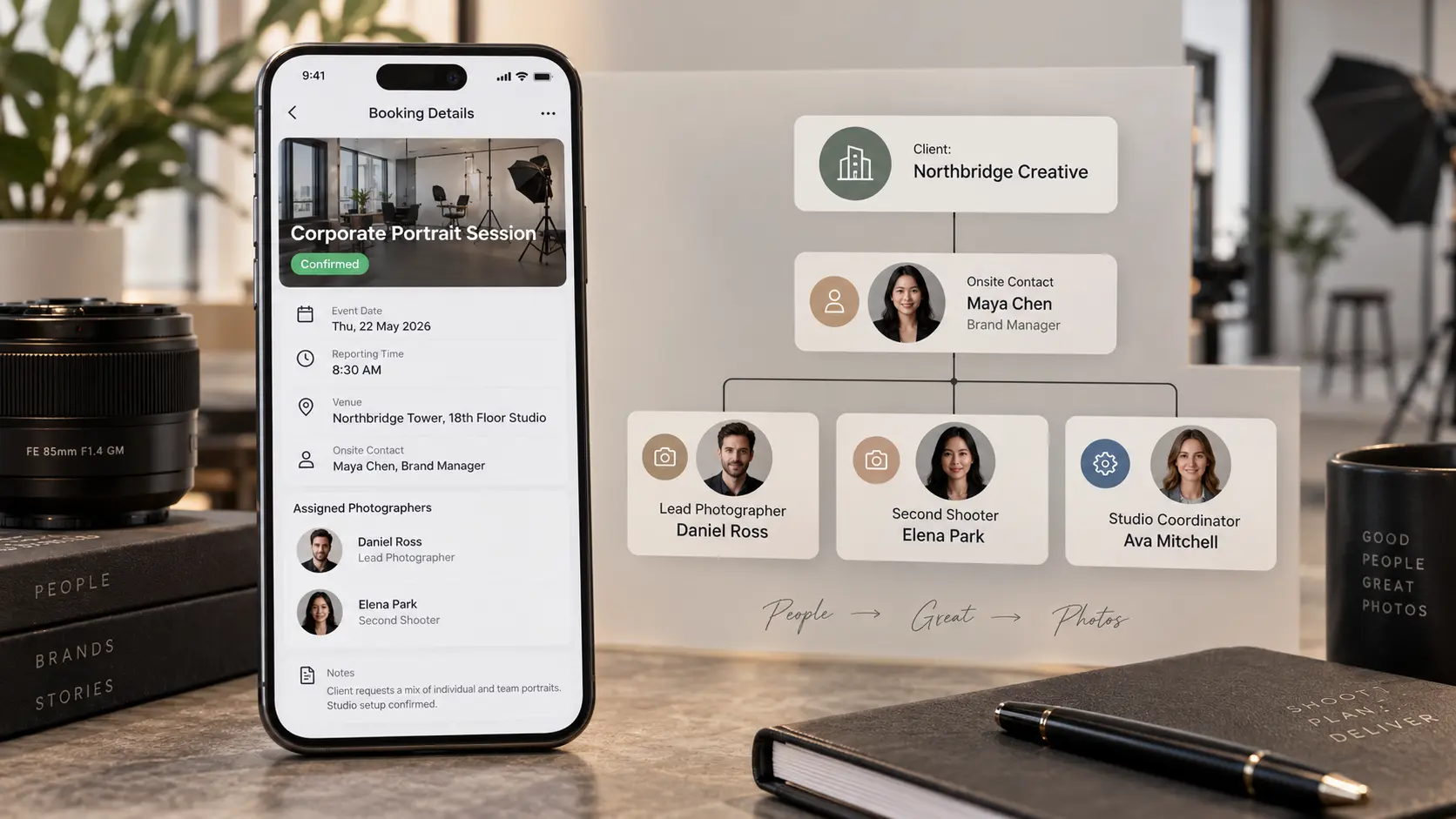
For studios working with freelancers, these details are especially important. The lead photographer may be responsible for the overall assignment, while a second shooter covers another venue or a videographer arrives at a different time.
The owner needs a complete operational view. Individual crew members usually need only the information relevant to their assigned work.
GoPickle's crew management workflow supports event assignments, responsibilities and crew coordination. The mobile experience also covers assignment information and crew response status, helping studios manage changes while teams are working at different locations.
Capture New Enquiries and Follow-Ups Between Shoots
New business rarely arrives at a convenient moment.
A potential client might enquire through your website during a wedding, ask about portrait availability while you're photographing another family, or call about a commercial project when you're already on location.
Responding immediately is not always possible or appropriate. The important thing is that the enquiry reaches the right person and does not disappear inside a messaging thread.
A photography CRM mobile app should allow you to capture enough information to continue the conversation later. You do not need to complete an elaborate sales form while carrying equipment between locations.
For an initial enquiry, prioritise the client's name, contact method, requested shoot type, potential date, key requirements and next action. Assign responsibility if another team member handles sales.
For example, if a client approaches you after an event and requests a family photoshoot, recording their contact details and setting a follow-up is more dependable than promising to remember their name when the weekend ends.
The same approach applies to existing leads. A short consultation may reveal a revised budget or a change in event dates. Capture that information in the lead record rather than leaving it in an isolated note.
GoPickle's lead management software for photographers provides enquiry records, follow-up actions and lead ownership connected to the wider photography workflow.
For busy studios, it is also worth setting a clear photography enquiry response process, so capturing a lead does not mean the owner must personally respond while actively photographing a client.
Check Payment and Document Status Without Opening a Spreadsheet
Payment questions often arise during client meetings, before assignments or shortly after a shoot.
A client may ask whether their advance has been received. The coordinator may need to know whether the final instalment is outstanding. A commercial customer might request another copy of an invoice while the photographer is travelling.
These are reasonable mobile tasks, provided the information comes from the actual financial record.
A photography booking app on mobile should make it possible for authorised users to identify the relevant quotation, invoice, recorded payments and outstanding balance. It should also distinguish between a quotation being sent, a booking being confirmed, an invoice being issued and a payment actually being received.
These are different commercial events, even when they concern the same client.
One important rule: a client sending a payment screenshot is not necessarily proof that the money has settled. Where payment verification is needed, check the payment provider or bank record before marking the amount as received.
For a multi-person studio, financial permissions matter too. The photographer may need to know whether the assignment is commercially cleared to proceed, while detailed invoice editing and reconciliation remain with the owner or finance team.
GoPickle's mobile application includes quotation, invoicing and payment workflows, allowing authorised users to review relevant financial information and handle supported document actions from their phones.
Local tax rules, supported payment methods and invoice requirements vary by market, so studios should verify these separately before adopting a platform.
Record Shoot-Day Changes While the Details Are Fresh
Some of the most expensive administrative mistakes begin with a small conversation that nobody records.
A wedding planner moves a ceremony to another hall. A commercial client requests ten additional portraits. A family session is extended because one participant arrives late. A production assistant discovers that an agreed backdrop is unavailable.
These situations require different responses, even though they may all begin with a quick conversation.
An effective photographer workflow app should help distinguish between three types of changes:
| Type of change | Example | What the studio should record |
|---|---|---|
| Logistical | Venue or reporting time changes | Confirmed new details and affected crew |
| Commercial | Client requests additional coverage | Requested scope, quotation or approval requirement |
| Production | Equipment issue or missing deliverable | Problem, responsible person and next action |
The distinction prevents a common problem: someone updates the schedule and assumes the commercial or production consequences have also been handled.
For example, extending photography coverage by two hours may require a crew availability check and an additional charge. Changing the location could affect travel time and staffing. Recording only the new instruction leaves the consequences unresolved.
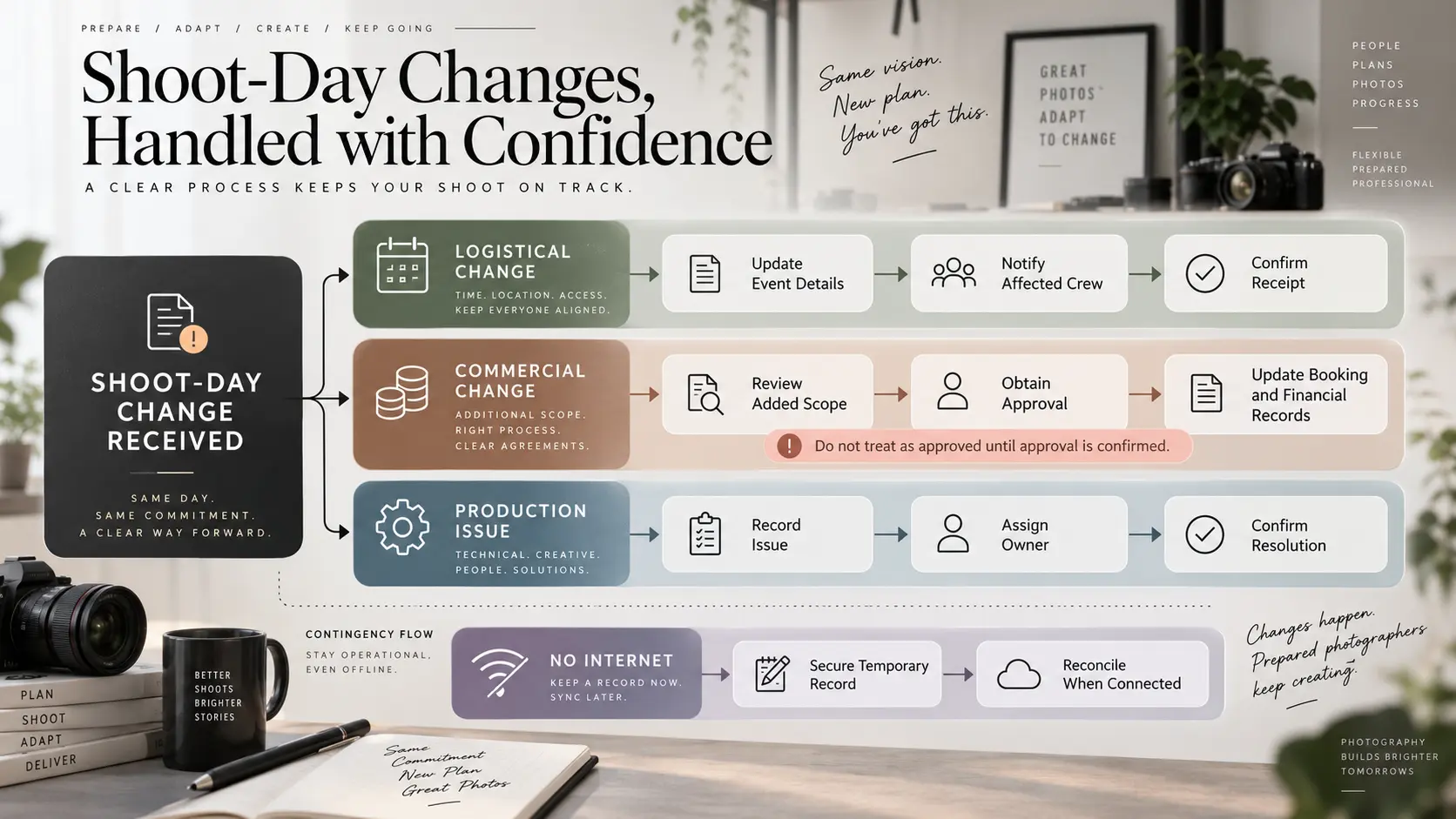
For important changes, preserve who requested them, what was agreed, who needs to act and whether the affected people have acknowledged the update.
The mobile app should make this reasonably quick, but a successful save does not automatically mean every relevant person has read the change. When timing is critical, confirm receipt directly with the affected crew or coordinator.
What if mobile connectivity fails?
Outdoor locations, remote venues and crowded events may have unreliable internet access. Before the assignment, identify which essential contact details and instructions must remain available through an approved backup process.
If an application cannot save changes offline, do not assume it has queued them successfully. Use a secure temporary note where appropriate, communicate urgent changes through an available channel, and reconcile the information with the official booking once connectivity returns.
That process should be deliberate. An unprotected screenshot containing client contact information or confidential financial details is not an ideal backup.
Security and Permissions Matter More When Phones Travel
A studio computer may remain in a controlled workspace. A photographer's phone travels through venues, vehicles, airports, crowded events and public locations.
That convenience creates additional responsibility because a business app can contain client phone numbers, private addresses, commercial documents and crew information.
Before allowing staff to access studio records from mobile devices, establish basic security requirements:
Use strong device authentication and automatic screen locking.
Enable multi-factor authentication where the service supports it.
Give staff individual accounts rather than sharing the owner's login.
Restrict financial and client information according to job responsibilities.
Know how to revoke account access if a device is lost or a freelancer leaves.
Avoid displaying sensitive client information in unnecessarily detailed lock-screen notifications.
Confirm what the application stores locally and how that data is protected.
A photographer assigned to one event should not automatically receive unrestricted access to the studio's entire client database.
For the same reason, test what happens when someone changes role or finishes a freelance assignment. Access should be removable without affecting the underlying booking records.
Studios operating internationally should also consider applicable privacy and data-protection requirements, particularly when personal information is shared across staff devices or service providers.
What to Evaluate in a Photography Business Mobile App
The best way to assess a photography business mobile app is to use it under realistic working conditions.
During a trial, take a representative booking and perform the actions your studio normally needs during an active shoot. Use the phone rather than the desktop interface, and involve someone who would actually be responsible for the work.
| Shoot-day situation | What the mobile app should help you do |
|---|---|
| Arriving at a venue | Find the current booking, schedule and location |
| Crew member is unavailable | Review assignment details and coordinate a replacement |
| New client enquiry arrives | Capture requirements, owner and next action |
| Client asks about payment | Check recorded payment and outstanding balance |
| Event timing changes | Update confirmed details and communicate affected responsibilities |
| No reliable internet | Follow a documented backup and reconciliation process |
| Staff access changes | Restrict or revoke access appropriately |
Do not assume every advertised feature is available on every platform, operating system or subscription tier. Ask the provider to demonstrate the exact actions, especially those involving permissions, offline behaviour and team coordination.
Also consider the number of steps required. If finding a venue address involves opening several unrelated screens, staff may return to messaging apps even when the information technically exists in the system.
For studios evaluating GoPickle, the iOS and Android mobile application connects core workflows including leads, quotations, bookings, invoices, payments, crew coordination, galleries and notifications with the desktop platform. Exact functions can vary by release and account permissions, so test the workflows relevant to your studio before committing.
The strongest mobile setup is one that knows when to stay out of the photographer's way. Your phone should give you the right booking information when you arrive, help you capture changes before they are forgotten and keep colleagues informed when something needs attention.
That leaves you free to return to the assignment, knowing the business decisions made during the day have a proper place in the studio's workflow.