Multi-Day Wedding Gallery Organization: Organize Every Function Without Making Clients Hunt
Learn how to organize a multi-day wedding photo gallery using function-based collections, highlights, chronology, downloads, selections and mobile testing.

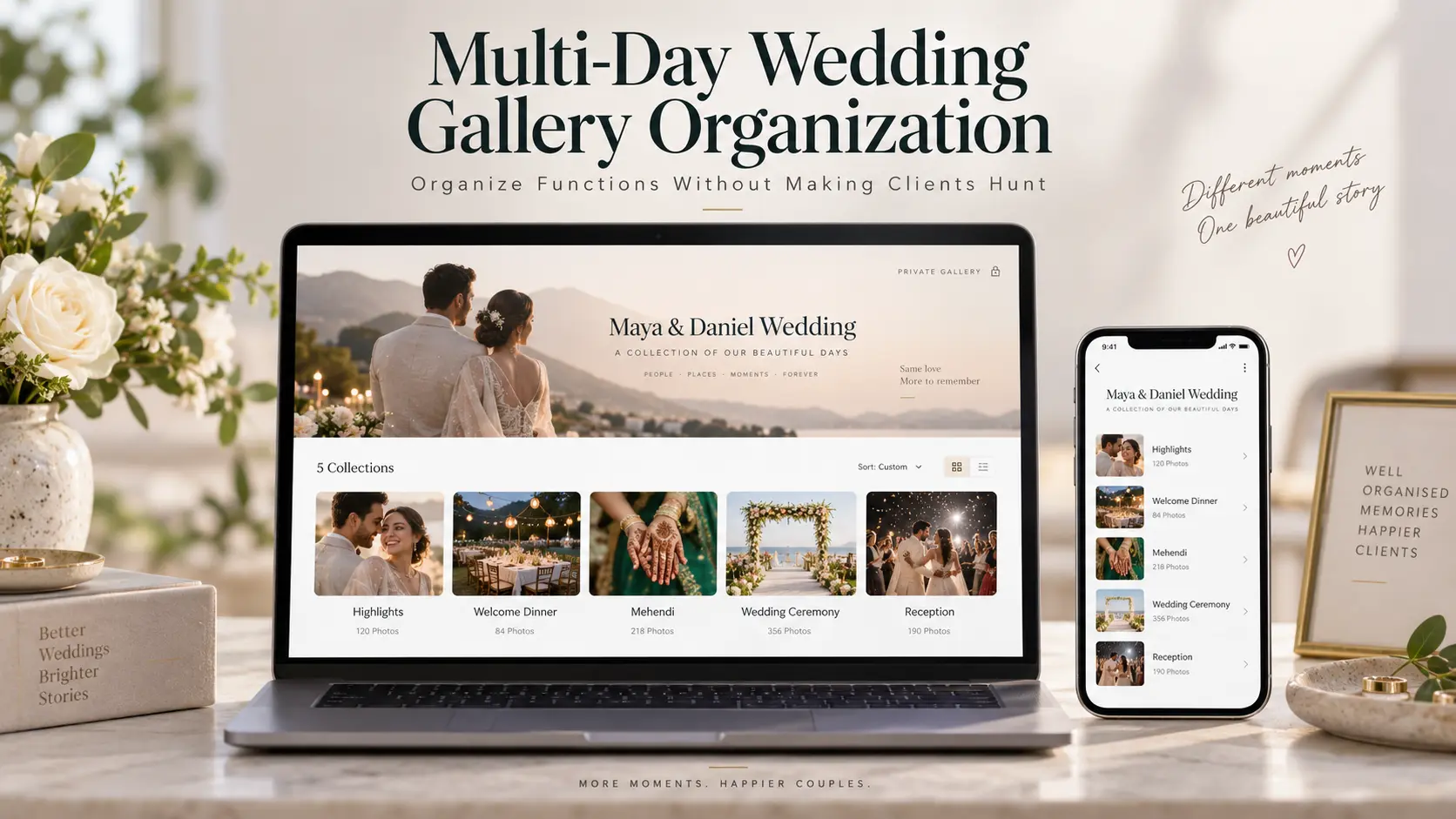
A multi-day wedding can produce an extraordinary body of photographs and still become frustrating to revisit if the final gallery has no obvious structure. The problem is rarely the number of images by itself. It is the amount of work the client has to do to understand where everything is.
A couple may have a welcome dinner on the first evening, two celebrations the next day, separate ceremonies on the wedding day and a reception several hours later. Other weddings may include a rehearsal dinner, tea ceremony, civil ceremony, religious service, cultural rituals, after-party or farewell gathering. The names and traditions change around the world, but the delivery problem is remarkably consistent: several distinct experiences eventually arrive through one photographer.
Good wedding gallery organization should preserve that richness without making the couple remember which day, photographer, camera or production folder contained the moment they want.
At GoPickle, we think a private wedding gallery should work in two directions at once. It should let the couple relive the celebration as a story, while also letting them jump directly to a particular event when they are looking for specific photographs. That is the difference between merely uploading a wedding and designing a usable delivery experience.
Start with how the couple will revisit the wedding
Do not build the client-facing gallery by copying the folder structure your editing team used.
Your production folders might contain Day_02_Cam_A, SecondShooter_Selects, Reception_Final, Drone and Portrait_Retouch. Those labels are useful inside a studio because they describe where files came from or what needs to happen to them. They say very little about how a couple remembers their wedding.
The couple remembers the welcome party, the mehendi, the ceremony, the first dance, the tea ceremony, the family portraits or the reception. Those are the labels that should shape the final gallery.
Before creating your wedding gallery collections, look at the wedding itinerary or booking record and write down the events using the same terminology the couple uses. If the clients call something the "Welcome Dinner", do not rename it "Pre-Wedding Event". If two functions happened on Saturday, do not force both underneath one collection called "Saturday" simply because that matches your storage folders.
This becomes especially important in a multi day wedding photo gallery because date-based organisation alone often becomes ambiguous. "Day 2" might contain a morning ritual, an afternoon family gathering and an evening celebration with completely different people and visual character.
The client-facing hierarchy should therefore answer a simple question immediately:
Where would the couple naturally look for this moment six months from now?
That is the naming system worth preserving.
One gallery vs function-based collections
There are three common ways photographers can structure a large wedding delivery.
| Structure | Works well when | Client experience | Main weakness |
|---|---|---|---|
| One continuous gallery | The wedding is short and the final collection is relatively compact | Clients can scroll through one uninterrupted story | Important moments become harder to retrieve as the gallery grows |
| One wedding gallery with function-based collections | The wedding spans multiple events, days or ceremonies | One delivery link preserves the complete wedding while collections make individual events easy to find | Too many tiny collections can create unnecessary navigation |
| Separate gallery link for every function | Different events genuinely require different access, delivery timing or audiences | Each event is isolated and easy to understand | The wedding experience becomes fragmented across several links |
For most multi-day weddings, the strongest middle ground is one private wedding gallery containing clearly named event-based collections.
The cover represents the complete wedding. Inside it, the collections represent the celebrations that made up that wedding.
That means a couple receives one link rather than maintaining a folder of separate gallery links, but they are not forced through thousands of photographs whenever they want to find one ceremony. This is the same principle behind the organised collections available in GoPickle Client Galleries: the delivery stays together while individual moments remain understandable.
Do not take segmentation too far. If "Bride Entrance" contains eight photographs and "First Dance" contains twelve, those probably do not need to become separate top-level collections unless there is a specific client reason. Collections should remove searching, not replace one enormous gallery with thirty small menus.
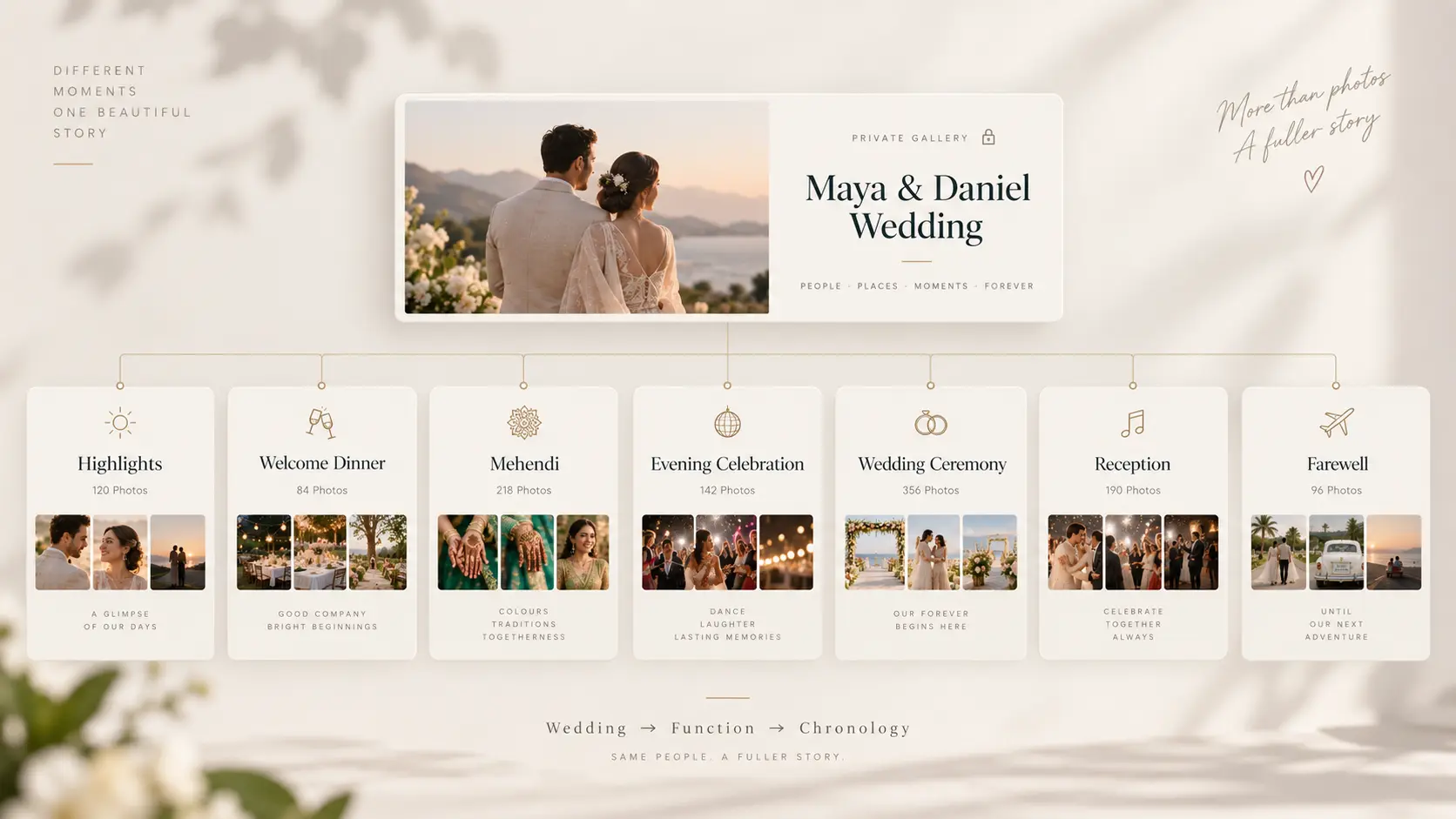
A useful rule is:
Wedding first → function second → chronology third.
The wedding stays together. Each function gets a predictable place. The photographs inside each function then tell that part of the story.
Use highlights as the front door, not a second copy of the wedding
A Highlights collection can be valuable in a large wedding photo gallery because not every visit begins with the intention of browsing the complete delivery.
The couple may open the gallery during dinner with family. They may send it to a relative who wants to see the wedding without spending an hour navigating every function. Months later, they may simply want to revisit the photographs that immediately bring the celebration back.
Highlights gives them that route.
The mistake is turning Highlights into another oversized gallery.
It should feel like an editorial introduction to the complete wedding rather than an attempt to repeat it. Include photographs that establish the scale, personalities, cultural character and emotional range of the celebration. A strong Highlights collection should move naturally across the major events without making the couple wonder whether the remaining collections contain anything different.
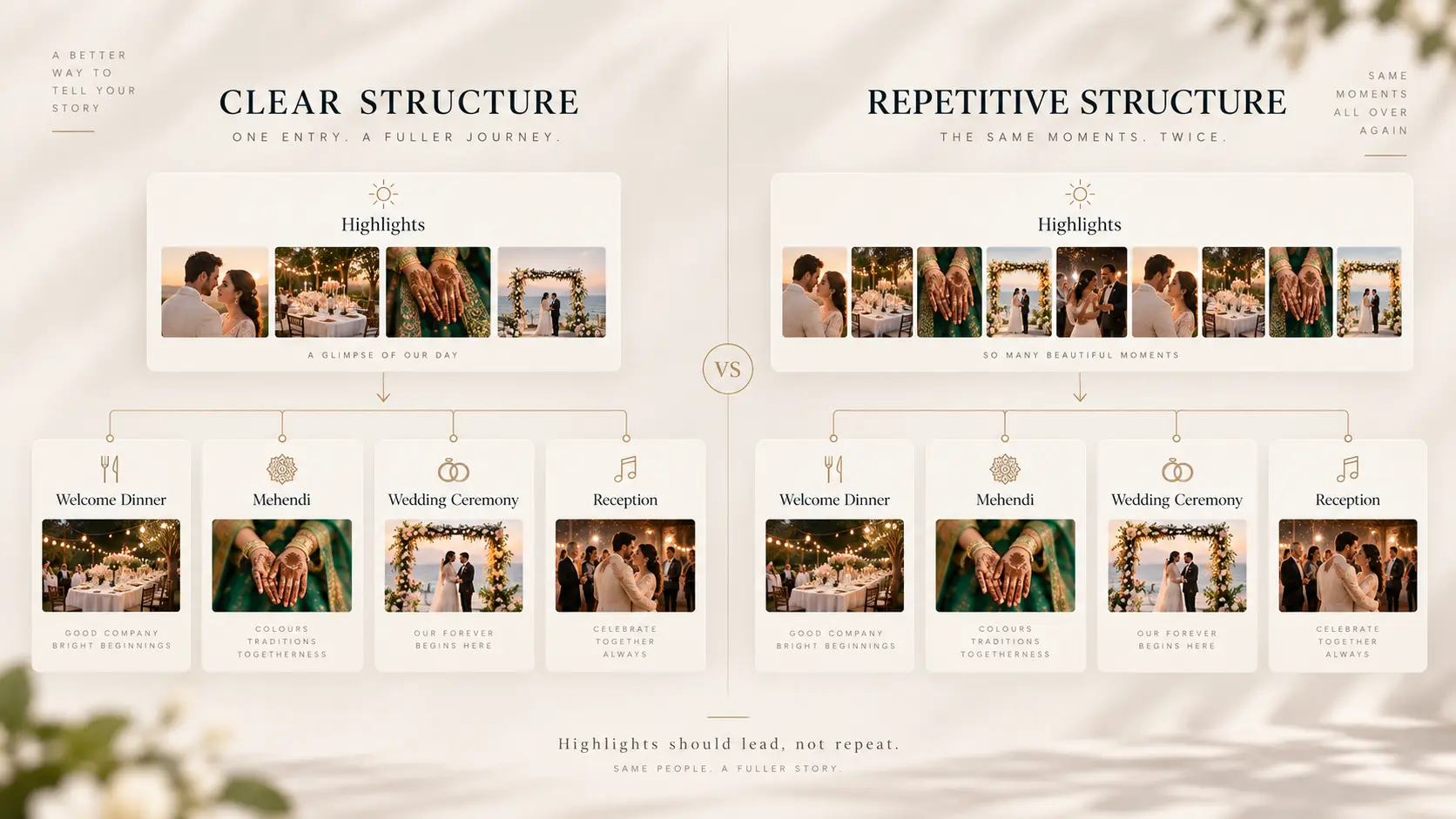
The relationship should be clear:
Highlights → complete event collections
rather than:
Highlights → most of the wedding repeated → complete event collections containing the same experience again
There is also an operational reason to keep this distinction clean. If a client is using favourites for album selection, printing or another approval workflow, unnecessary duplication can make selections harder to interpret. A photograph appearing repeatedly in different client-facing sections should not result in the studio wondering which underlying file the client actually selected.
Highlights should make a large gallery approachable. It should not create a second layer of administrative work.
Keep chronology inside each function
Once the client enters a particular function, chronology becomes much more useful.
A ceremony collection might naturally move from venue and detail photographs into arrivals, preparations, the ceremony itself, reactions, family interactions and the moments immediately afterwards. A reception might progress from the room before guests enter through arrivals, speeches, formalities, performances, dancing and the closing moments of the night.
That order does not have to be mechanically tied to timestamps. Wedding storytelling often involves simultaneous coverage. One photographer may be documenting the couple while another is photographing family reactions. Two photographers' camera clocks may also differ slightly. Sorting every image strictly by capture time without reviewing the finished sequence can create strange jumps.
Chronology should therefore provide orientation, while editing provides rhythm.
The client should rarely feel as if they have suddenly travelled backwards into preparations after the ceremony has finished, or jumped into the reception halfway through a ritual. At the same time, there is no requirement to preserve every second exactly as it happened if a slightly different image sequence tells the experience more naturally.
For multi-photographer studios, this is where client gallery organization becomes part of post-production rather than an afterthought. The final sequence needs one editorial owner who is looking at the wedding as a complete client experience, not simply combining exports from several photographers.
Guest sharing and access need a separate decision
A private wedding gallery often travels further than the photographer originally expects. The couple sends it to parents. Parents forward it to relatives. Someone opens it on a family television. Another person sends a collection to friends who attended only one function.
That sharing behaviour should influence the structure, but it should not automatically make the entire wedding public.
Some collections may contain private preparations, children, intimate family moments, religious ceremonies or photographs the couple does not want broadly circulated. Appropriate privacy and access decisions depend on the client, the nature of the event and the rules that apply in the relevant jurisdiction, so sharing expectations should be agreed rather than assumed. Our guide to client album privacy and gallery access covers that decision in more detail.
It is also useful to separate two jobs that are sometimes treated as the same thing.
A Client Gallery is the curated private delivery for the people who hired the studio. They may want to browse the whole wedding, download the complete photographs and make album selections.
Guest-scale distribution has a different retrieval problem. A guest who attended the reception may simply want to find the photographs in which they appear. If a wedding has hundreds of attendees, forcing the private client gallery to solve that problem can make the couple's delivery worse. A separate AI Guest Gallery workflow can be more appropriate when guests need personalised photo discovery.
Keep the couple's gallery designed for the couple.
Think about downloads and selections before publishing
Gallery structure affects more than browsing.
Imagine asking a couple to shortlist photographs for a physical album from one continuous gallery containing every event. They have to remember where one function ends, where another starts and whether their selection represents the wedding evenly.
Collections make that decision easier because clients can understand what they have reviewed and what they have not. They can return to the ceremony without searching through the reception again, compare family photographs within the relevant event and gradually build their shortlist.
If album selection is part of your workflow, give clients clear instructions about how favourites will be used, any agreed selection limit and what happens after the selection is complete. Our guide to wedding album selection and faster client approvals covers that workflow in detail.
Downloads need the same forethought. Some clients want individual photographs immediately, while others want to save the complete wedding as an archive. If your gallery software supports collection-level and complete-gallery delivery, make the available choices obvious rather than expecting clients to discover them.
This is where dedicated wedding photo gallery software starts to matter operationally. GoPickle Client Galleries are built around organised collections, favourites, controlled downloads, access controls and mobile-friendly viewing so the same gallery can support both presentation and the actions that follow it.
The objective is not simply to make the gallery attractive. It is to reduce the distance between "I want that photograph" and "I know exactly where to find, select or download it."
Test the entire wedding gallery on a phone before delivery
Photographers commonly organise a gallery on a large desktop monitor because that is where the editing work happens. The client may first open it from a message on their phone.
Those are very different viewing conditions.
A navigation structure that seems obvious across a wide desktop menu can become cumbersome on a narrow screen. A cover followed by a Highlights section and six event collections may feel elegant. A cover followed by seventeen categories with long titles may require constant scrolling before the first photograph appears.
Before delivering a multi day wedding photo gallery, open the exact client link on a phone while logged out of the photographer account. Use the same password or access route the client will receive.
Then try to behave like someone who has never seen the gallery before:
- Find the wedding ceremony.
- Return to the main wedding.
- Open an event from a different day.
- Mark a favourite if selections are enabled.
- Download one photograph.
- Find the complete-gallery or collection download if you offer one.
- Forward the link through the same method the couple is likely to use with family.
Do this with the real gallery, not a twenty-image sample.
If finding the reception requires repeatedly returning to the top of a long page, shorten the navigation. If several collection titles look almost identical on a phone, rename them. If the download action is difficult to understand, fix the delivery instructions before sending the link.
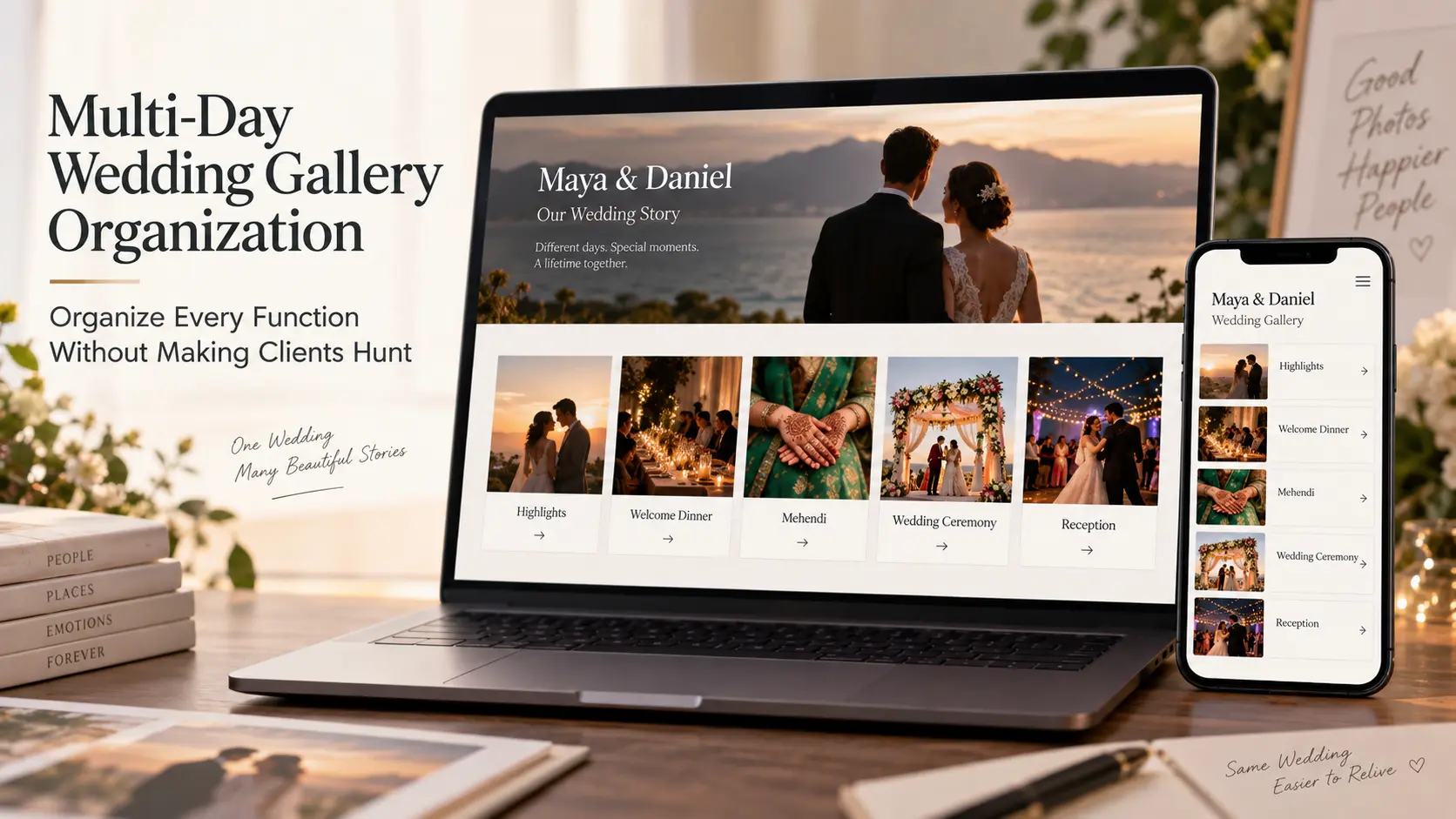
Our Photography Gallery Delivery Checklist goes further into final checks for files, collection order, privacy, downloads, mobile viewing and the client-facing link.
A practical multi-day wedding gallery structure
There is no universal event list because weddings do not follow one cultural template. The structure should mirror the actual celebration.
A gallery might look like this:
Maya & Daniel

Highlights

Day 1
Welcome Dinner

Day 2
Mehendi
Evening Celebration

Day 3
Wedding Ceremony
Reception

Day 4
Farewell Gathering
Another wedding might contain a rehearsal dinner, tea ceremony, church wedding and evening reception. Another might have a civil ceremony several weeks before the primary wedding. Another may require only three collections.
The important part is not the vocabulary. It is the hierarchy.
Do not create separate collections because your internal workflow happened to create separate folders. Create them when the distinction helps the client understand, revisit or act on the photographs.
Similarly, do not hide several genuinely different functions inside "Day 2" merely to keep the collection count low. If the couple thinks of them as separate events, the gallery should probably do the same.
The right wedding gallery organization becomes almost invisible. Clients do not congratulate the photographer because the information architecture was excellent. They simply open the gallery, understand it and find what they came for.
That is the standard worth aiming for.
For studios handling multi-function weddings regularly, it also helps when the gallery structure begins earlier in the workflow. GoPickle's wedding photography workflow connects events, bookings, teams, selections and final gallery delivery so the structure of a complex wedding does not have to be reconstructed from scattered folders at the end.
A multi-day wedding is one story made from several distinct celebrations. The final gallery should preserve both parts of that idea: one wedding to return to, and clear functions that never make the client hunt.