Photography Website Sample Galleries vs Client Galleries: Use Each for the Right Job
Learn when photographers should use public sample galleries versus private client galleries, including content, privacy, branding, CTAs and website structure.

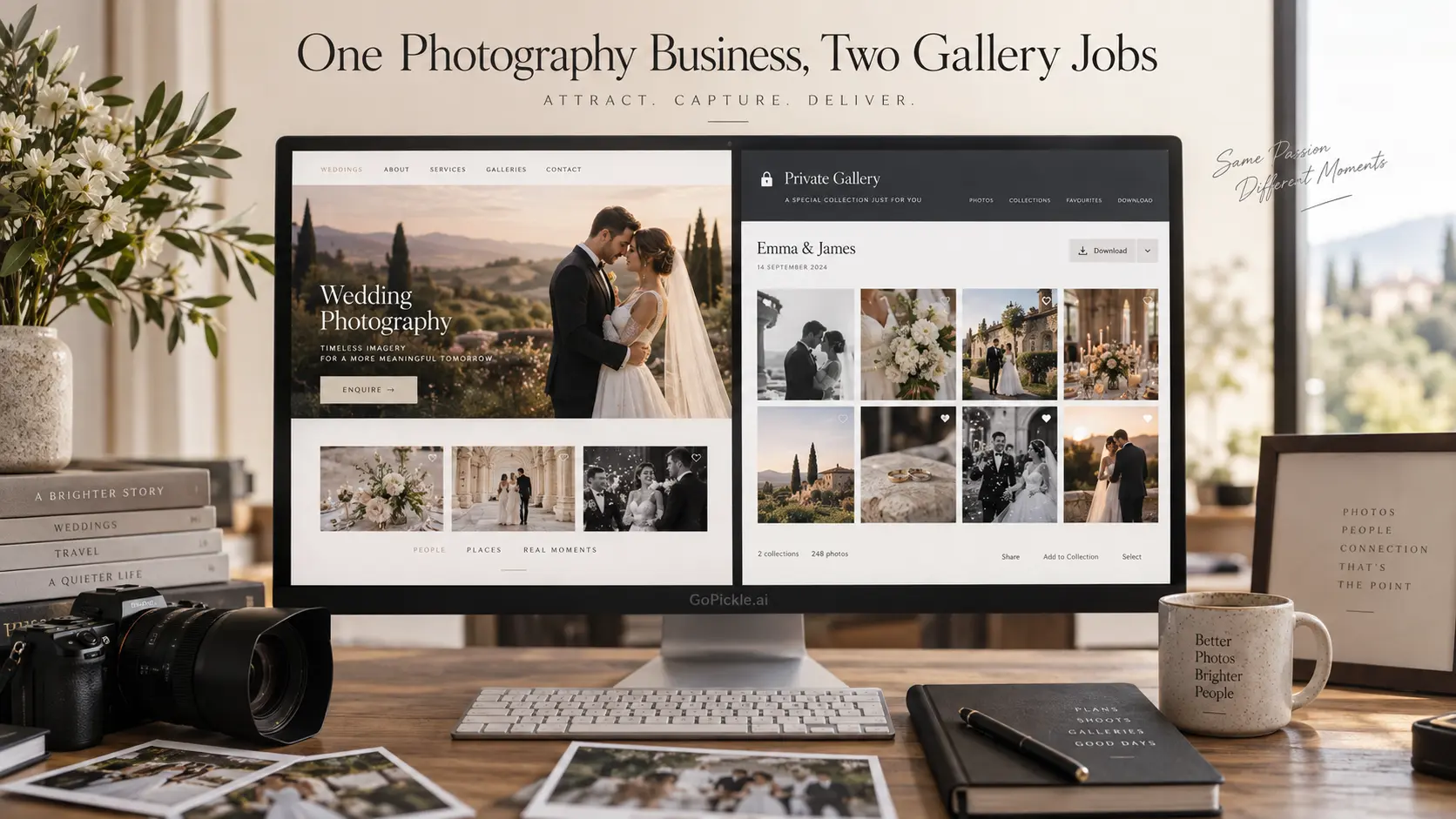
A prospective client and a paying client may both open a page full of your photographs, but they are not there for the same reason.
The prospective client is trying to judge you. They want to know what a complete wedding feels like through your camera, whether your work stays consistent beyond the strongest portfolio frames, whether you can handle their kind of assignment, and what they should do if they want to hire you.
The paying client has already made that decision. They need to receive, browse, select, download or share photographs from work you have produced for them.
That distinction is the useful way to think about a photography sample gallery vs client gallery. One is primarily a sales asset. The other is a delivery workspace. They may use similar gallery layouts and even similar underlying technology, but the content, access rules, branding, calls to action and place in your website architecture should be different.
What a sample gallery is trying to prove
A photographer sample gallery gives a prospective client more evidence than a portfolio grid can provide.
Your portfolio normally makes a fast visual argument. It shows the strongest photographs across several assignments and helps a visitor recognise your style. A sample gallery goes one level deeper by showing how that quality holds together across a meaningful part of one assignment.
For a wedding photographer, for example, a wedding photography sample gallery might show preparations, ceremony moments, portraits, family interactions, reception coverage and difficult lighting from the same celebration. The purpose is not to publish everything the couple received. It is to let another couple see that the photographer can tell a complete story rather than produce a few exceptional hero images.
Commercial, event, portrait and family photographers can apply the same principle. A corporate event sample might demonstrate arrivals, stage coverage, speaker portraits, audience reactions, sponsor details and networking. A brand photographer might show how a campaign moves from environmental portraits into product details and supporting assets.
This is why a sample gallery belongs close to the marketing side of your website. It supports the same decision as your service page and photography portfolio: “Can this photographer produce the kind of work I need?”
A sample gallery should therefore have context. Give it a useful title, identify the type of assignment, explain anything important about the brief or setting, and offer a clear path back to the relevant service or enquiry action. A gallery containing beautiful photographs with no explanation can still impress people, but it does less commercial work.
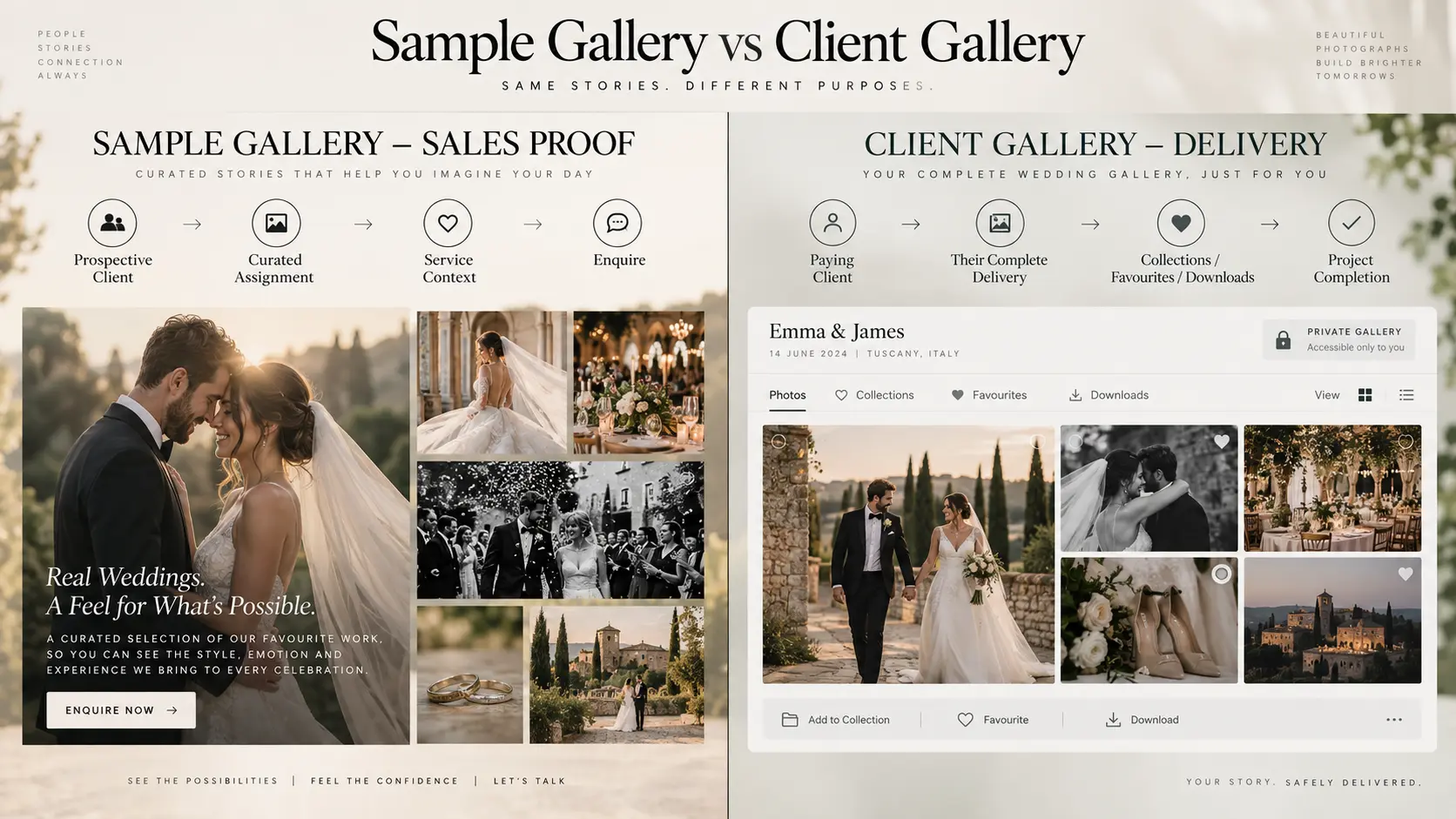
What a client gallery is trying to accomplish
A client gallery begins from a different relationship. The visitor is no longer assessing whether to hire the photographer. They are opening work that belongs to an active or completed assignment.
Its priorities are therefore operational: organise the photographs clearly, make viewing comfortable, provide the appropriate download or selection controls, maintain the required access restrictions, and make it obvious what the client should do next.
GoPickle’s Client Galleries for photographers are designed around this delivery stage, with branded presentation, organised collections, favourites, access controls and downloads connected to the wider photography workflow.
The distinction becomes clearer when the two gallery types are placed side by side:
| Question | Sample gallery | Client gallery |
|---|---|---|
| Primary audience | Prospective clients | Paying client or authorised recipients |
| Main objective | Build confidence and generate an enquiry | Deliver or manage client photographs |
| Typical content | Curated example from selected work | Work belonging to the actual client assignment |
| Access | Usually public if publication is authorised | Often private or controlled |
| Main CTA | View service, check availability, enquire | View, select, download, approve or share |
| Search visibility | Can be useful as part of public website architecture | Usually not intended as an SEO landing page |
| Editing | Selected specifically for sales relevance | Determined by the purchased deliverables and workflow |
| Lifetime | Can remain useful while representative | Defined by delivery, archive and retention policy |
A client gallery can still create referrals. Family members, event stakeholders or people a client chooses to share with may discover the photographer through a polished delivery experience. That is valuable, but it should not cause the studio to treat a private delivery gallery as if it were a public marketing page.
For a deeper look at the delivery experience itself, our Deliver Better Galleries guide covers organised client viewing, selections, downloads and gallery handoff.
How much work belongs in a sales sample
There is no useful universal image count for a sample gallery. The right amount is the shortest edit that answers the buyer’s important questions without becoming repetitive.
That usually means showing range rather than volume.
Take a large wedding. The final client gallery may contain hundreds of photographs because the couple wants a record of people, rituals, speeches, details, portraits, candid moments and events throughout the day. A prospective client does not necessarily need that entire archive to evaluate the photographer.
The sales edit should preserve enough of the assignment to prove consistency. Keep the photographs that demonstrate changes in light, pace, environment, subject and photographic responsibility. Remove near-duplicates and images that add emotional value for the original client but little information for a new buyer.
A useful test is to look at every group of similar photographs and ask: does the next image prove something the previous one did not?
That might be the difference between a portfolio gallery and a useful sample gallery. A portfolio can contain one extraordinary reception frame. A wedding sample should make it possible to understand how you photographed the reception as a whole.
The same logic applies to other photography services. A portrait sample should show the variety a typical commissioned session can produce. A commercial sample should demonstrate how the brief was carried consistently across the required outputs. An event sample should reveal how you handle both planned moments and unpredictable activity.
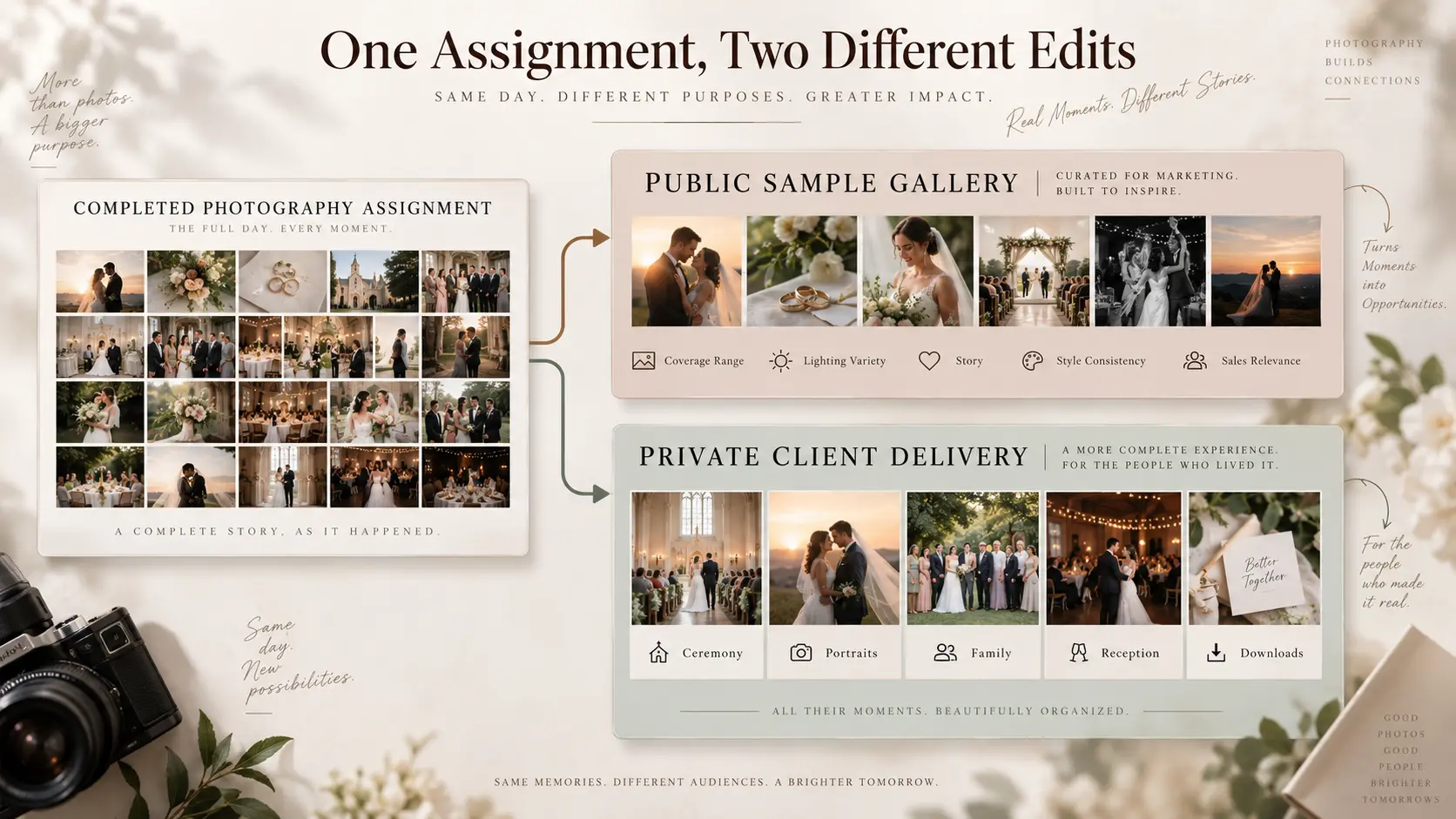
Keep the client’s actual delivery separate. A sales edit can be derived from completed work where you have the appropriate right or permission to publish it, but it should become its own intentionally curated asset rather than simply linking the public website to the private delivery.
Privacy and access differences matter
A public gallery and a client delivery gallery should not inherit the same access assumptions.
Before using client photographs in a sample gallery, make sure your publication rights, client agreement and any required permissions actually allow that use. Wedding, family, school, private-event and commercial work can involve people or material that should not automatically become public because the photographer is allowed to deliver it to the client.
Requirements also differ by jurisdiction and assignment. A commercial client may restrict publication until a campaign launches. A private family may permit delivery but not portfolio use. An event organiser may have authority over commissioned event coverage while individual subjects create additional privacy considerations.
Treat publication permission and delivery access as separate decisions.
A client gallery may require a password, PIN, private link or another access rule appropriate to the assignment. GoPickle’s guide to client gallery privacy and access covers this operational side in more detail.
Do not confuse search-engine settings with security either. Marking a page noindex is useful when a page should not appear in search results, but it does not prevent someone who has the URL from opening an otherwise public page. Private client material needs actual access control where confidentiality matters.
Branding and CTA differences
A sales gallery should behave like part of your website.
The studio identity should be clear. The visitor should understand which service the photographs represent and have an obvious next step once they have seen enough. Depending on the gallery, that might be:
- View wedding photography packages
- Explore corporate event coverage
- Check availability
- See more destination weddings
- Request a quotation
- Tell us about your project
The CTA should relate to the work being viewed. Someone exploring a full destination-wedding sample should not have to return to the homepage and rediscover the service before they can enquire.
Client galleries need a quieter hierarchy. The client came for their photographs, so delivery actions deserve priority. Downloads, favourites, collections, selections or whatever the current workflow requires should remain easier to find than a promotional button.
Branding still matters. A professional client gallery website for a photographer should feel connected to the studio that created the work. But the gallery should not turn somebody’s private wedding, portrait session or commissioned commercial project into an aggressive advertisement.
There is room for a restrained portfolio or studio link, particularly when the client chooses to share the gallery with others. That supports referral discovery without interfering with the primary delivery experience.
This difference in interface priority is small, but commercially important. A sample gallery says, “Here is what working with us can produce.” A client gallery says, “Here is the work we produced for you.”
Link sample galleries from service pages
Sample galleries become more useful when they sit inside a deliberate website path rather than in an isolated “Galleries” menu containing dozens of unexplained shoots.
Start from buyer intent.
If someone is reading your wedding photography service page, link to sample weddings that reinforce the particular service being discussed. An intimate-wedding page can lead to an intimate-wedding story. A destination service can show relevant destination coverage. A corporate-event page can link to a conference or brand-event sample rather than a general portfolio.
This architecture helps prospective clients move from claim to evidence:
Service page → relevant sample gallery → confidence → enquiry
The sample gallery should also provide a route back into the commercial journey. Add a concise explanation of the assignment and a relevant CTA near the end rather than letting the visitor reach the last photograph and find nowhere useful to go.
Avoid creating public gallery pages simply to target combinations of photography keywords. A collection titled “Wedding Photographer City Name Gallery 07” with almost no unique context does little for a person trying to evaluate the work. Build sample galleries because the assignment demonstrates something a prospective buyer needs to see, then describe that assignment accurately.
This is also where the distinction between a photography portfolio gallery vs client gallery becomes useful for site architecture. Your portfolio and sample work are part of discovery. Your client galleries are part of fulfilment. They do not need to compete for the same search intent.
Never expose private client delivery by accident
The safest architecture is one where public sample galleries and client delivery are deliberately separated.
Do not assume that an obscure URL makes a delivery private. Do not place private galleries into public website navigation. Do not link publicly to a client gallery merely because it contains work you would like prospects to see. If a completed assignment deserves to become marketing material, create an authorised public sample from it instead.
That public version can use only the photographs appropriate for marketing, remove delivery-specific controls and client-only information, add relevant project context, and connect the visitor to the right service or enquiry path.
The private version can continue doing its real job: helping the client receive and interact with their photographs.
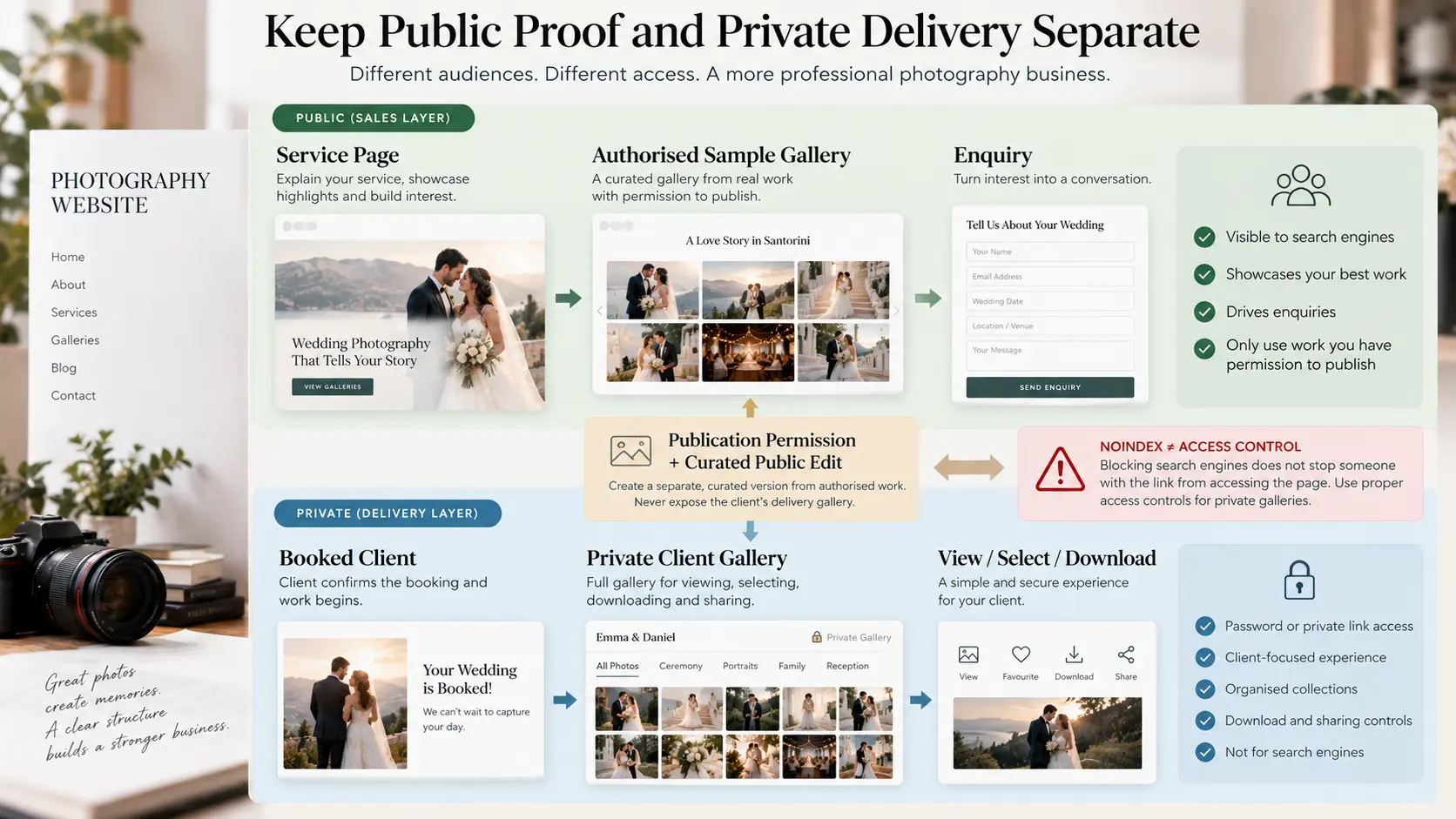
There is also a third category worth keeping separate: proofing. A proof gallery exists because the client still needs to make a production decision, such as choosing photographs for detailed retouching, album design or approval. It is neither a public sales sample nor necessarily the finished delivery. We cover that workflow separately in Photo Proofing vs Final Client Gallery.
For photographers building a more deliberate website, the distinction is useful because it prevents one gallery system from becoming a confusing bucket for every audience.
Use your portfolio to introduce the quality of the work. Use sample galleries to prove that quality across a realistic assignment. Use service pages to explain what you sell. Use the enquiry path to turn interest into a conversation. Then use a private client gallery to deliver the work once somebody has hired you.
The photographs may overlap. The job each experience performs should not.